Hi everyone!
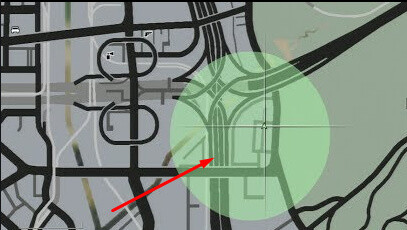
I’m working on a custom system for an armored truck heist, and I need to display a circular “search area” on the map (not a blip, not a detection zone — just a visual circle to help players locate the area).
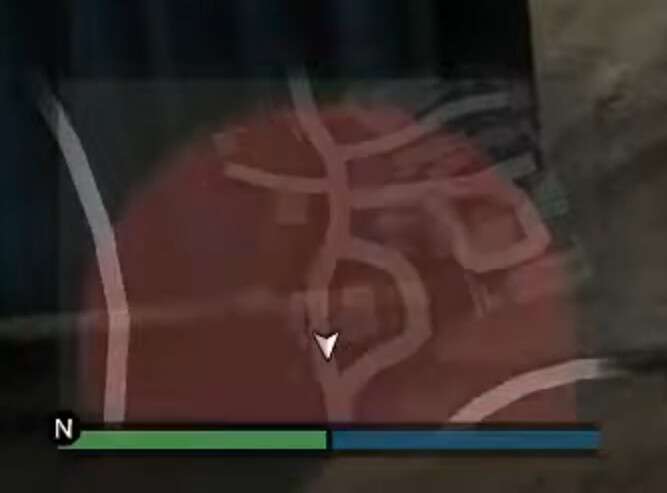
I’m using a San Andreas map mod (SA map converted to GTA V), and everything works fine except for one problem: the circle zone is being drawn under the map, so it’s invisible while the big map is open.
I’m not drawing the circle with blips (because radius blips scale with zoom), but instead using an NUI overlay positioned on top of the minimap/big map using the minimap anchor functions. This works on the default GTA V map, but on the San Andreas map mod the circle gets rendered behind the map layer.
Does anyone know how to force the overlay to render above the modded map?
Or is there any known workaround for SA map mods that change the map rendering order or Z-layer?
Any hints, natives, or map-specific tricks would be really appreciated.
Thanks in advance!
This this “San Andreas map mod” another NUI, by any chance? Because if yes, FiveM automatically changes the z-index of the iframe for any NUI that gets in focus, so it’s always on top.
Since you’re building a search zone… don’t you want the blip to scale with the zoom? So it shows the correct area no matter how zoomed in/out the player map is? I don’t understand what the limitation is here.
Yes, it’s another NUI, actually, I believe the map image itself is a NUI, which is why it always takes the top spot. I just don’t know how to make it a layer below or use the Circlezone as an adblip above… The same thing happens with the GPS track; it’s behind the map and doesn’t appear.
Regarding the search area, the armored car will spawn within the area, causing the player to search for it there. The idea is not to reveal the vehicle’s position immediately. Using blips, when you zoom in to the maximum, it shows exactly where the vehicle is…
If you want to go the NUI route, you will have to modify the map UI to also include the GPS track and the Blips. Basically, rewriting all 3 UIs into a single one, which in my opinion, is too complicated for what you want to do.
That shouldn’t be a problem if you are using AddBlipForRadius, like Christopher said. You just have to have different coords for the blip and the armored car. Either you can hardcode them (add all coords inside a config),
OORRRR
You can start from the vehicle coords, randomly modifiy them on the X and Y axis (but to still be in the range that you want), and use that as the blip coords. This way the blip won’t center on the vehicle.
I’ll take a look at that suggestion. Unfortunately, using map mods brings these difficulties, but thanks a lot for the help anyway. I’ll get back to you with an answer about Adblipradius later.