Hi guys, i’m using a rounded minimap and i’m setting minimap position via SetMinimapComponentPosition. howevert it strictly calibrated to a 1920x1080 16:9 screen. Do you know how to calculate size and position based on screensize and ratio in order to fix the size for every screen? Thanks in advance
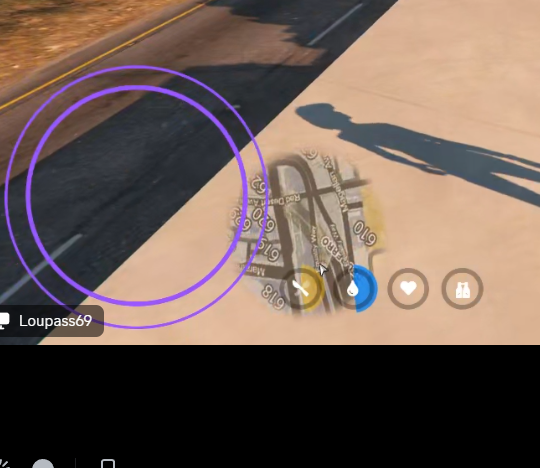
One of the more brilliant UI people can help here, but I THINK you’ll want to tinker with the native GetSafeZoneSize() in order to get the Screen coordinates based on the ui size in the pause menu.
ALSO, you’ll want to get the aspect ratio to the screen as well from the native:
These will help you make your UI a ratio of the screen aspect ratio, and UI pause menu settings.
For example, let’s say your screen’s aspect ratio is 16:9
This means your aspect ratio can be calculated as (16 / 9)
aka 1.77778.
Since width would be the base size, to get the appropriate sized height, you’d multiply it times the aspect ratio and it should properly scale with the screen size AND the size of the width of the object.
That may be wrong @asaayu so please correct me!
Same thing if your screens aspect ratio is 4:3 - 1.33333. Size of the width of your object is fine, but you’d wanna multiply it by 1.3333.
I don’t think I can help you further than this, so I call on the more bright members of the community to clutch and correct me where I’m wrong!!
Hello, how did you make a round minimap, I need such a factor to create a hood in the style of nfs15 ??))