CAS Metabolism System v2.0 - Revolutionary RedM HUD & Metabolism System
LATEST UPDATES, WHAT ADDED UNTIL NOW? CHECK CHANGELOG
YOUTUBE PREVIEW

GITBOOK DOCUMENTATION
 Preview Gallery






BUY SCRIPT
Escrow
Open Source
 Overview
CAS Metabolism System is the most advanced and customizable metabolism & HUD system for RedM servers. Built with modern React/TypeScript technology, featuring 3 unique themes, extensive customization options, and a comprehensive level/XP system.
 Why Choose CAS Metabolism?
- Modern React UI with TypeScript for maximum performance
- 3 Stunning Themes: Western, Minimal, and Wave with animated effects
- Complete Drag & Drop customization system
- Advanced Level/XP System with persistent data storage
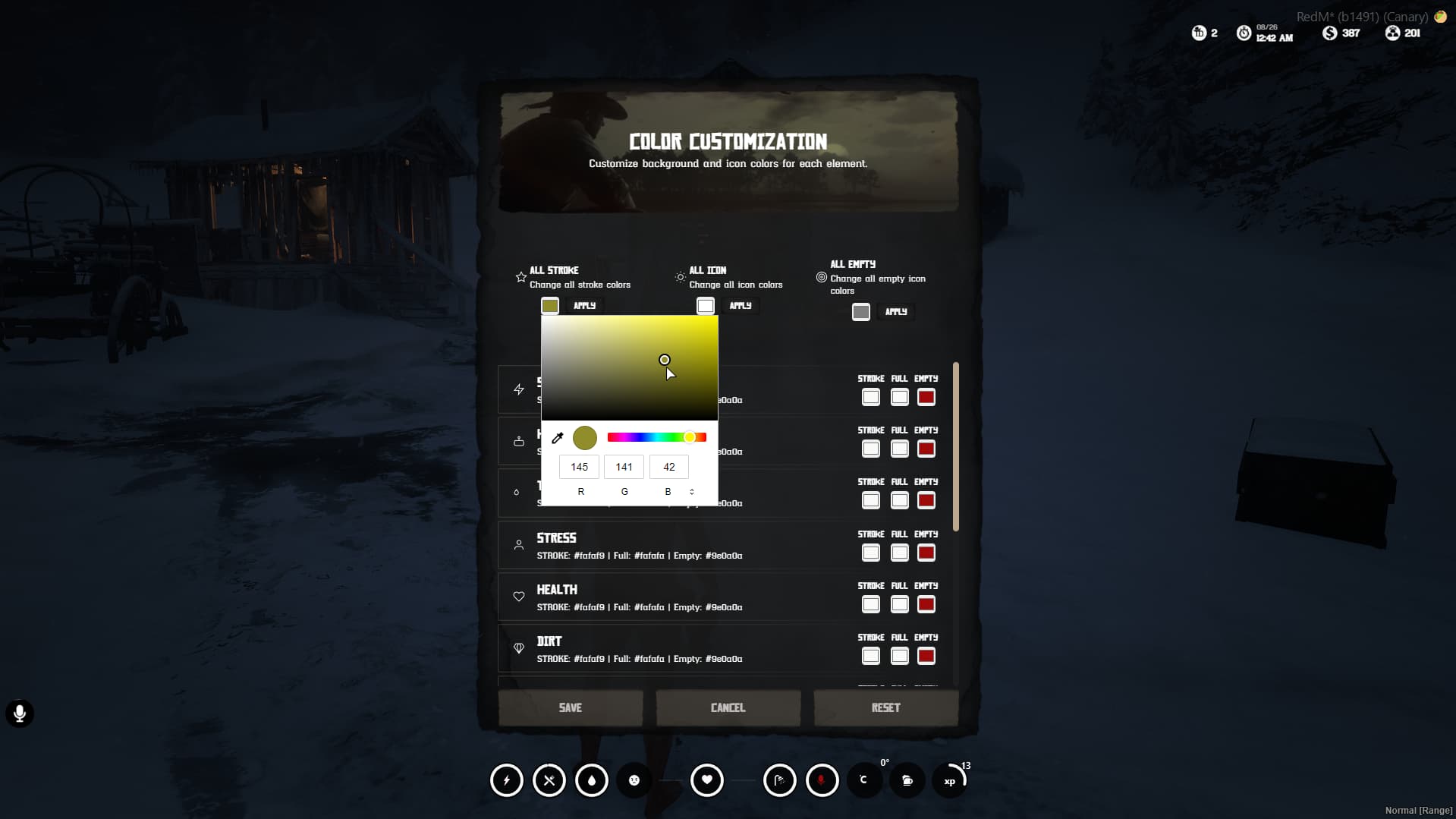
- Comprehensive Color System with presets and individual customization
- Multi-language Support (EN, FR, ES, DE, TR)
- Production Ready with optimized performance
 Core Features
 Three Unique Themes
1. Western Theme 
- Traditional hexagonal design with gradient fills
- Progress text display with percentage values
- Classic western aesthetic with detailed SVG elements
- Perfect for traditional roleplay servers
2. Minimal Theme 
- Clean circular progress rings
- Modern minimalist design
- White stroke progress indicators
- SVG icon fill system for health/stamina cores
- Ideal for modern/futuristic servers
3. Wave Theme [NEW!]
- Square containers with animated wave effects
- Bottom-to-top liquid fill animation
- Realistic wave physics with CSS animations
- Dynamic wave colors based on status
- Perfect for immersive gameplay experience
 Comprehensive Metabolism System
Core Statistics
- Health System: Inner/Outer cores with gold enhancement support
- Stamina System: Inner/Outer cores with gold enhancement support
- Hunger: Realistic decay with running multipliers
- Thirst: Dynamic decrease based on activity
- Stress System: Visual effects and screen shake
- Dirt/Cleanliness: Automatic tracking
- Temperature Display: Real-time weather integration
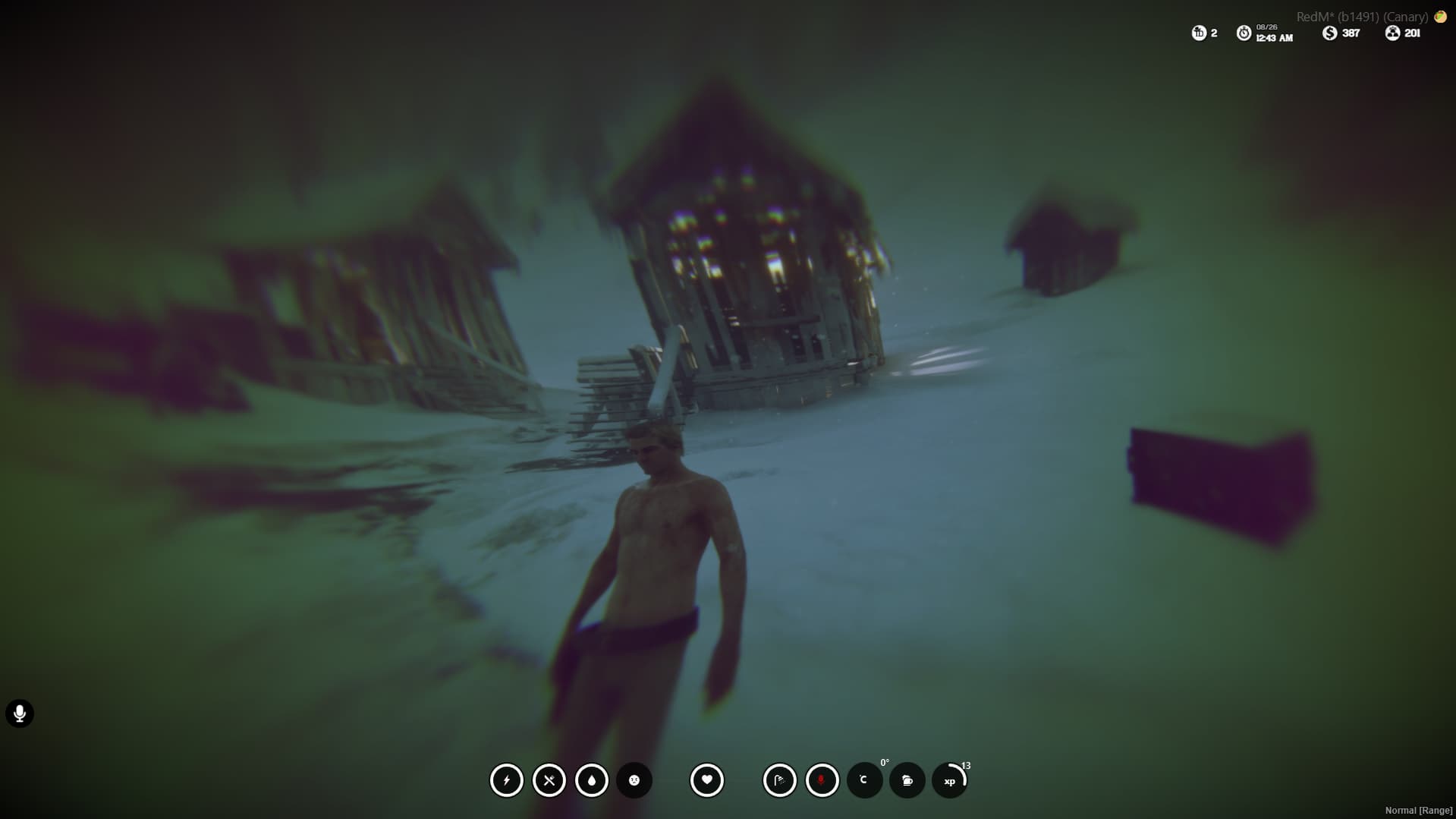
- Alcohol Effects: Progressive drunk system with visual distortion
- Voice Chat Indicator: Real-time microphone status
- Horse Integration: Health & stamina when mounted
Advanced Features
- Gold Core System: Enhanced attributes with visual effects and timers
- Running Multipliers: Faster metabolism decrease when active
- Death Prevention: Automatic health loss when starving/dehydrated
- Screen Effects: Alcohol-induced visual distortion and ragdoll
- Stress Shake: Progressive screen shake based on stress levels
Level/XP System
Visual Progress
- Animated XP Bars: Smooth progress animations
- Level Display: Current level with XP progress
- Real-time Updates: Instant visual feedback
- Theme Integration: Works with all 3 themes
Data Management
- JSON Storage: Persistent character data
- Character-based: Individual progress per character
- Automatic Leveling: XP overflow handling
- Export System: Full API for other resources
Commands & Exports
-- Admin Commands
/addxp [amount]     -- Add XP to player
/removexp [amount]  -- Remove XP from player

-- Server Exports
exports['cas-metabolism']:addXP(amount, identifier, source)
exports['cas-metabolism']:removeXP(amount, identifier, source)
exports['cas-metabolism']:getXP(identifier)
exports['cas-metabolism']:getLevel(identifier)
exports['cas-metabolism']:getPlayerLevelData(identifier)
 Customization System
Drag & Drop Interface
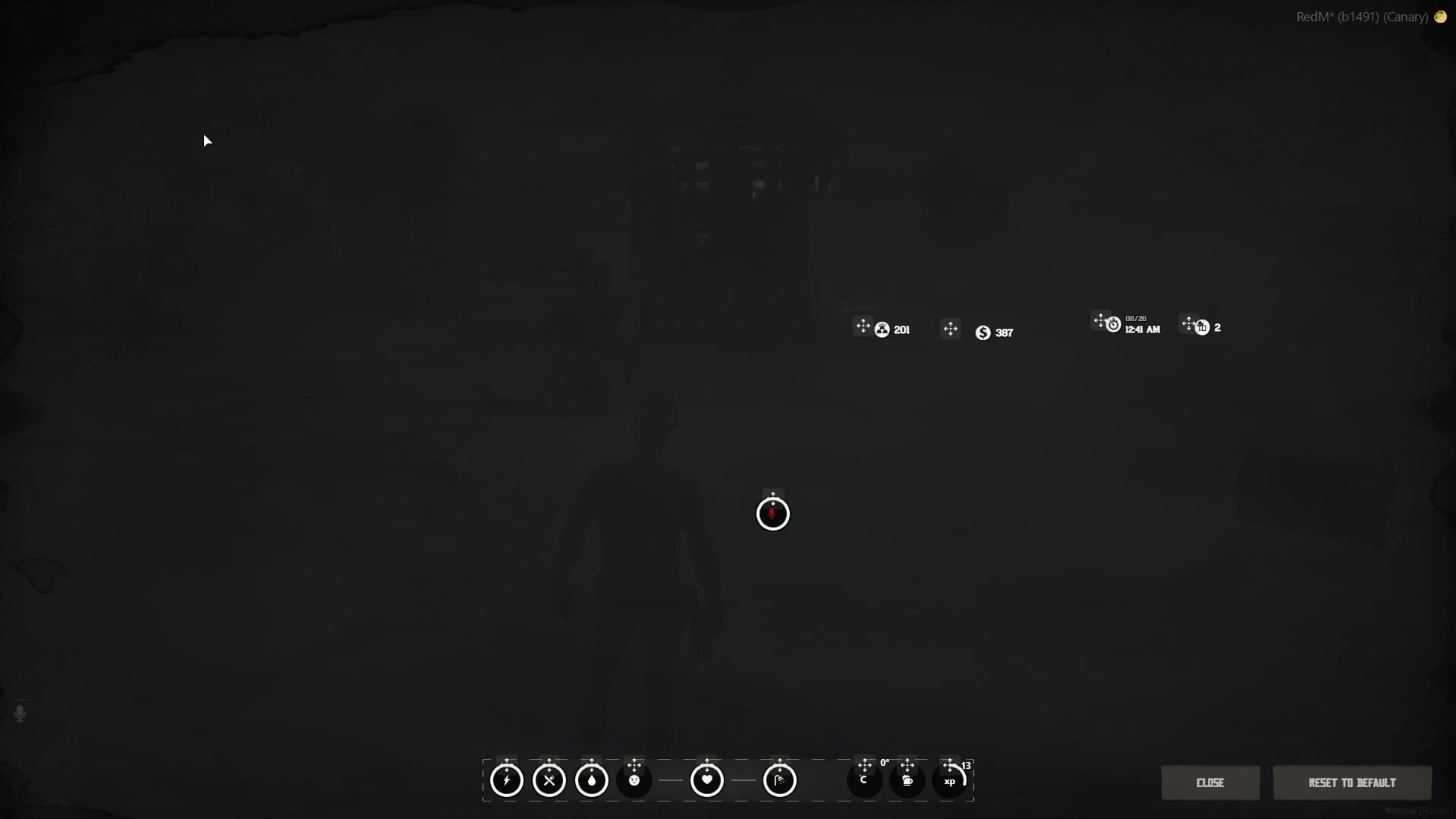
- Move Any Element: Drag any HUD element anywhere on screen
- Persistent Positions: Saved positions across sessions
- Visual Feedback: DnD indicators and smooth animations
- Reset Function: One-click position reset
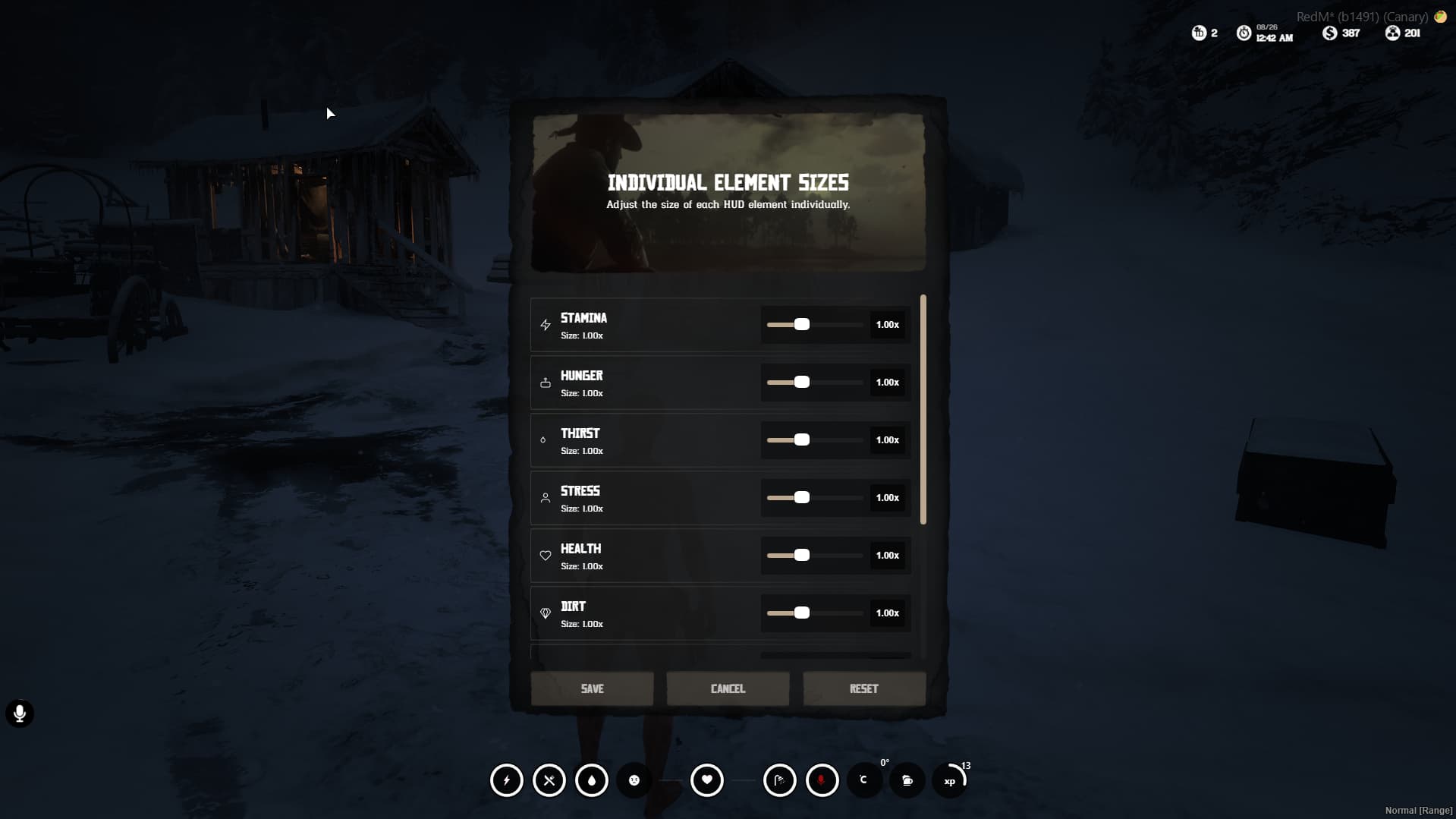
Individual Element Sizing
- Scale Range: 0.5x to 2.0x for each element
- Independent Scaling: Each element can be sized individually
- Real-time Preview: See changes instantly
- Persistent Settings: Saved across sessions
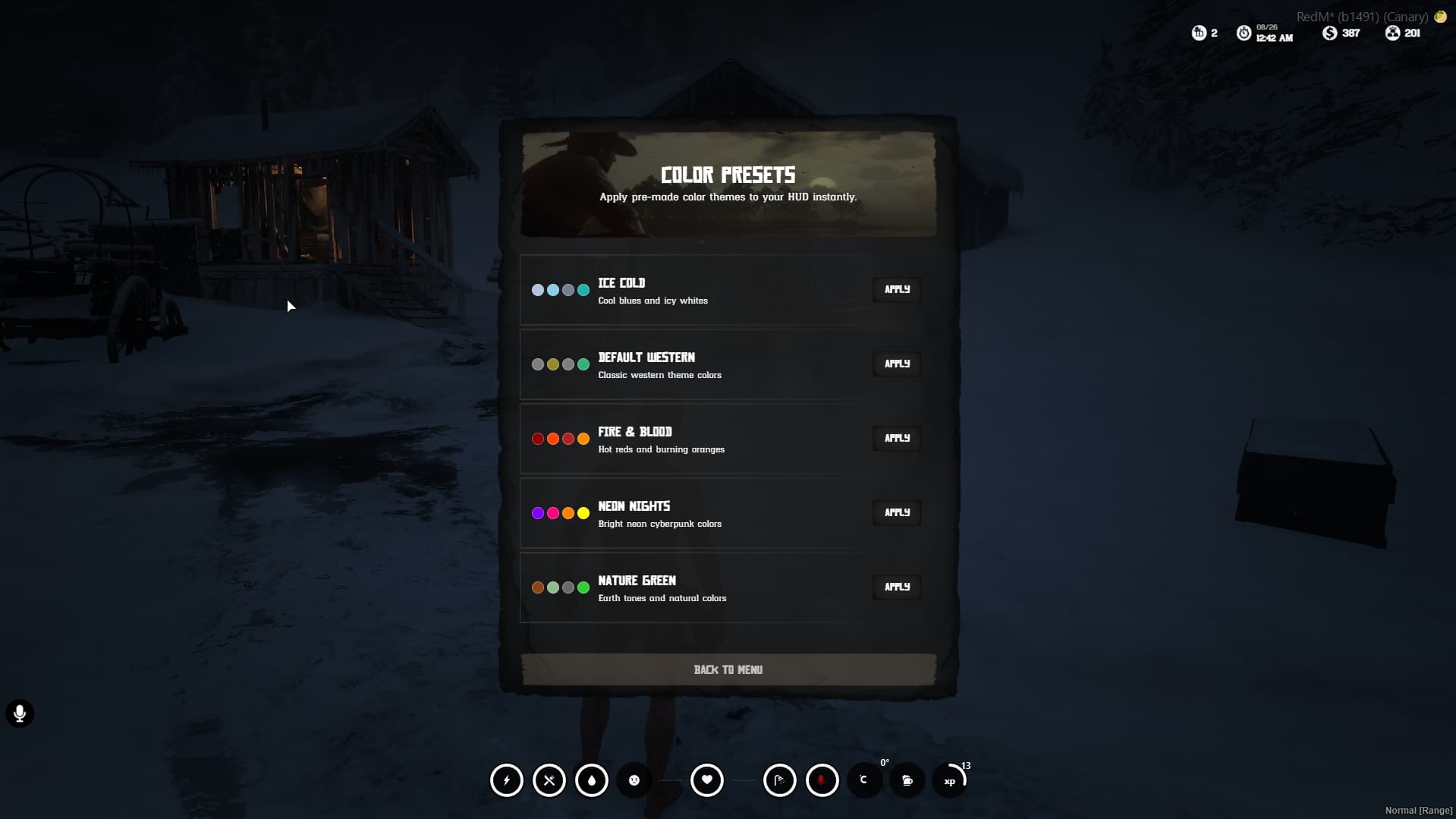
Advanced Color System
- 5 Pre-made Presets: Default, Neon, Nature, Fire, Ice
- Individual Customization: 3 colors per element
- Background/Stroke Color: Main element color
- Icon Color: Full state icon color
- Empty Icon Color: Empty state icon color
- Bulk Operations: Apply colors to all elements at once
- Theme-specific: Different color meanings per theme
 Multi-language Support
- 5 Languages: English, French, Spanish, German, Turkish
- Easy Translation: Simple locale system
- Dynamic Loading: Language changes without restart
 Developer API
Client Exports
-- Get specific metabolism value
local hunger = exports['cas-metabolism']:getMetabolismValue('hunger')

-- Get all metabolism values
local allValues = exports['cas-metabolism']:getAllMetabolismValues()

-- Set specific metabolism value
exports['cas-metabolism']:setMetabolismValue('hunger', 75)
Server Events
-- Update player status
TriggerClientEvent("cas-metabolism:SetClientStatuses", source, statusJSON)

-- Update HUD information
TriggerClientEvent("cas-metabolism:UpdateHudInfos", source, id, money, gold)

-- Update XP progress
TriggerClientEvent("cas-metabolism:UpdateXp", source, {
    xp = 75,
    level = 5,
    previousXP = 50,
    previousLevel = 4
})
Client Events
-- Get player status from server
TriggerServerEvent("cas-metabolism:GetStatus")

-- Save metabolism changes
TriggerServerEvent("cas-metabolism:SetStatus", metabolismValues)
 Item System
40+ Pre-configured Items
- Alcoholic Drinks: Whisky, Wine, Beer, Vodka, Tequila, Moonshine
- Food Items: Breakfast, Fruits, Vegetables, Fish, Meat, Desserts
- Medical Items: Bandages, Syringes with proper animations
- Beverages: Coffee, Milk, Fruit Waters
Advanced Item Configuration
{
    Name = "consumable_coffee",
    Thirst = 300,
    Hunger = 100,
    Stamina = 200,
    InnerCoreHealth = 10,
    OuterCoreHealth = 5,
    InnerCoreHealthGold = 50.0,    -- Gold core enhancement
    OuterCoreHealthGold = 50.0,    -- Gold core enhancement
    InnerCoreStaminaGold = 50.0,   -- Gold core enhancement
    OuterCoreStaminaGold = 50.0,   -- Gold core enhancement
    PropName = "p_mugcoffee01x",
    stress = { mode = "decrease", value = 0 },
    drunk = { mode = "increase", value = 0 },
    Animation = "coffee",
    Effect = "",
    EffectDuration = "",
}
Animation System
- eat: Eating animation with props
- drink: Drinking animation with bottles
- coffee: Special coffee drinking animation
- stew: Eating stew with spoon
- syringe: Medical injection animation
- bandage: Bandage application animation
 Configuration
Metabolism Settings
Config = {
    -- Commands
    SettingsMenuCommand = "hudsettings",
    HudVisibleCommand = "hudvisible",

    -- Base metabolism decrease
    HungerDecreaseTimer = 10,      -- Seconds between decrease
    HungerDecreaseAmount = 0.4,    -- Amount decreased
    ThirstDecreaseTimer = 15,
    ThirstDecreaseAmount = 0.4,

    -- Running multipliers (faster decrease when running)
    Running = {
        HungerDecreaseTimer = 5,
        HungerDecreaseAmount = 0.8,
        ThirstDecreaseTimer = 7,
        ThirstDecreaseAmount = 0.8,
    },

    -- System toggles
    EnableStressSytem = true,
    EnableShakeEffectForStress = true,
    UseCASProgressBar = true,
    UseCASNotification = true,
    DeveloperMode = false,
}
Color Presets
Config.ColorPresets = {
    default = { name = "Default Western", hudColors = {...} },
    neon = { name = "Neon Nights", hudColors = {...} },
    nature = { name = "Nature Green", hudColors = {...} },
    fire = { name = "Fire & Blood", hudColors = {...} },
    ice = { name = "Ice Cold", hudColors = {...} }
}
 User Experience
In-Game Commands
/hudsettings    - Open HUD customization menu
/hudvisible     - Toggle HUD visibility
/addxp [amount] - Add XP (admin only)
/removexp [amount] - Remove XP (admin only)
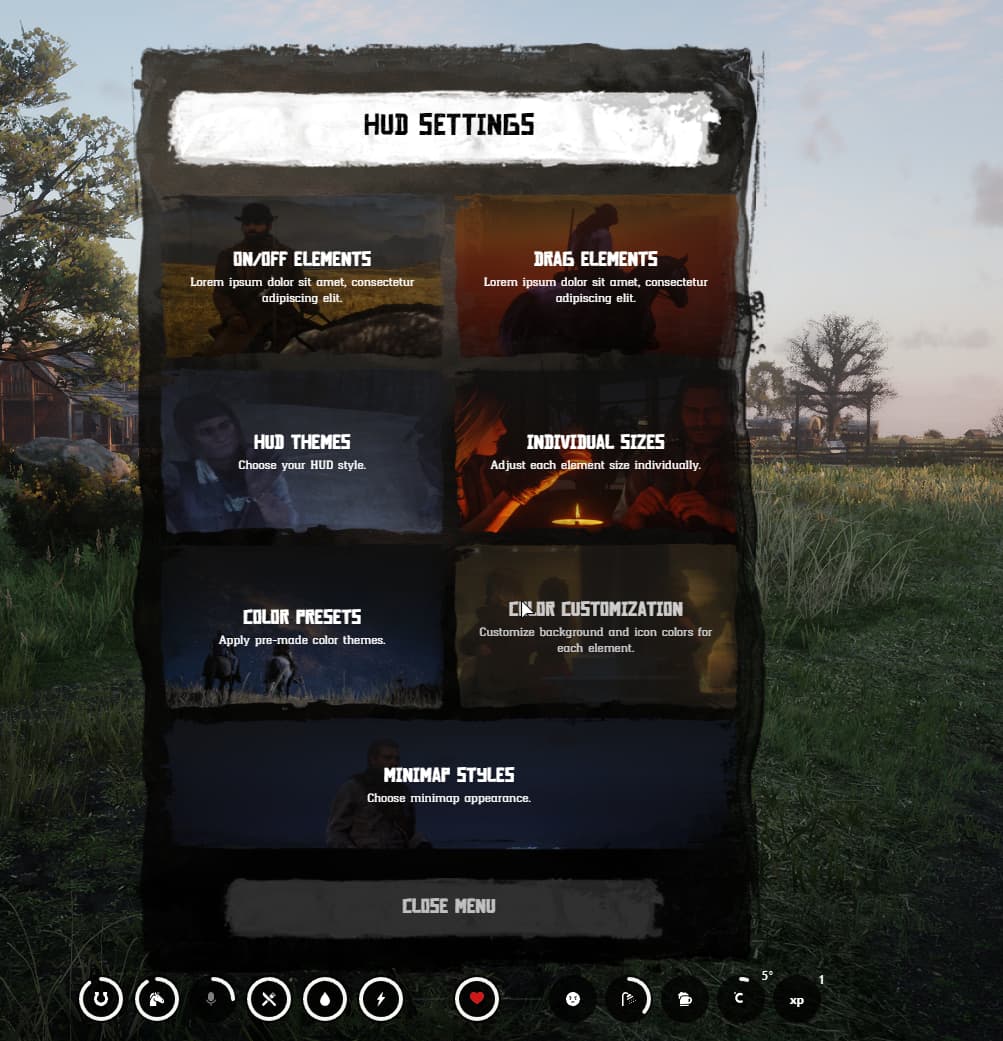
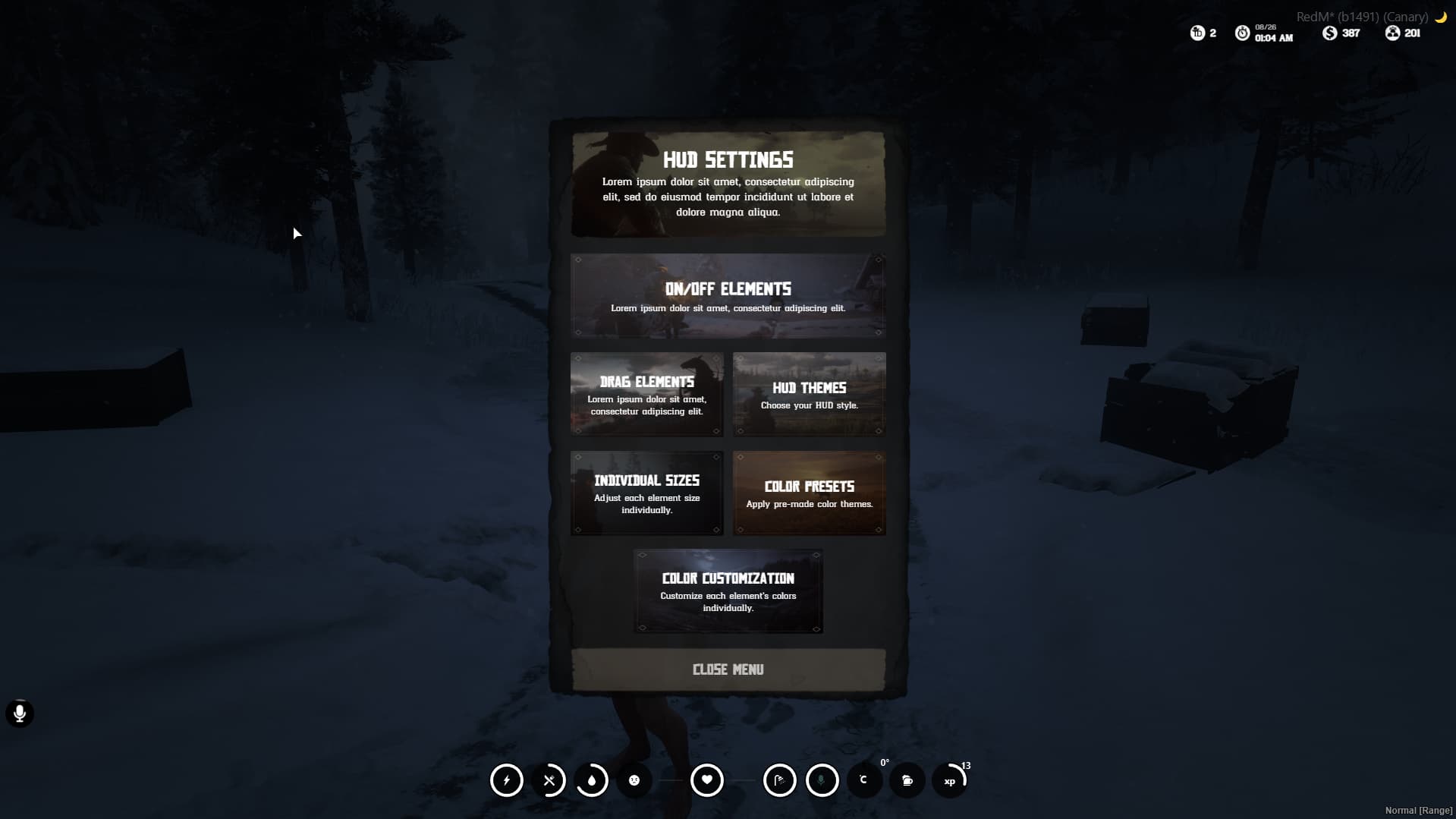
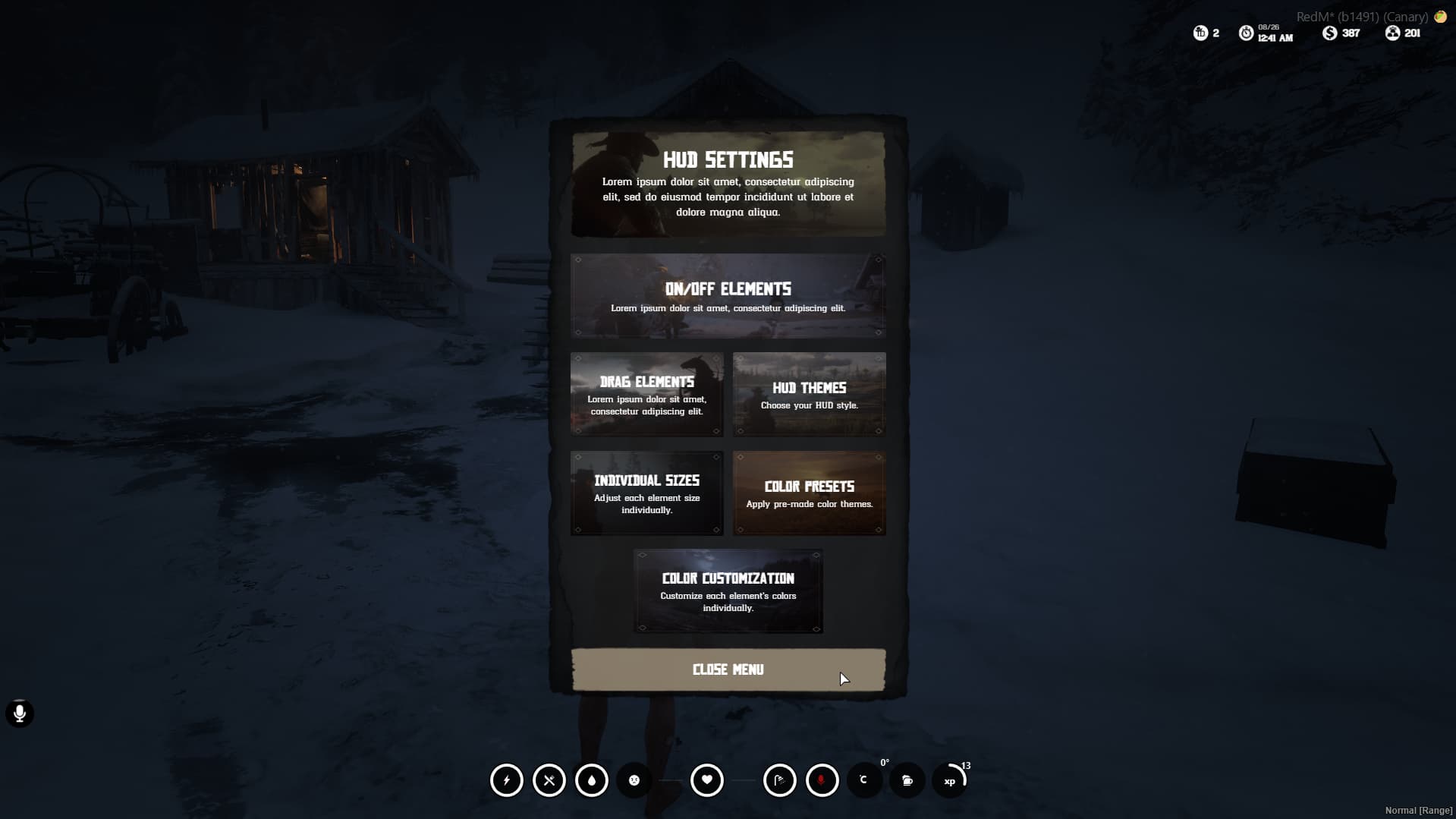
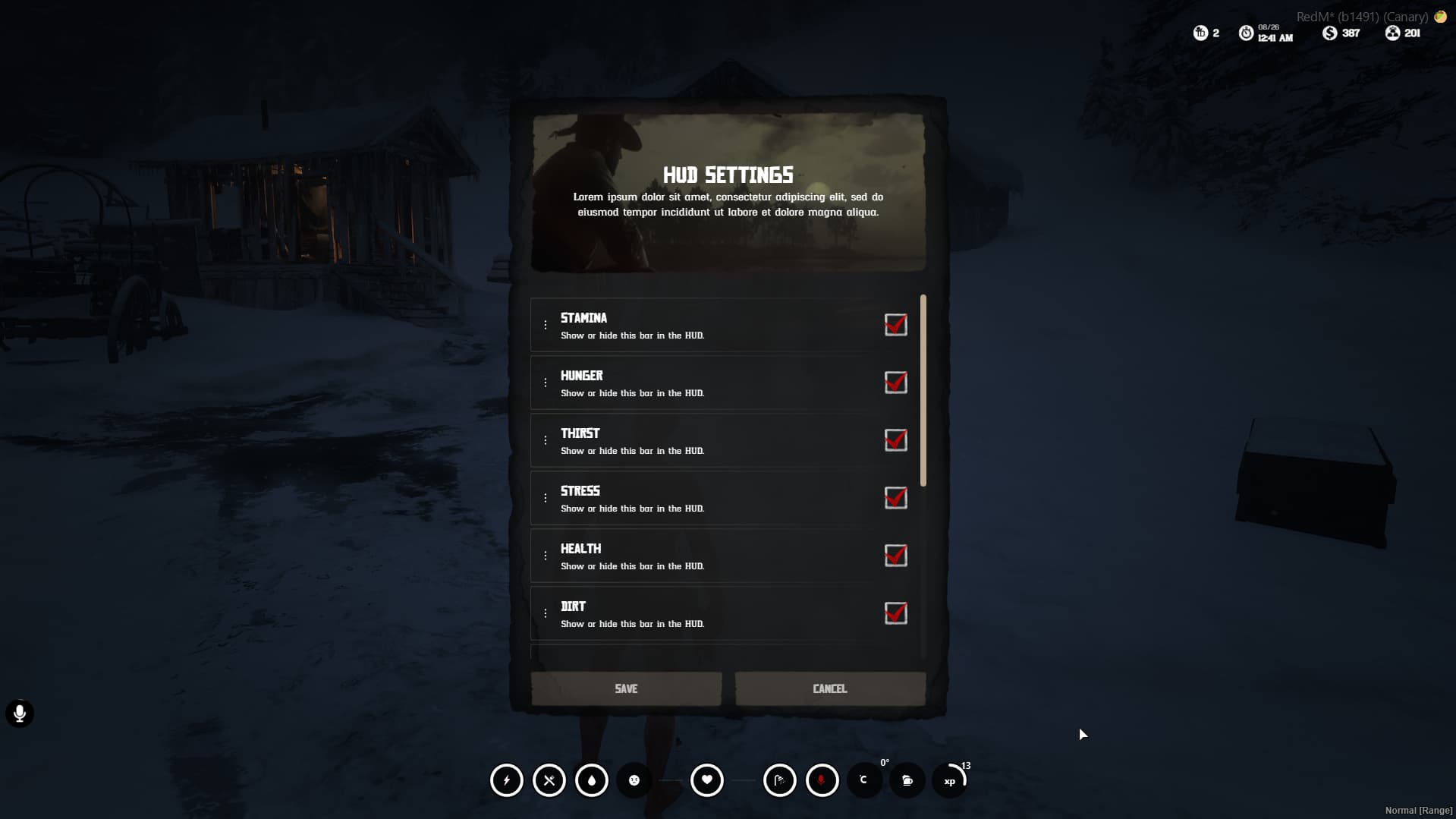
Settings Menu Features
- Element Visibility: Show/hide any HUD element
- Drag Elements: Move elements anywhere on screen
- HUD Themes: Switch between Western/Minimal/Wave
- Individual Sizes: Scale each element 0.5x-2.0x
- Color Presets: Apply pre-made color schemes
- Color Customization: Individual element color control
Advanced Customization
- Per-element Colors: Background, Icon, Empty states
- Bulk Color Operations: Apply to all elements at once
- Position Memory: All positions saved automatically
- Scale Memory: Individual element sizes remembered
- Theme Switching: Instant theme changes with position preservation
Technical Specifications
Performance Optimized
- Client Memory: ~15-25MB
- Server Memory: ~5-10MB
- Network Usage: <1KB/s per player
- CPU Usage: <1% on modern hardware
- Update Frequency: 250ms for smooth animations
Framework Integration
- VORP Core: Full integration with character system
- VORP Inventory: Seamless item usage system
- Character Persistence: Automatic data saving
- Event System: Comprehensive event handling
Modern Technology Stack
- Frontend: React 18 + TypeScript
- State Management: Redux Toolkit
- Animations: Framer Motion
- Styling: Tailwind CSS
- Build System: Vite for optimal performance
 Installation
Requirements
- VORP Core (Latest)
- VORP Inventory
- RedM Server (Latest artifacts)
Quick Setup
- Extract to
resources/cas-metabolism/ - Add
ensure cas-metabolismto server.cfg - Restart server
- Configure items in
config/shared_config.lua - Customize colors in
config/client_config.lua
No Database Required
- Uses JSON file storage for XP data
- Automatic file creation and management
- No SQL setup needed
Advanced Features
Gold Core Enhancement System
- Visual Effects: Glowing icons and wave effects
- Timer Display: Remaining enhancement time
- Dual Core Support: Inner and outer cores independently
- Animation Effects: Pulse and glow animations
Stress System
- Progressive Effects: Different intensities based on stress level
- Screen Shake: Configurable shake effects
- Shooting Integration: Stress increases when shooting
- Visual Feedback: Real-time stress indication
Alcohol System
- Progressive Intoxication: Multiple drunk levels
- Screen Effects: Visual distortion when drunk
- Ragdoll Effects: Character stumbles when heavily intoxicated
- Realistic Recovery: Time-based alcohol decrease
Horse Integration
- Automatic Detection: Shows horse stats when mounted
- Health & Stamina: Both inner and outer cores
- Dynamic Display: Appears/disappears based on mount status
- Gold Core Support: Enhanced horse attributes
Customization Examples
Theme Switching
-- Players can switch themes in real-time
-- Western: Traditional hexagonal design
-- Minimal: Modern circular progress
-- Wave: Animated liquid effects
Color Customization
-- Individual element colors
Config.HudColors = {
    stamina = "#918D2A",     -- Yellow-green
    hunger = "#91552A",      -- Orange-brown
    thirst = "#2A8491",      -- Blue
    health = "#B13535",      -- Red
    -- ... more colors
}
Element Positioning
- Drag any element to any screen position
- Automatic position saving
- Reset to defaults option
- Scale elements individually
 Screenshots & Preview
Western Theme
- Classic hexagonal metabolism bars
- Traditional western aesthetic
- Gradient fills with progress text
- Perfect for authentic western servers
Minimal Theme
- Clean circular progress rings
- Modern white stroke indicators
- SVG icon fill system
- Ideal for contemporary servers
Wave Theme
- Animated liquid wave effects
- Bottom-to-top fill animation
- Realistic wave physics
- Dynamic color system with gold enhancements
 Developer Integration
Easy Integration
-- Add XP to player
local user = VorpCore.getUser(source)
local character = user.getUsedCharacter
addXP(50, character.charIdentifier, source)

-- Check player level
local level = exports['cas-metabolism']:getLevel(identifier)
if level >= 10 then
    -- Unlock special features
end
Event Handling
-- Listen for level changes
RegisterNetEvent("cas-metabolism:UpdateXp")
AddEventHandler("cas-metabolism:UpdateXp", function(data)
    if data.level > data.previousLevel then
        -- Player leveled up!
        TriggerEvent('your-script:playerLevelUp', data.level)
    end
end)
 Security & Performance
Optimized Performance
- Efficient React rendering with minimal re-renders
- Optimized network traffic
- Memory leak prevention
- Smooth 60fps animations
Data Security
- Server-side validation for all metabolism changes
- Anti-cheat protection for XP system
- Secure item usage validation
- Protected configuration files
 Configuration Options
Metabolism Decay
- Configurable hunger/thirst decrease rates
- Running activity multipliers
- Death prevention system
- Realistic survival mechanics
Visual Customization
- 5 built-in color presets
- Individual element color control
- Element visibility toggles
- Position and scale customization
System Integration
- VORP Core character system
- VORP Inventory item usage
- Custom progress bar support
- Custom notification system
Player Experience
Intuitive Interface
- Easy-to-use settings menu
- Real-time customization preview
- Drag & drop positioning
- One-click theme switching
Visual Feedback
- Smooth animations and transitions
- Color-coded status indicators
- Progress animations
- Gold enhancement effects
Accessibility
- Scalable elements (0.5x - 2.0x)
- High contrast options
- Customizable positioning
- Multi-language support
Item System
40+ Pre-configured Items
- Alcoholic Beverages: Whisky, Wine, Beer, Vodka, Tequila, Moonshine varieties
- Food Categories: Breakfast items, Fruits, Vegetables, Fish, Meat, Desserts
- Medical Supplies: Bandages and Syringes with realistic animations
- Beverages: Coffee varieties, Milk, Fruit waters
Advanced Item Effects
- Metabolism Impact: Hunger, Thirst, Stamina restoration
- Core Enhancement: Inner/Outer health and stamina boosts
- Gold Core Buffs: Temporary attribute enhancements
- Stress Management: Stress increase/decrease effects
- Alcohol System: Progressive intoxication levels
- Visual Effects: Screen effects and animations
Installation & Setup
Quick Installation
- Download and extract to
resources/cas-metabolism/ - Add
ensure cas-metabolismto your server.cfg - Ensure VORP Core and VORP Inventory are running
- Restart your server
- Configure items and settings as needed
No Database Setup Required
- Uses efficient JSON file storage
- Automatic data file creation
- No SQL configuration needed
- Plug-and-play installation
Why CAS Metabolism?
Unmatched Customization
- 3 Unique Themes with distinct visual styles
- Complete Color Control with presets and individual customization
- Flexible Positioning with drag & drop interface
- Scalable Elements for perfect screen adaptation
Advanced Technology
- Modern React/TypeScript for superior performance
- Framer Motion for smooth animations
- Redux State Management for reliable data handling
- Optimized Rendering for 60fps performance
Production Ready
- Extensive Testing across multiple server environments
- Performance Optimized for high player counts
- Memory Efficient with proper cleanup
- Error Handling with comprehensive logging
Developer Friendly
- Complete API with exports and events
- Easy Integration with existing systems
- Comprehensive Documentation with examples
- Active Support from development team
 Support & Updates
What’s Included
 Complete source code (non-escrow)
- Comprehensive documentation
- Installation support
- Configuration assistance
- Future updates
Getting Support
- Discord Support: Direct developer contact
- Documentation: Comprehensive setup guides
- Community: Active user community
- Updates: Regular feature additions and improvements
 Testimonials
“The most advanced metabolism system I’ve ever used. The wave theme is absolutely stunning!” - Server Owner
“Easy to install, incredible customization options. Players love the drag & drop interface.” - Developer
“Finally, a metabolism system that looks modern and works perfectly with VORP.” - Community Manager
 Get CAS Metabolism Today
Transform your RedM server with the most advanced metabolism and HUD system available. With 3 stunning themes, complete customization, and modern technology, CAS Metabolism sets the new standard for server immersion.
 Limited Time Features:
- 3 Unique Themes (Western, Minimal, Wave)
- Advanced Color Customization System
- Complete Level/XP System
- Animated Wave Effects
 Gold Core Enhancement System
Developed by Code After Sx Team - Setting new standards in RedM development.*