When I press “download server” button, it shows https://runtime.fivem.net/client/cfx-server.7z link and right after redirecting me to wiki https://wiki.fivem.net/wiki/Running_FXServer .How to download cfx-server.7z ?
1 Like
Same for me,i get the wiki too and want to download a server
1 Like
read the wiki page, literally?
1 Like
I read it and it doesn’t work this way. And all tutorials I saw requires cfx-server.7z archive.
That might be the typically sickness of Open-Source-Projects: There is only the source which you have to compile by yourself this is just annoying.
Is there a Copyright-Reason why they do so or they just like us to compile that by ourself?
For my programmer friend everything was obvious, so he made everything for me, I guess they don’t want non-programmers to hold servers.
You don’t need to compile anything to run the server though? Its just drag and dropping files.
What?
The only prerequisite I can see for being able to use fxserver is the ability to read… The wiki literally tells you how to get it up and running…
Below is taken from https://wiki.fivem.net/wiki/Running_FXServer
Download the latest master branch build for your platform (Windows or Linux/PRoot) from the artifacts server.
Extract the build.
Linux: cd path/to/fxs && tar xf fx.tar.xz (you need to have xz installed, on Debian/Ubuntu this is in the xz-utils package)
Windows: Use any archiving tool (Such as WinRAR or 7-Zip).
Clone cfx-server-data in a new folder (not in your FXServer folder).
git clone https://github.com/citizenfx/cfx-server-data.git server-data
Make a server.cfg in your server-data folder.
Run the server from the server-data folder. (cd /d X:\cfx-server-data or cd /home/server/cfx-server-data)
Linux: bash /home/server/files/run.sh +exec server.cfg
Windows: C:\artifacts\run.cmd +exec server.cfg
You need to know how to work with .bat files, how to operate with .cd commands etc. I made everything as it says in tutorial and there was no result. However he added some extra things like @"…/Server/run.cmd".
You don’t unless you want to automate stuff in which case, you would be willing to learn batch to do so. You don’t need to know batch to run the server itself, you just need to know how to use the command prompt to run commands.
The wiki tells you what command to use and, these are kept rather basic. If you’ve ever owned a server or ran another game server, you will have encountered these commands before. You will also know what they do and why you would use them (again, they’re rather basic).
So, he created a batch script that runs the commands that are on the wiki… Again, you don’t need to know batch in order to get the server up and running. Heck, you don’t really know how to use the command prompt (just how to open it) as the wiki gives you the commands that need to be ran.
This tutorial could be much simpler:
- Create an empty folder for your server and put this run.bat(direct link) inside.
- Create folders “bin” and “data” inside.
- Unpack this zip(direct link, not https://runtime.fivem.net/artifacts/fivem/build_server_windows/master/#find_latest_yourself) to “bin” and this(https://github.com/citizenfx/cfx-server-data/archive/master.zip) to “data”.
- Edit data/server.cfg (that should be already in “data”)
And almost same for linux.
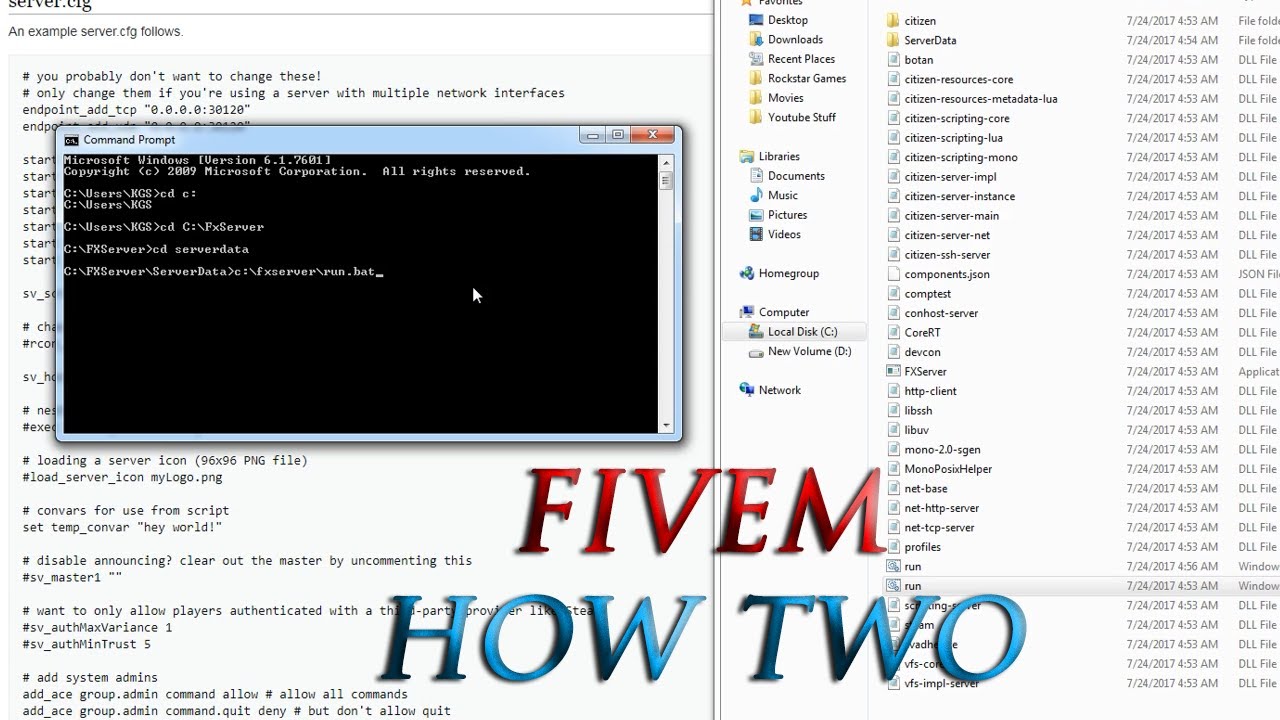
Watch this video-
This topic was automatically closed 30 days after the last reply. New replies are no longer allowed.