What is the issue you’re having?
can,t join into any server using my primary network but can join with my secondary
What have you tried already to fix the issue?
Check Your Internet Connection
Restart your router and try using a wired connection (Ethernet) instead of Wi-Fi.
Test your internet speed to ensure it’s stable.
Flush DNS and Reset Network Settings
Open Command Prompt (Admin) and run these commands one by one:
cmd
Copy
Edit
ipconfig /flushdns
ipconfig /release
ipconfig /renew
netsh winsock reset
netsh int ip reset
Restart your PC after running these commands.
Disable Your Firewall & Antivirus
Temporarily disable Windows Defender or any third-party antivirus.
Open Windows Defender Firewall, go to Allow an app or feature, and make sure FiveM is allowed through Private and Public networks.
Check FiveM Server Status
If the issue is with a specific server, check if it’s online or experiencing issues.
Try connecting to a different server to see if the issue persists.
Clear FiveM Cache
Navigate to:
kotlin
Copy
Edit
C:\Users\YourUsername\AppData\Local\FiveM\FiveM.app\data
Delete everything except the game-storage folder.
Restart FiveM and try connecting again.
Update FiveM & GTA V
Ensure both FiveM and GTA V are updated to the latest versions.
Verify your GTA V game files via Steam/Epic/Rockstar Launcher.
Change Your DNS Settings
Go to Control Panel > Network and Internet > Network and Sharing Center.
Click on Change adapter settings → Right-click on your network → Properties.
Select Internet Protocol Version 4 (TCP/IPv4) → Click Properties.
Use the following DNS:
makefile
Copy
Edit
Preferred: 8.8.8.8
Alternate: 8.8.4.4
Click OK and restart your internet.
Reinstall FiveM
Uninstall FiveM completely.
Delete the FiveM folder from C:\Users\YourUsername\AppData\Local.
Download and install the latest FiveM version from the official website.
Use a VPN or Change Network
If your ISP is blocking FiveM servers, try using a VPN to bypass restrictions.
Alternatively, switch to mobile data and see if the issue persists.
What server did you get this issue on?
in every server
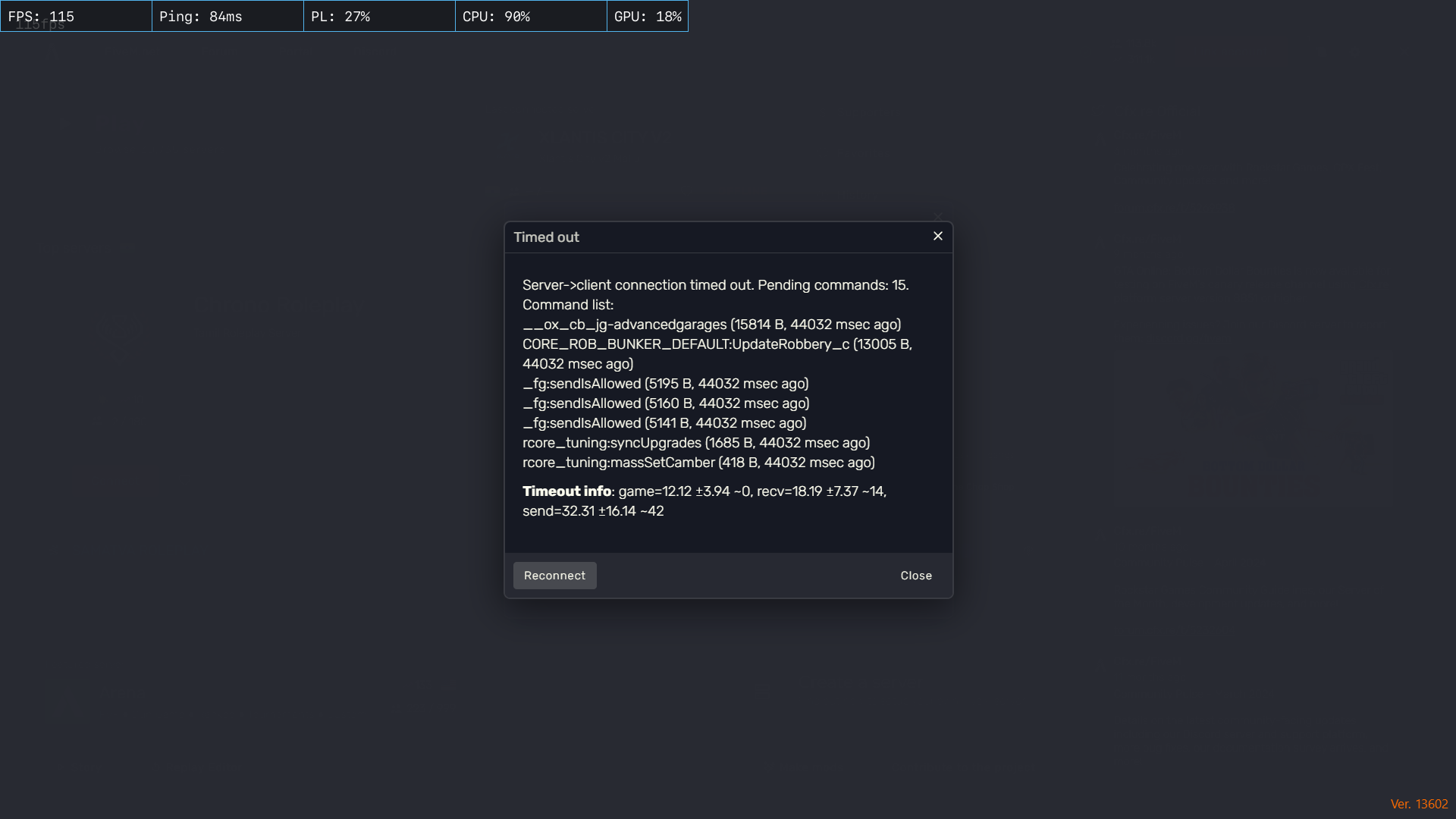
Error screenshot(s)
Windows version
windows 11
System specifications
rtx 3050
16gb ram
windows 11
Antivirus software
windows secuirity
