Blend Crosshair is a fully client-side crosshair replacement system for FiveM with a clean, tabbed NUI configuration menu. All kill detection runs through the client — no server-side logic, no network overhead.
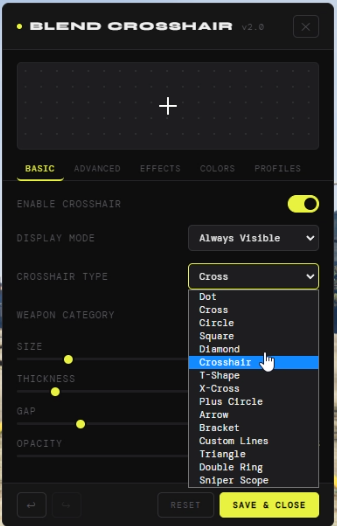
Crosshair Types (15) Dot, Cross, Circle, Square, Diamond, Crosshair, T-Shape, X-Cross, Plus Circle, Arrow, Bracket, Custom Lines, Triangle, Double Ring, Sniper Scope
Basic
- Always-visible or aim-only display mode
- Per-weapon-category filtering — All, Pistols, Rifles, SMGs, Snipers, Shotguns, Heavy
- Size, thickness, gap and opacity controls
Advanced
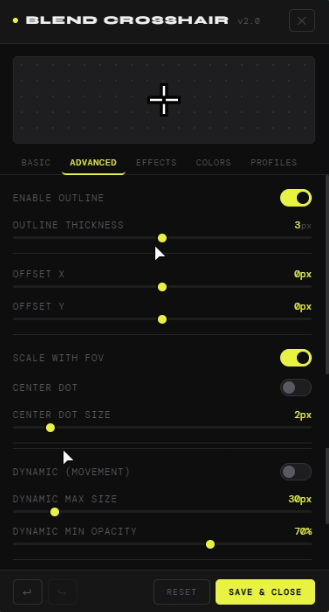
- Outline with independent color and thickness
- X/Y position offset
- FOV scaling
- Center dot with its own size and color
- Dynamic spread — crosshair expands and fades when moving
- Shadow / glow effect
Kill Effects
- Kill confirm color flash
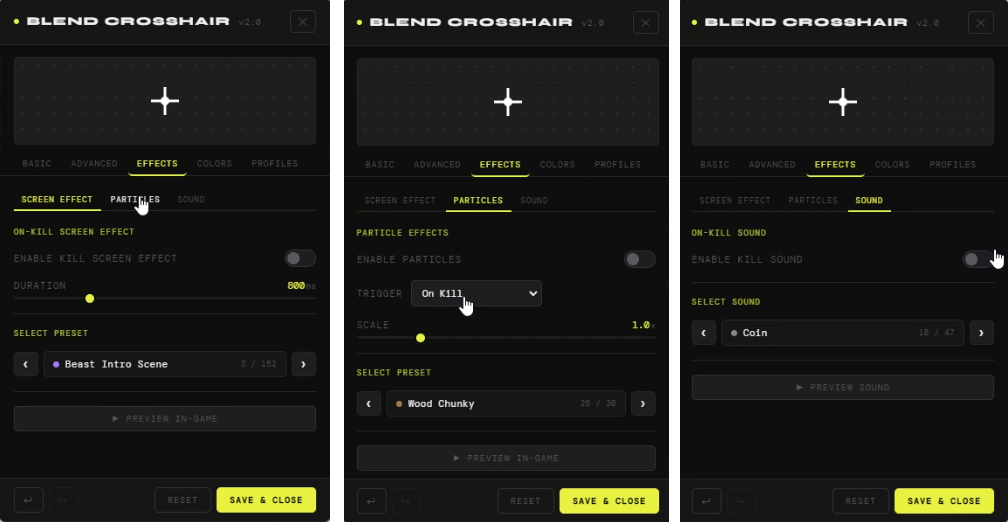
- On-kill screen effect (100+ native GTA V post-process presets)
- Particle FX on hit, kill, or both (30 presets, adjustable scale)
- On-kill sound (45 native GTA V audio presets, preview directly in menu)
- Damage number popups with configurable headshot and kill colors
Colors
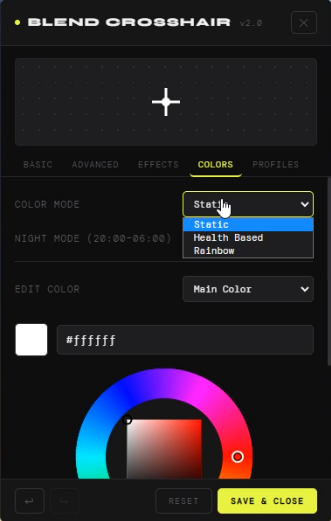
- Three color modes: Static, Health-based, Rainbow
- Full RGB color wheel with hex input
- Separate colors for main, outline, center dot, kill confirm and night mode
- Night mode auto-switches color between 20:00–06:00
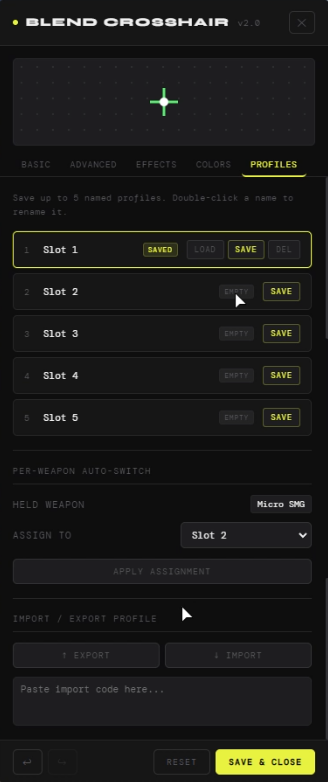
Profiles
- 5 named save slots with rename support
- Per-weapon profile auto-switching
- Import / Export via shareable code string
- Full undo / redo history
Commands & Keybinds
/crosshair— opens the configuration menu (configurable)F10— toggle crosshair (configurable)- Cycle profile key (configurable)
Compatibility: QB-Core, ESX, QBX
Resmon

 Documentation: Crosshair v2.0 | Blend Docs
 Purchase: https://blend.tebex.io/package/7377383
 Discord: Blend Development
| Code is accessible | No |
| Subscription-based | No |
| Lines (approximately) | ~3000 |
| Requirements & dependencies | None |
| Support | Yes |