BeamNG.Drive Style Damage Visualizer

Hey guys!

While playing BeamNG.Drive I wondered if it would be possible to have the same damage visualizer that they have in FiveM… Then I remembered that I was a FiveM resource developer!

Let’s get straight to the point: It’s not perfect, nor will it ever be perfect.
This is simply due to FiveM limitations on grabbing vehicle damage values, so the visualizer may not work perfectly for some vehicles.

Now for the fun part, screenshots!

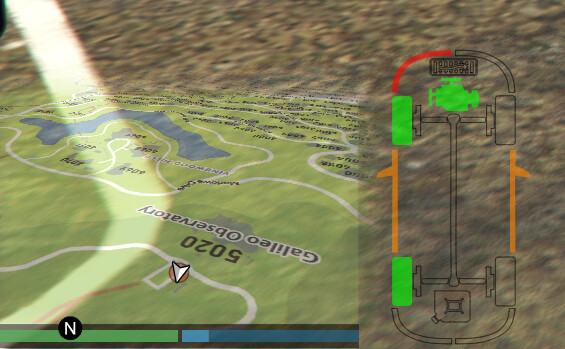
Frontal body damage
image
Door Damage
image
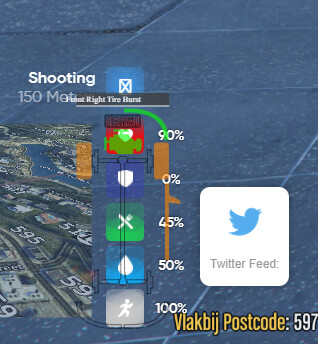
Engine & tire damage
image

Since there’s no real way to get physical deformation values, I am having to rely on somewhat hacky methods to get “general” body damage.
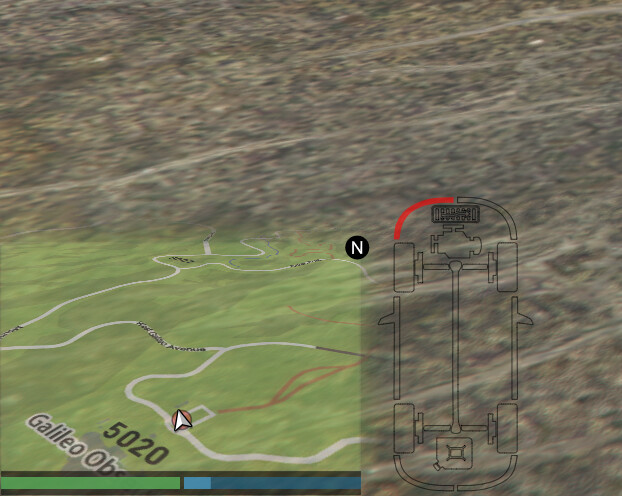
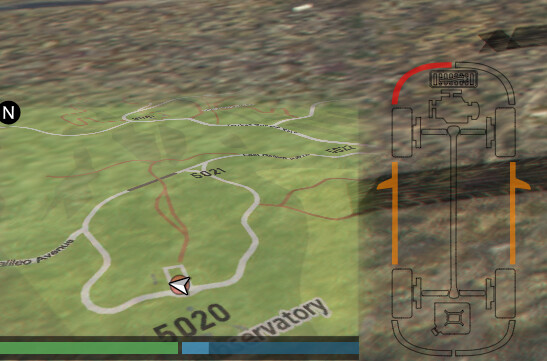
Download: GitHub - Dalrae1/FiveM-Damage-Visualizer: BeamNG.Drive style vehicle damage visualizer for FiveM

Another cool thing for those interested, it is also compatible with user set safezones, as well as all aspect ratios and ultrawide monitors

17 Likes

Very cool release, thank you.

wooow its fantastic bro thank you for making it

awesome release, keep up that work!

Hi,how can I move the damage indicator? because I have a particular hud and I need to move the damage hud up and to the left

Currently there’s no official config for that but you can subtract from these values to move the HUD around the screen

Note that those will result in specific pixel changes, and will not take into account different aspect ratios or monitor resolutions.

Awesome release, i hve the same, gonna try and move it a bit, as OP stated here above.
Thnx for this release!
image

Insane release

nice idea!

Nice release, but I had a problem. When the script activates, I get this bar. How can I fix it ?

I tested it and this is from this Script.

same here.

That’s an interesting issue, I cannot seem to replicate it.

I have pushed a fixed that should disable the scrollbar, but could you provide me with this information:

  • Screen resolution
  • Physical monitor size
  • Safezone in your GTA settings

Hi, how can i make it always show or maybe toggle to show/hide

solve it
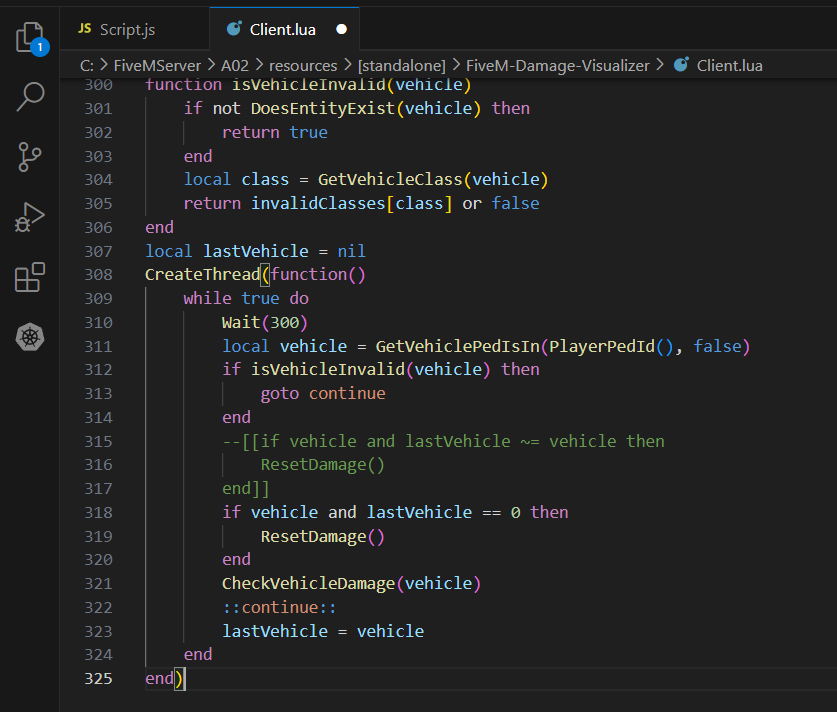
in client.lua
comment out

if vehicle and lastVehicle ~= vehicle then
ResetDamage()
end

then add ( or just replace it instead)

if vehicle and lastVehicle == 0 then
ResetDamage()
end

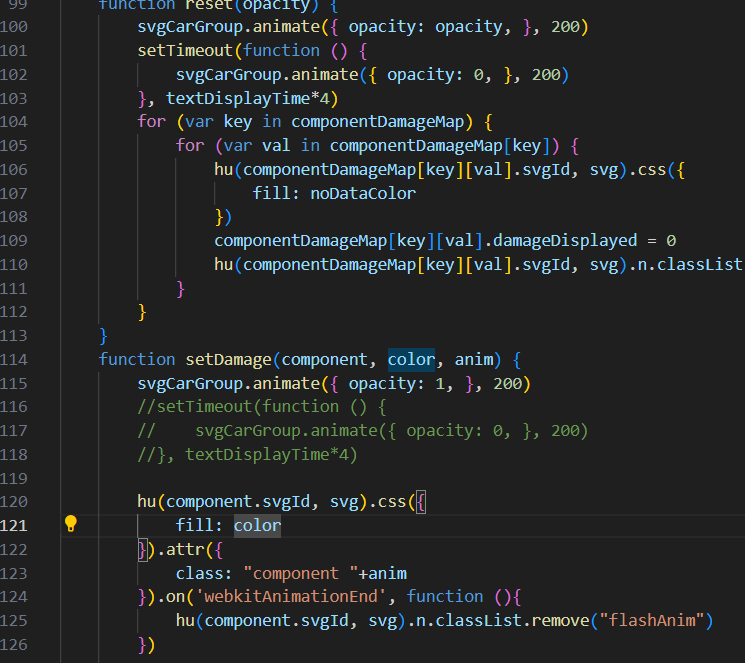
then in scripts.js
go to line 116
comment out

setTimeout(function () {
svgCarGroup.animate({ opacity: 0, }, 200)
}, textDisplayTime*4)

done it will always show and if you not in vehicle it will hide

1 Like