What happens if a server changes the artifact to a potentially unstable one, like this DLC, if things break can the server just go back to the last build and be fine?
It is possible that if there are new clothes, some may move, if you have replaces, some things may stop working and may affect something you have programmed, you do not know, usually only affects ADD-ON things.
While it is necessary to update the artifacts to play the new version, you could update them but continue playing on the previous one, as such it should not affect or cause any problems, but if so, you can return to the previous version of artifacts that you had.
Thank you for the response! I look forward for the stable build of this DLC.
How to enable the external map changes? I can get to the MLOs but all of the external map changes (strip, hanger door, etc.) are missing
2 Likes
Use the last version of BOB74_IPL GitHub - Bob74/bob74_ipl: Fix holes and customize the map
2 Likes
Completely forgot about this, thanks!
Minimap.gfx edited to remove health, armor and ability bars.
minimap_b3407.gfx (215.6 KB)
2 Likes
hello . i need help,If I use the latest build, everything that comes in the previous ones is included or do I have to put the previous ones first?
Yeap, it is included.
Hello, I’m having an issue with this build. I’m using the latest artifact, and even without streaming on my server, FiveM crashes as soon as I put on clothing from the latest build. If the clothing isn’t from the latest build, there’s no problem, and if I revert to the previous build, everything works fine, whether or not I have my streams. Any ideas?
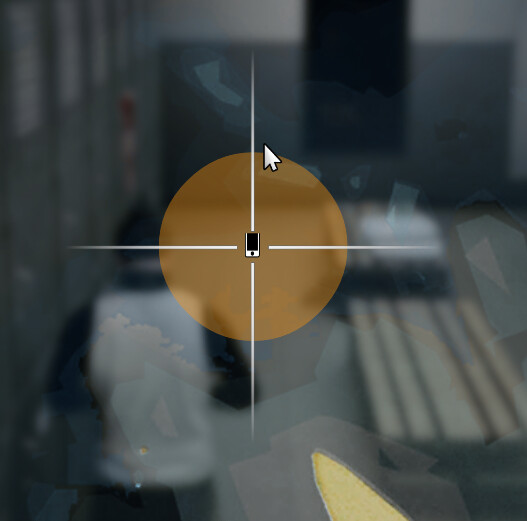
Not sure if this is exported/made correctly?
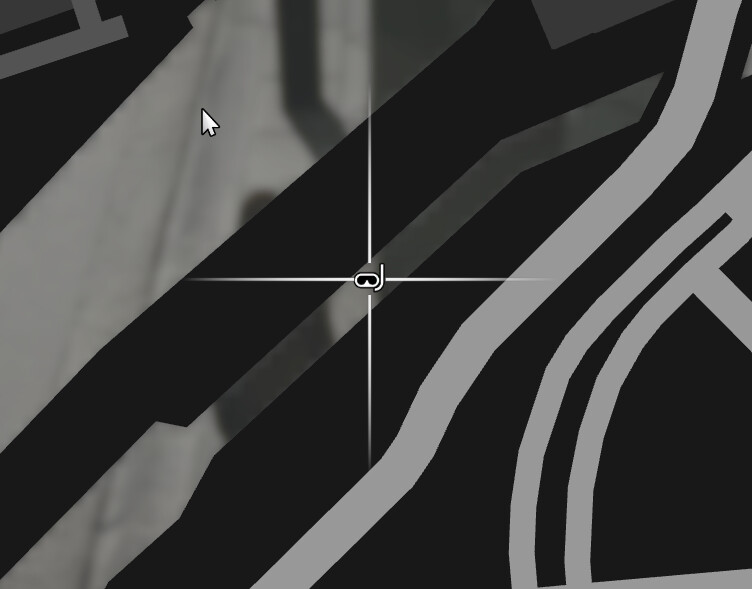
Blip 729 seems to display blip as 899.
    local labelBlip = AddBlipForCoord(coords.x, coords.y, coords.z)
    SetBlipSprite(labelBlip, 729)
    SetBlipDisplay(labelBlip, 4)
    SetBlipScale(labelBlip, 0.7)
    SetBlipColour(labelBlip, 0)
    SetBlipAsShortRange(labelBlip, true)
    BeginTextCommandSetBlipName('STRING')
    AddTextComponentSubstringPlayerName(Lang:t('info.diving_area'))
    EndTextCommandSetBlipName(labelBlip)
Looks correct for me in b3407 / client version 12180 / server version 12168 using the modified minimap.gfx.
I got the initial gfx from GTA Online’s update directly, before switching FiveM to the DLC. Not sure if it counts.
1 Like
This problem is due to the exclusive NewGen clothing that Rockstar added with this DLC, on Xbox and PlayStation this clothing works perfectly, but on PC what Rockstar does is that instead of the 3D model they put a 1kb file in its place so that in this way PC users do not have access to these items of clothing, they only do this with some items of clothing, they have been doing this since the San Andreas Mercenaries DLC, but for some reason, the 1kb files in question from this last DLC crash the Client (I know because the same thing happened to me when trying the clothing from this DLC added as an addon before the official version came out on FiveM, I thought it was some kind of error with the resource but it seems that the BUG is from those files themselves)
Here is a look at the jackets that this DLC brings and you can see how some only weigh 1kb, these are the NewGen exclusives:
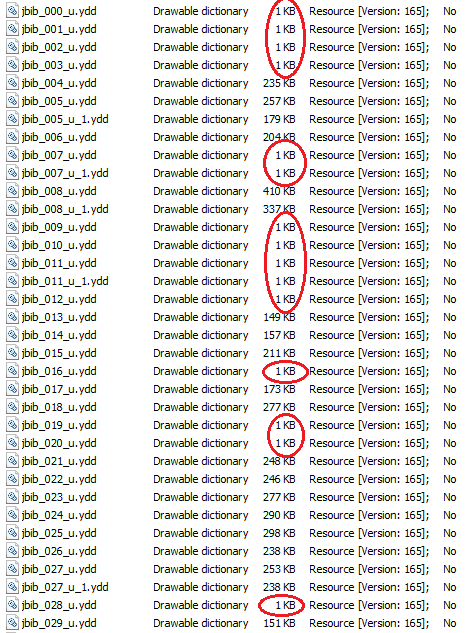
To avoid crashing when going through these clothes in question, some clothing menus could be configured to skip those particular numbers, in my case I use the illenium-appearance which allows me to add different particular numbers to the Blacklist so that they are skipped when viewing the clothes (if jackets 588, 589, 590 and 591 are BUG, I add those numbers to the blacklist and in this way when viewing the clothes the menu will go from jacket 587 to 592, thus avoiding those 4 numbers and avoiding the crash).
Unfortunately, for some reason unknown to me, the 3D models of the clothes from the last 4 DLCs cannot be replaced in the usual way as is done with the rest of the DLCs, although it does work with their textures, clarifying that it is not due to an error with the name of the folder when adding the item in the resource to replace the clothes.
If anyone knows another way to replace the 3D models of the clothes I would be very grateful to know.
Is there any news on where is this going to be stable?
Would like to know as well! Can’t wait to add this DLC content to my server.

You have the codes for the new blips?
2 Likes
I don’t think this is the problem. I’m using native to check whether the drawable is next-gen exclusive, and I have only checked drawables that are defined in the new outfits available via native.