 NoaLab – 3D Printer for FiveM
The most realistic and advanced 3D printing system for your server

 Why choose NoaLab 3D Printer?
NoaLab 3D Printer brings 3D printing to a professional level: persistent, smooth, and secure.
 Persistent database placement
Place the printer, restart the server… it’s still there! Everything saved, fully automatic.
Visual preview with rotation
See exactly where you’re placing it, rotate with mouse wheel, and confirm with one click.
Modern, responsive UI
Minimal crafting interface with progress bar, percentage, item preview, and immersive sound effects.
Server‑side anti-cheat built in
No more exploits: distance checks, reward validation, disconnect cleanup – we’ve got your back.
Native support for ESX, QBCore & Qbox
No manual config needed – the script detects your framework automatically.
Multi‑material recipes
Each print can require multiple items and different quantities. Fully customizable from the config.
Everything configurable
Print times, max distances, sounds, props, labels… even job restrictions if you want.
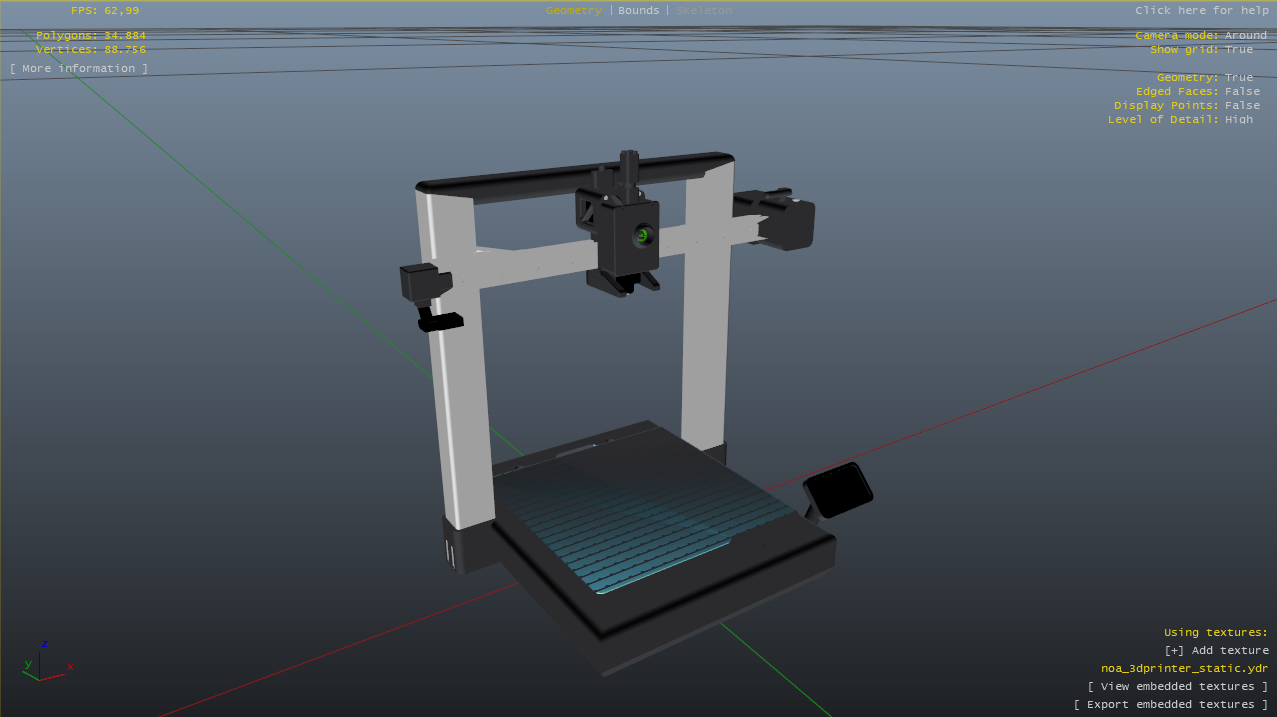
Custom props INCLUDED
Get a 3D printer, workbench, and pistol models completely FREE!
 How it works in game
-
Get the
3d_printeritem -
Use it → a transparent preview appears
-
Place with
E, rotate withscroll, cancel withX -
Open interaction menu → select “Use 3D Printer”
-
Choose a recipe and watch the print in action!
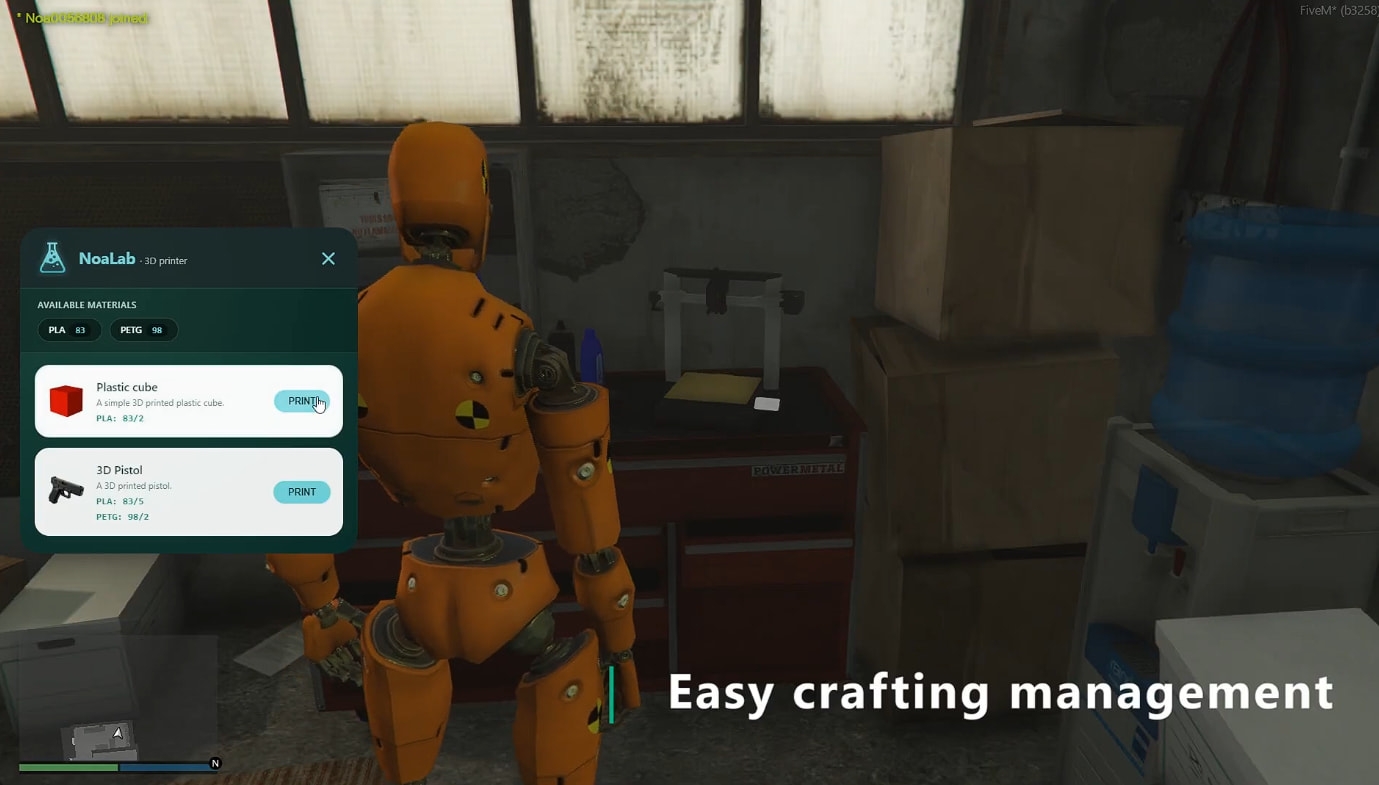
During printing:
 Real-time progress bar
 Dynamic sound effects
 Distance check: move too far and the print fails (no exploits)
You can also pick up the printer back into your inventory anytime.
 Security & Performance
All critical logic is server‑side:
-
Continuous position validation
-
Ownership checks
-
Anti-distance crafting protection
-
Automatic cleanup on crash/disconnect
Lightweight, optimized, and built with ox_lib for maximum reliability.
 Required Dependencies
-
ox_lib
-
ox_inventory
-
ox_target
-
oxmysql
(Supports ESX, QBCore, Qbox out of the box)
 Installation in 4 steps
-
Add the items to
ox_inventory/data/items.lua -
Run
Create_Database.sql -
Place the folder in
resources/ -
Add
ensure noa_3dprinterto yourserver.cfg
Done! Your players’ printers will be saved forever.
 Customization
-
Default prop:
noa_3dprinter_static(replaceable with any model) -
Sounds in
.mp3format (44100 Hz) -
Recipe images in
html/images/
Create recipes for weapons, items, rare resources… anything ox_inventory supports.
 Support & Updates
Get direct support on our Discord and updates.
Fully documented, clean and commented code.
 What are you waiting for?
Take your server’s crafting to the next level.
NoaLab 3D Printer is the script you’ve been missing to amaze your players.
 Looking for a demonstration? Watch the video: FiveM 3D Printer System | ESX/QBCore
 GET IT HERE
| Code is accessible | No |
| Subscription-based | No |
| Lines (approximately) | 1500 |
| Requirements | ox_inventory, ox_lib, ox_target, oxmysql |
| Support | Yes |
| Version 1.0 |