creo q este problema le conviene a rockstar ya que a la fuerza nos hara comprar otra licencia a mi me sigue pasando igual
Wouldn’t it be easier to create a way to log out of your FiveM account’s servers? The real problem, though, is the Rockstar account, because I created another FiveM account and tried to log in, but it says my account is in use.
English only on the forums please.
I know this is kind of late, But have you tried getting in contact with rockstar support? I’m not too sure of their process of getting compromised accounts back but surely they will help you.
I´ve bought the gta in a new rockstar account and the error stills there, im already tired.
Did you find the problem
I keep having the same problem. Im just tired and i´ve tried almost everything. And as i´ve saw here even a new GTA license doenst work… what can i try to do next??
alguna solución para este error???
Paso 1: (Tecla Windows + R) Escribe: appdata (no pongas los %)
Paso 2: Abre la carpeta “Local” y elimina la carpeta “DigitalEntitlements”
Paso 3: Abre la ubicación de archivos de FiveM y abre la carpeta “FiveMApplication Data”
Paso 4: Elimina las carpetas “Pluggins”, “Mods”, “Logs” y “Crashes”
Paso 5: Entra en la carpeta “data” y elimina todas las carpetas menos la carpeta “game-storage”
Paso 6: Vacía la Papelera de Reciclaje.
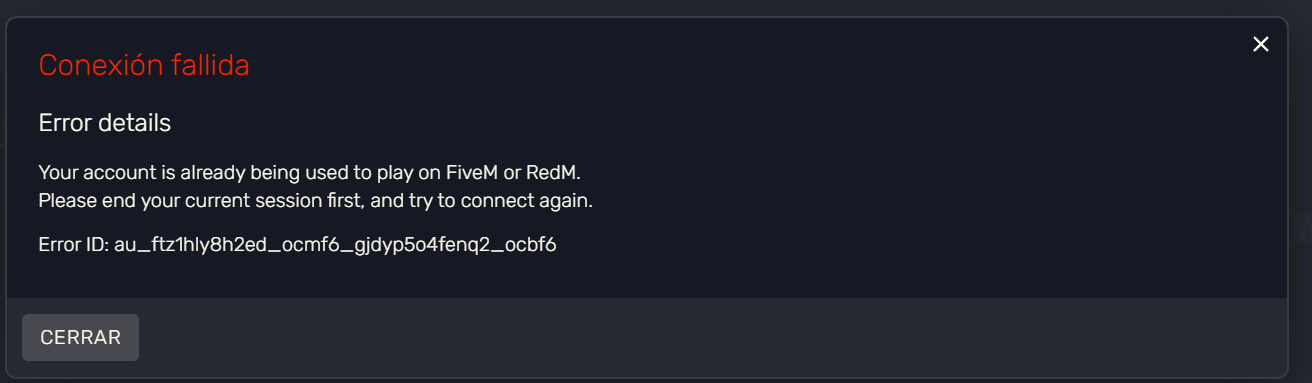
Estas seguro que tu cuenta la tienes solo tu?
100%, no comparto cuenta con nadie, ni de steam, ni de rockstar, de hecho, cerre sesion en todos los dispositivos en ambas y aun sigue el fallo
no estabas tan lejos de la solucion, al parecer hay que borrar todo lo proveniente de fiveM en cuanti a carpetas se refiere, aca te dejo lo que escribi en mi hilo
OK, For all the people who need solve this problem y tried something what actually works:
Win + R
write “appdata” whitout the %
click “Local”
Delete the FiveM folder (Yes, all the folder)
delete DigitalEntitlements
go back to appdata but now click “Roaming”
delete CitizenFX
restart the PC
reinstall five M
do not open steam or epic, just open FiveM client and try to play in your sv
this works for me and i hope also works for u
Tuve el mismo error que tú y haciendo esos pasos que te mandé me sirvió. Me alegro que lo solucionaras.
English only on the forums please.
Hi, I’m having the same problem as you. I contacted support and they responded quickly, sending me this (I’ve already followed the steps and it’s still not working, and 24 hours haven’t even passed yet):
Hello,
Thanks for reaching out. We’re sorry to hear you’re running into this issue.
The error you’re encountering usually means that your Rockstar Games account is currently linked to another FiveM session. In most cases, this happens when the account has been accessed or compromised by a third party.
To secure your account and prevent further access, please complete all of the following steps:
- Change the password for your Rockstar Games account/Epic Account
- Enable Two-Factor Authentication (2FA) on your account
- Change the password for the email address linked to your Rockstar Games/Epic Account
Once these steps are completed, access from any unauthorized FiveM sessions should be blocked. Please note that it can take up to 24 hours after securing your accounts for this error to fully clear.