Hello, this is a friendly reminder because this is your first time creating a topic (or it has been a while since your last topic) in this category.
Please note that most of the support is provided by the Cfx.re community on a voluntary basis. We ask you to be patient; there is no guarantee we have a solution to your problem(s). To avoid unnecessary/duplicate topics, please browse the forums before creating a topic.
To improve your chances of your issue(s) being solved, please provide as much information as possible about the issue(s) you are having. Also —whenever possible— please use the template given to you when creating a topic.
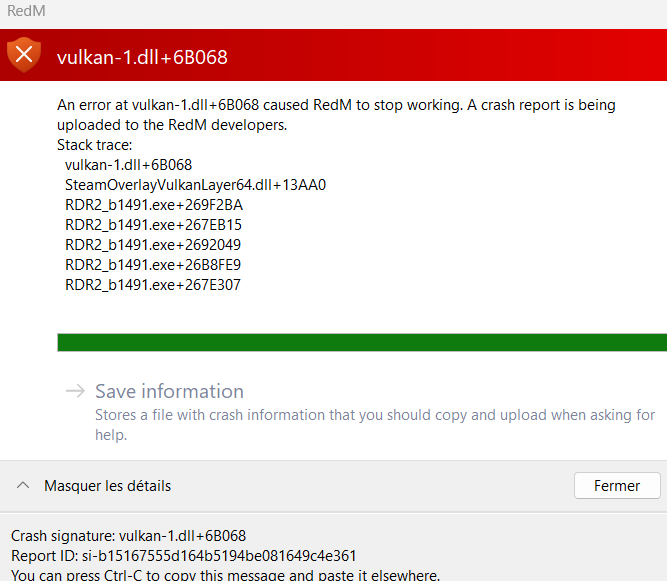
I had a Vulkan memory error instead, so this may not apply to you. But, when I have a Vulkan error, the ONLY fix that works every time is pressing Win+Ctrl+Shift+B to reset graphics. Since your crash is different, this may not help but I hope it does!
Oh, and since it mentions the Steam overlay- I saw advice saying to turn the Steam overlay off in the settings. Worth a try as well.