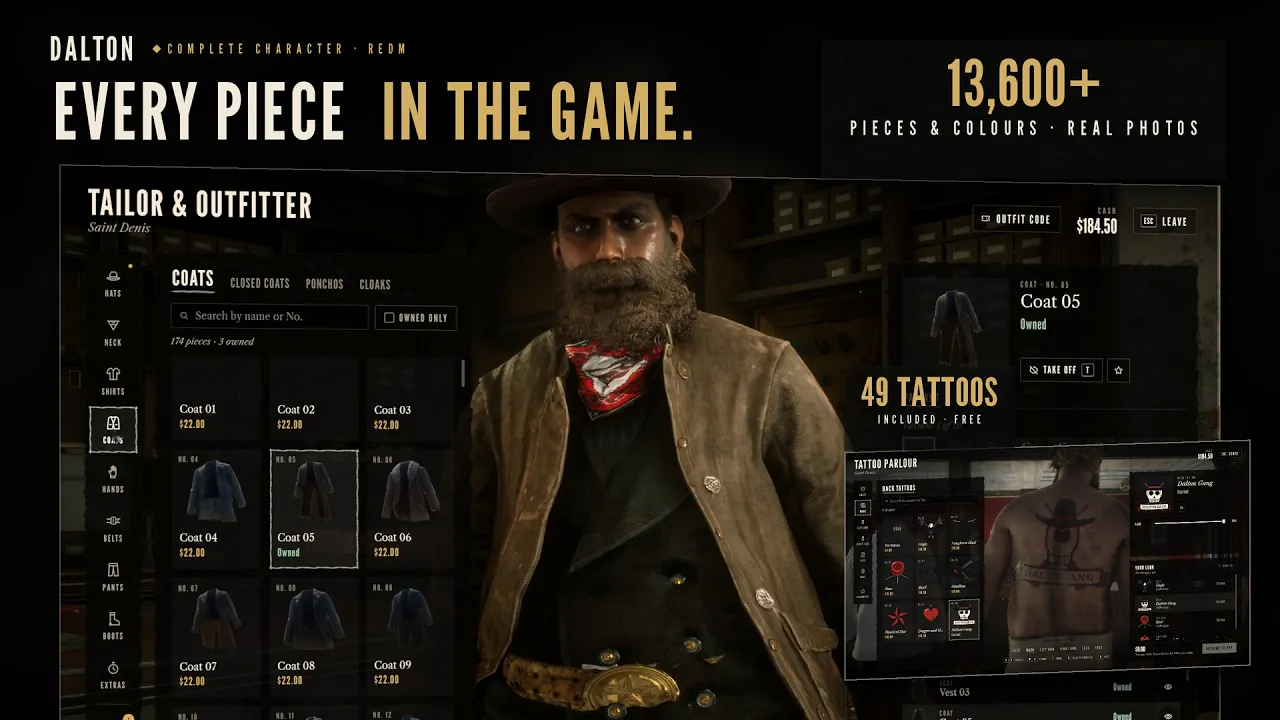
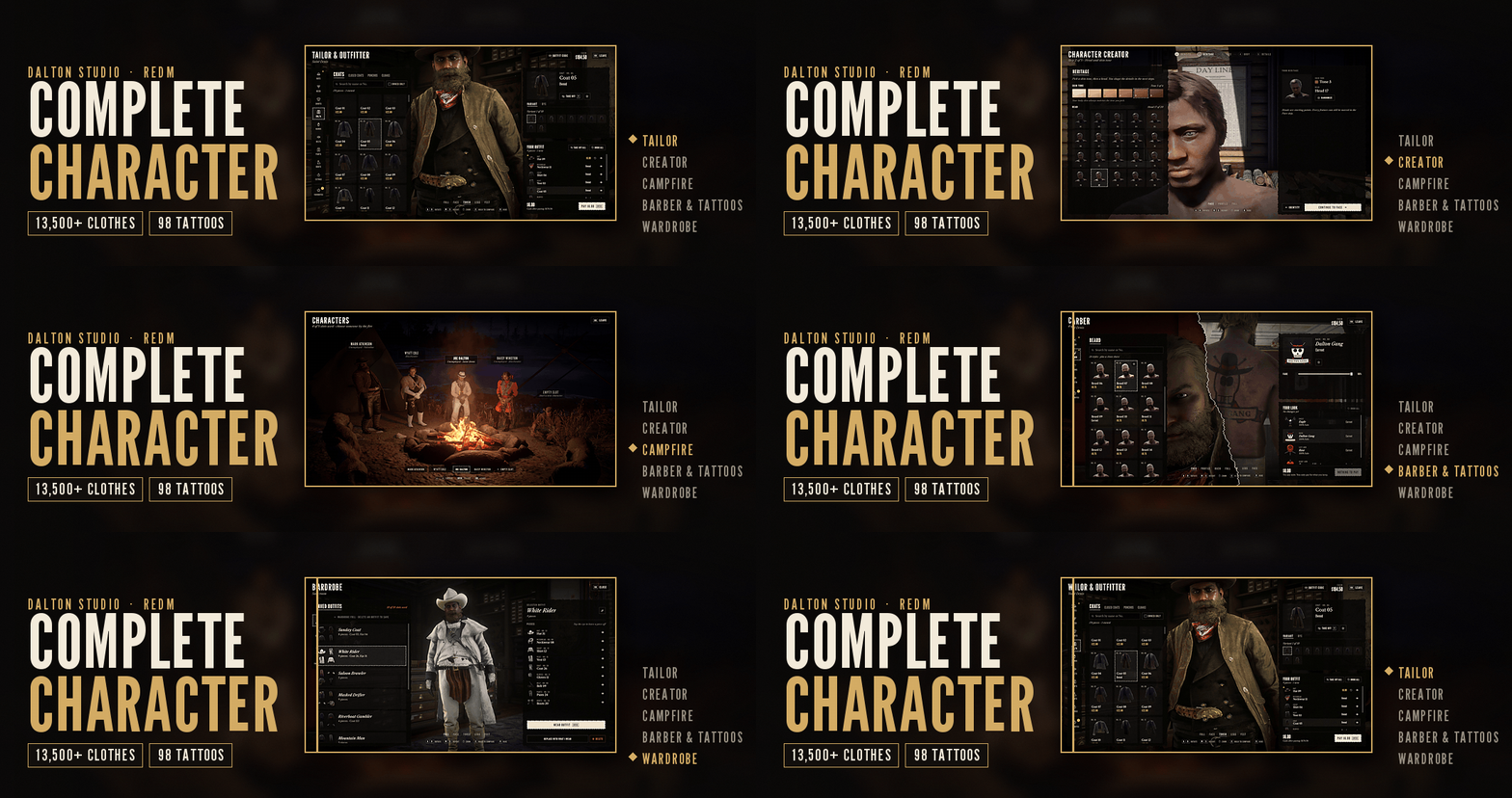
Complete Character puts the whole character side of a RedM server into one resource: the campfire where you pick a character, the creator, the spawn screen, and the shops in town (tailor, barber, tattoo parlour, wardrobe). It runs on VORP or RSG and replaces vorp_character + vorp_barbershop, or rsg-multicharacter + rsg-spawn.
Clothes, hairstyles and tattoos show photos taken in the game instead of icons. Players see what they’re buying before they pay for it.
The campfire

Saved characters stand around a fire and the empty seats hold strangers. Click a stranger to start a new character. Seat limits come from VORP’s own limit, licenses or aces, and admins can hand out extra seats with /charslots. Deleting a character asks you to type its name first, so nobody loses one to a misclick.
Making a character

The creator has five steps: identity, heritage, face, body and details.
- 20 heads, 6 skin tones and 14 eye colours
- 47 face sliders in 9 regions, down to the lips and mouth corners, with 34 presets and a Random button
- build, waist, muscle and height (160 to 195 cm), plus 9 shape sliders from the shoulders down to the calves
- 15 detail layers: scars, freckles, moles, acne, ageing, dirt, make-up and more
New characters get a few starter outfits or one free trip to the tailor, whichever you set, and a free haircut after that. Nobody can hurt them while they’re in the creator, they don’t get hungry, and the HUD stays out of the way. If someone needs to be taller or shorter than the creator allows, an admin can set anything from 140 to 210 cm with /setheight.
Waking up

The spawn screen flies over each town so players can pick where to wake up: their last location, job-locked spots, or the usual places. After that the camera comes down to the character, with the town, their name and the time of day between black bars. Space skips it once you’ve seen it enough. Characters always land on solid ground, even when their last saved spot was on horseback or somewhere under the map.
The tailor

This is the screen players will spend the most time in. It has the game’s clothing for men and women, over 13,500 pieces and colours. The dyes use the game’s real colours across 10 palettes. We measured every tone in game, so the red in the menu is the red on the coat. Wear styles are there too: rolled sleeves, open collars, pants tucked into the boots or worn over them.
The total shows before paying, and anything bought once stays owned. Outfit codes are handy for gangs: one player turns their outfit into a code, the others type it at any tailor and get the same pieces picked, paying only for what they don’t already have.
Barber and tattoos

Hair, beards, stubble, buzz cuts, brows and teeth in the game’s 17 hair colours, plus make-up: powder, lipstick, eyeliner, eyeshadow, blush and face paint. The tattoo parlour comes with 98 tattoos from 21 designs we made ourselves (49 each for men and women), for the chest, back, arms, legs and face. Any of them can be renamed, repriced or removed in the config.
Wardrobe, uniforms and the clothes wheel

Characters keep up to 10 outfits (you can change that). Sheriff offices and doctors get uniform lockers for players with the job, and admins can turn whatever they’re wearing into a uniform with /uniformsave.
Hold U for the clothes wheel, point at a hat, coat or mask, let go, and it comes off with the game’s own animation. Right click wears it the other way (bandana over the face, sleeves rolled up). The middle puts everything back on. The same works through 23 commands like /hat, /mask and /bandana. None of it changes the saved look, and it doesn’t work while you’re cuffed, hogtied or lassoed.
For server owners
Prices, names, hidden pieces, seats, spawn points, shops, uniforms and command names are all in the config files.
Saves go to the server’s own storage (KVP) or to a MySQL table, your choice. If you switch later, everything gets copied over on the next start, and a backup goes to data/ every day. Characters made before you installed it keep their look, and what they buy afterwards stays on them.
Admins can look up, export, delete or remake characters with /chars, /charinfo, /charfind, /charexport, /chardelete and /recreate. For your own scripts there are exports and events to open the screens, read or set a look and give clothing. Keeping your own multicharacter? Set Config.Multichar.Enabled = false and the rest still works.
It also comes with a photo tool for clothes that future game updates add, and a standalone test mode with a $100 wallet if you want to try it without a framework.
Escrow or non-escrow
You can get it two ways. The escrow version is protected by the Cfx.re Asset Escrow and leaves config.lua, the config/ folder, data/clothes.lua and shared/vorp.lua readable. The non-escrow version has every Lua file readable and comes with the React/TypeScript source of the UI. Both are sold on Tebex and downloaded from your Cfx.re Portal.
Installation
ensure oxmysql
ensure vorp_core          # or rsg-core
ensure dalton_completecharacter
add_ace group.admin dalton_completecharacter.admin allow
Remove vorp_character and vorp_barbershop on VORP, or rsg-multicharacter and rsg-spawn on RSG. The README in the download lists every command, export and event.
Links
- Tebex: https://daltonscripts.com/#script-complete-character
- Discord (support): Dalton Scripts
If something you need for your server is missing, tell us here or on Discord.
| Code is accessible | Escrow: config files only · Non-escrow: Yes |
| Subscription-based | No |
| Lines (approximately) | 31,500 (Lua 12,900 · UI 18,600) |
| Requirements & dependencies | VORP Core or RSG Core, oxmysql, RedM server artifact 12735+ |
| Support | Yes (Discord) |