Rift Atlas | Blip & World Logo Manager
Rift Atlas is an in-game blip manager for FiveM. Create and organize map blips, place your own logos in the world, and show a “Welcome to” message when players get close to a place, all from one clean panel. No code, no restarts, and no framework required.
Features
- Visual icon picker: browse 900+ GTA blip icons in a searchable gallery, with a live preview in the color you choose
- Full color palette: all 86 in-game blip colors
- World logos: show your own images in the world at any location, completely separate from map blips (image link or local file)
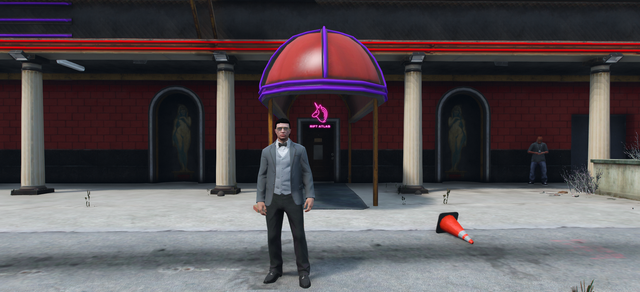
- “Welcome to” message: when a player gets close to a place, its name slides in on the left side of the screen
- Easy placement: aim and place, use your map waypoint, or use your current position
- Discord-based access: control who can open the panel by Discord ID, checked on the server. The owner can add or remove people from inside the panel
- Instant sync: changes are saved and shown to all players without a restart
- Standalone: does not depend on any framework, database or other resource
Screenshots
How it works
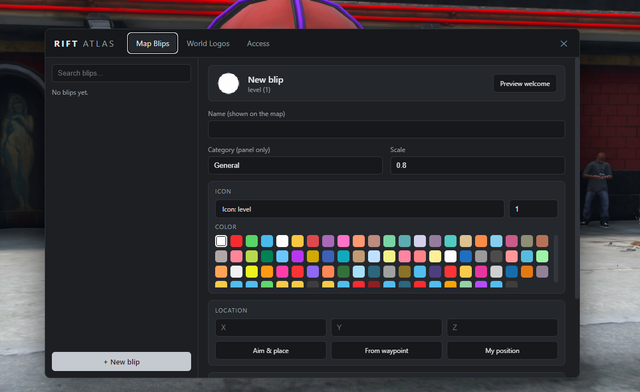
Type /blips in game (the command is configurable). In the panel you can:
- Map Blips: choose an icon and color, name the blip, pick a location, and optionally enable the “Welcome to” message with your own radius
- World Logos: paste an image link or pick a local image, choose the location, size, height and the distance players can see it from
- Access: the owner grants or removes panel access by Discord ID
Installation
- Put the
rift_atlasfolder in yourresourcesdirectory - Add
ensure rift_atlasto yourserver.cfg - Open
config.luaand add your Discord ID toConfig.Admins - Join the server with Discord running and type
/blips
Configuration
Config.Command = 'blips'

Config.Admins = {
    'discord:YOUR_DISCORD_ID',
}

Config.Welcome = {
    Enabled = true,
    Title = 'WELCOME TO',
    Duration = 5000,
    DefaultRadius = 60.0,
}
Notes
- Map blips use the built-in GTA icons and colors. Custom logos are shown in the world near the location, not on the map itself
- Players need a linked Discord account for the panel access check
Links
- Store: https://rift-studios.tebex.store/
- Discord (support and updates): Rift Studios
| Code is accessible | No (Escrow protected, config.lua is open) |
| Subscription-based | No |
| Lines (approximately) | 1,200 |
| Requirements | None. Standalone, no framework or database needed |
| Support | Yes (via Discord) |