Joe-145
February 11, 2026, 5:47pm
270
When I download the newest version. It says the file is corrupt?
I tried downloading earlier versions and same issue
Sorry, never saw this message but this would be an issue on your side.
spy78
March 26, 2026, 10:24am
273
Hi!
I have a question. I donât understand how to bind emotes from the menu.
Iâve searched for information but Iâm having trouble figuring it out.
How is the initial binding supposed to work, please?
Thanks in advance, have a good day.
you set keybinds via the config, and then can save them via the menu via the menu keys displayed when the emote is highlighted.
spy78
March 26, 2026, 7:35pm
275
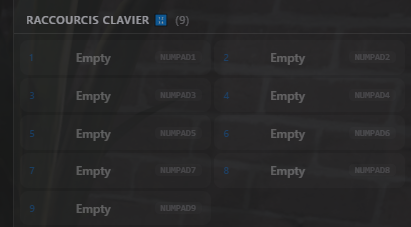
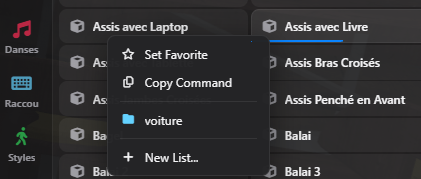
I must be doing something wrong, because I can add it to favorites but I donât see anything related to keybinding.
I have enabled keybindings and they are detected in the settings.
Here is the shortcuts menu, but I canât interact with it.
spy78
March 26, 2026, 7:41pm
276
wwhen Iâm in the emote menu
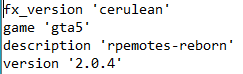
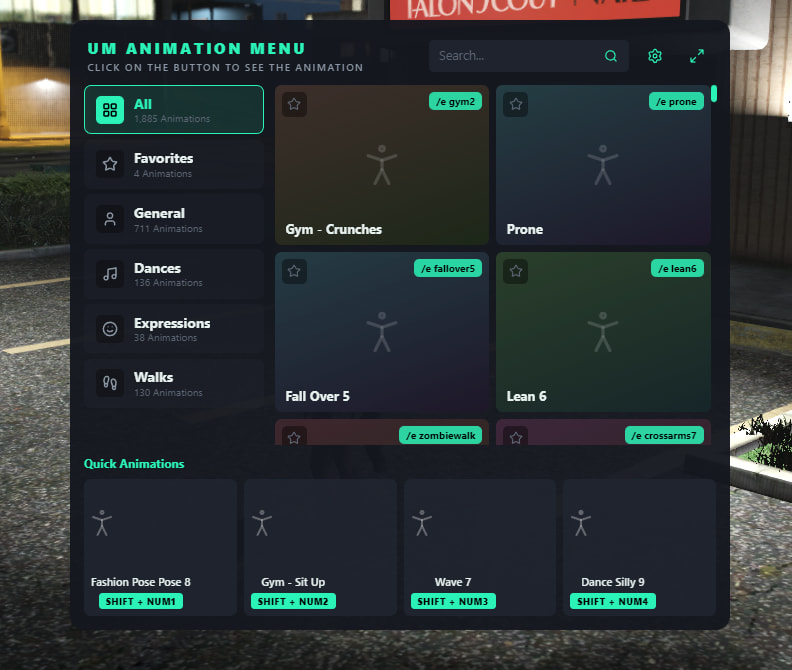
This isnât our version of rpemotes, please ask the dev of that version for help. Thereâs quite a bit of issues with that fork, youâre on your own with it.
1 Like
spy78
March 26, 2026, 7:53pm
278
My apologies, I thought I was using your version.
Thank you again.
The link for our version is in the original post - the version youâre using was forked/modified by someone to add a different UI. As well as other breaking changes we wouldnât recommend you use.
Weâre currently working on a UI update (hopefully in the next week or two) so Iâd recommend sticking with our version as itâs the most up to date/stable version of rpemotes.
2 Likes
spy78
March 26, 2026, 8:16pm
280
Oh, I honestly didnât realize!
Thatâs what happens when you work with crossed eyes.
My apologies, and thank you again for your guidance.
Iâll also wait to see your version with this new interface.
Have a pleasant evening.
1 Like
JRO2c
April 5, 2026, 1:33am
281
Oh you got a UI update coming? I canât wait to see it.
1 Like
master â CritteRo:the-nui-branch
opened 10:29PM - 03 Apr 26 UTC
This PR adds an entire new menu option for servers to use, allowing them to swit⌠ch between NativeUI and NUI, using a config boolean.
The NUI menu mains to provide the same functionality and feel like NativeUI (menu usage without losing input, for example) while also improving the menu feel.
As part of the new NUI, rpemotes now has a simple-to-use set of NUI callbacks, that can be used to interact with the resource. This means that servers can modify their NUI menu without digging into the Lua code.
## NUI Features:
* Menu is being built using the same functions as NativeUI, meaning that future changes to the emote data handling will reflect both menus.
* Menu uses the same locales as the rest of the resource. Servers that changed / added their locales will automagically see them in NUI.
* Only 2 new locale keys added (one to also fix a missing one in NativeUI).
* Header image uses the same file as NativeUI.
* Simple keyboard navigation without losing player control:
* Up / Down arrows to move through the menu (Tab also left active).
* Holding [Shift] will move faster through the menu / skip items.
* Enter for selecting a button.
* Holding [Shift] will open the popover menu instead.
* Backspace / Escape to go back or exit the menu.
* Mouse navigation, by holding [Alt] while the menu is open (player loses control while being held, of course).
* Favorites, Group Emotes, Placement and Keybinds all work the same as NativeUI.
* Favorite emotes will show with a golden gradient everywhere on the menu.
* Same preview functionality as NativeUI.
## Quirks:
* Emote search works per-emote list in NUI. That's because I took a shortcut and just fitered the already shown emotes. This might need a better implementation later, that queries all emote types and shows them (in the same way as Favorites).
* Keyboard navigation gave me a hard time. It works, but the code is awful.
* Popover menu does everything inside the class itself. Ideally, we should have another event that listens for the right-click, and creates a new Popover there, so we can use cleaner code. Or maybe CFX should update the CEF already so I can use my beloved Popover API.
## Missing Features and Bad Implementations:
* The NUI menu doesn't have a button legend at the bottom of the page (to show the Shift / Alt / Arrow Keys movement).
* Popover menu for emotes shows a different button for eash "Set as Keybind" slot. This needs to be a list, especially for servers that use more than 6 slots.
* Keybinds menu isn't hidden, when keybinds are not enabled.
* When the NUI menu is open, we are blocking the player's cursor in the middle of the screen. This is not a problem in-game, but it is a problem when the player tries to Alt-Tab while the menu is open. That's because CFX decided it's cool to have a native that highjacks the player's cursor, even when the game is not in focus.
## Screenshots:
<img width="1920" height="1080" alt="image" src="https://github.com/user-attachments/assets/8a52f3c3-b5e9-450c-b3a1-44c35e791fd2" />
<img width="1920" height="1080" alt="image" src="https://github.com/user-attachments/assets/bc66e04b-30bf-49b2-809f-b1bfe1af07c0" />
<img width="1920" height="1080" alt="image" src="https://github.com/user-attachments/assets/c5f904db-829f-47e3-a56d-ebd0b45fa725" />
<img width="1920" height="1080" alt="image" src="https://github.com/user-attachments/assets/aa95c7e0-c7e7-42b7-82b3-84eceb1ae762" />
You can follow progress here.
3 Likes
2.1.0 - UI Update
2.1.0 is a big update for us - Weâre introducing a brand new UI for everyone to use! View a huge list of emotes, move through it with arrow keys or mouse, all with the same great performance and features youâve come to expect with rpemotes-reborn over the years.
Yes, the classic menu is still available if youâre a fan of the native GTA-style menu!
Preview Video Here: https://youtu.be/XmesY_FkwUc
Additions:
Added new NUI/menu style for menu (thanks @CritteRo for major UI work!)
Added some ped models to compat file
Fixes:
Donât recover animations from players who die (thanks @CritteRo )
Time out name adjusted (fixes this reported issue )
Adjust hoe, hoe2, hoe3, hoe4 prop placement and fixed hoe3 animation (fixes this reported issue )
Fixed being able to point and do other tasks while dead (thanks @CritteRo )
Fixed being able to do some emotes while dead (thanks @CritteRo )
Fixed being able to cancel scenarios to âquick exitâ vehicles (thanks @CritteRo )
Improve emote reapplication when going through a door, being bumped, or ragdolling. (thanks @CritteRo )
2.1.0 is a big update for us - We're introducing a brand new UI for everyone to use! View a huge list of emotes, move through it with arrow keys or mouse, all with the same great performance and fe...
1 Like
Rpemotes-reborn community re-skins:
Wanted to highlight two projects that have created new, free UIs for rpemotes-reborn in the past few weeks:
@uyuyorum has created a reskin, available on Github Here with a clean UI with multiple design options and new UI styling.
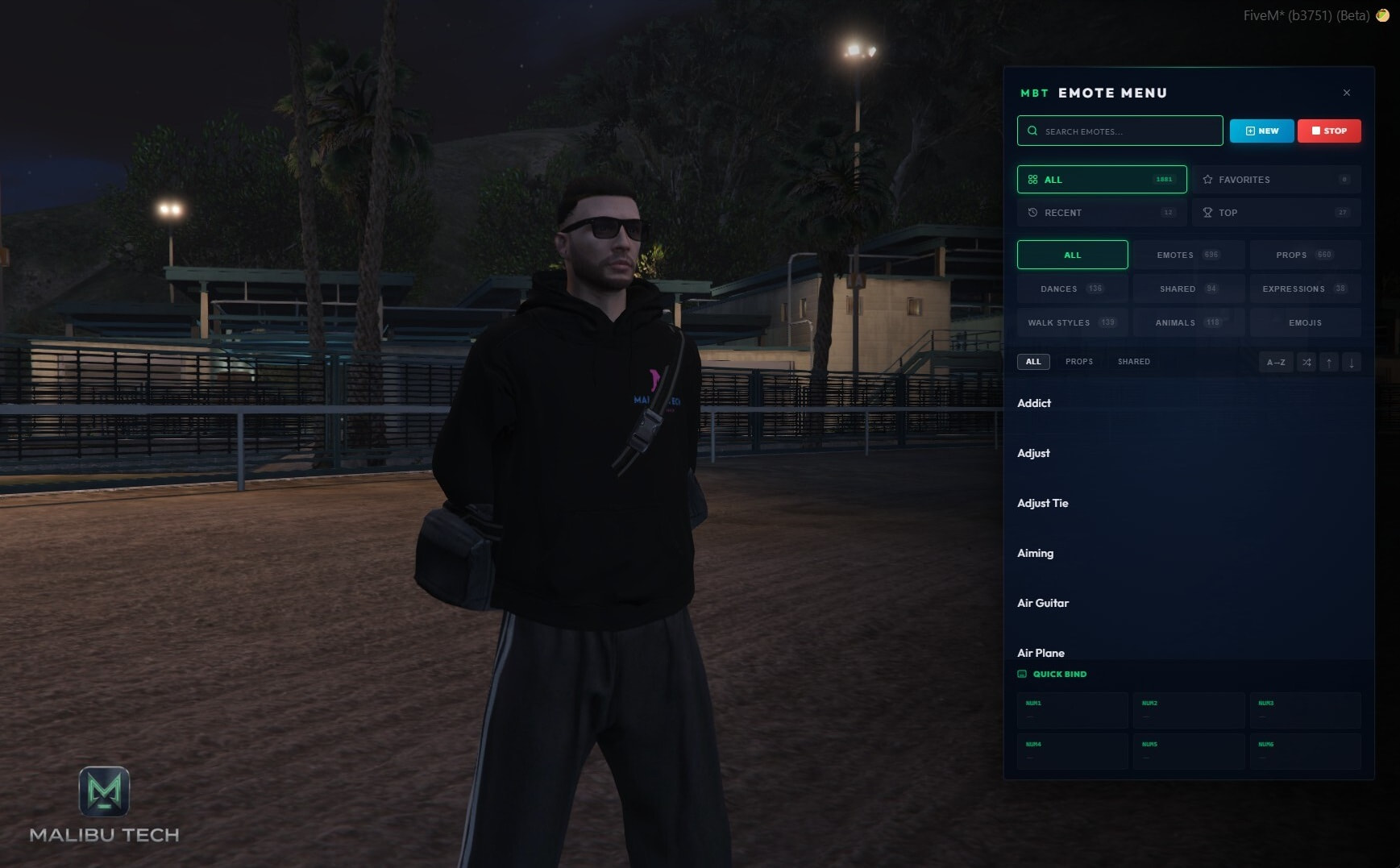
@MalibuTech has created their own front end for rpemotes-reborn wich you can find here on their Tebex and on Github Here .
As always, if you need any help with these forks please reach out to their respective developers. Weâre always happy to see people release well-made and free reworks. If you are working on one let us know!
2 Likes