commands for inventare/phone … ?
This does not add any commands, please reread the main post.
Really nice. I will try it.
Thank you
Hello i need help for rename animations plss !
1 Like
I tried to put image in html file but still no image when press F6. Any idea what I missed?
Is it possible to make a button on the wheel open another wheel with other options on?
2 Likes
cancel not working
For Version 1.01 with the latest KASHacters the mouse no longer appears.
If using Version 1.10, for some reason when I hit the Keybind to bring up menu, the menu stays stuck and i need to exit game as nothing but F8 works. Any ideas Its the default script with Trundles Roleplay Animations and Simple Vehicle Control Script running on the server. Am I missing something ?
ipdate: a reinstall fixed it.for the latest version
it is working fine now with last update Version 1.10
thank you man
The script won’t load after i change the script to yours, any ideas?
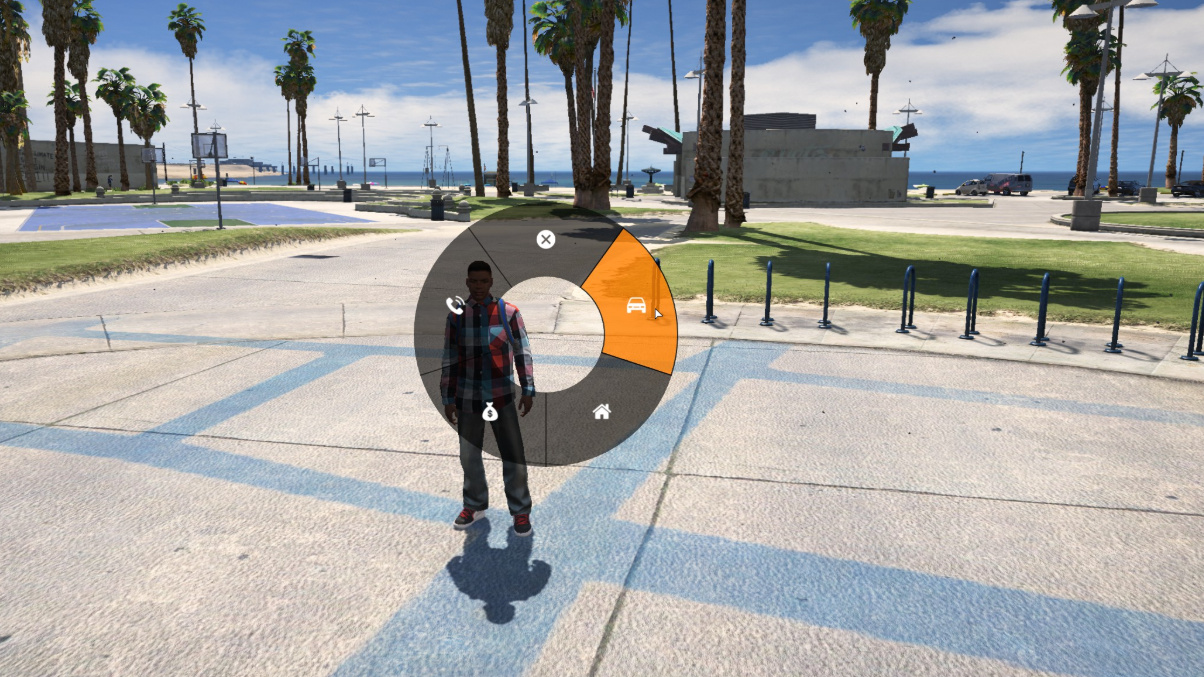
Great Script man, keep up the good work!
Hello IceColdx ,
I don’t know script can you guide for me script , i want to all in radial menu (EX: inventory, car , animatiol, billing, phone…) same in as the picture below , i needed ,
thanks for reading comment for me
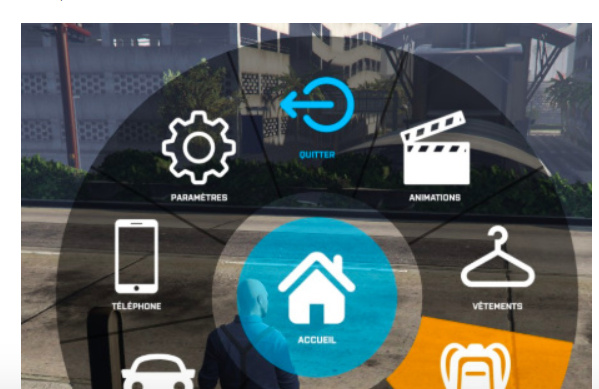
Thank you for script. But in future any chance implement submenus?
2 Likes
First of all, thank you very much for your release. But how can I change the size of the icons?
1 Like
You can chang the size for icon , i think maybe size about 32x32 or 48x48
Hi @Van_Anh, I put this icon!!
labels = {
                    "imgsrc:http://www.adonistechnology.com/images/start_engine.png",
                    "imgsrc:https://image.flaticon.com/icons/svg/573/573285.svg",
                    "imgsrc:https://image.flaticon.com/icons/svg/638/638273.svg",
                    "imgsrc:https://image.flaticon.com/icons/svg/236/236842.svg",
                    "imgsrc:https://image.flaticon.com/icons/svg/1399/1399127.svg"
                },
but look how it looks:
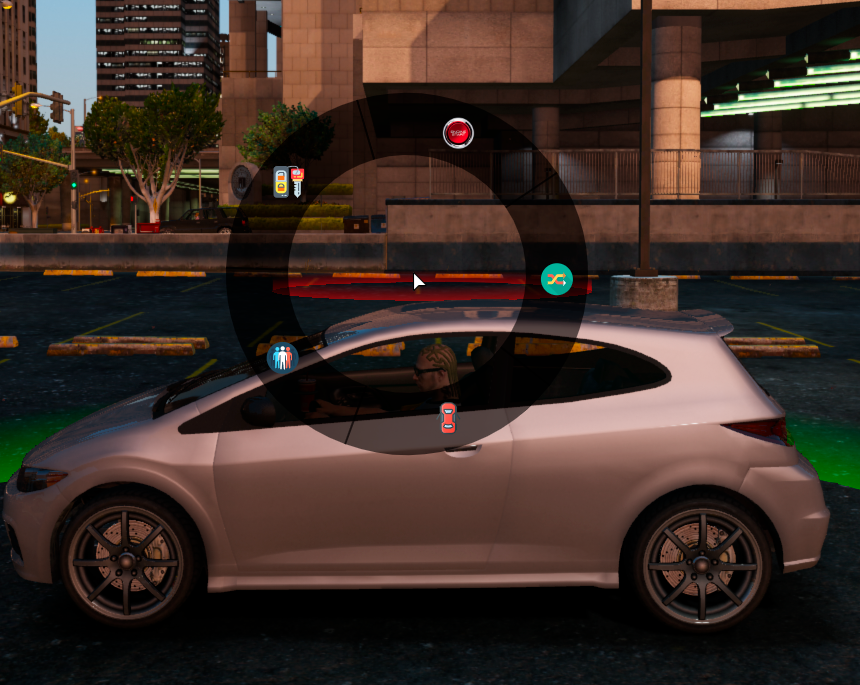
The images are larger than 32x32. I believe that javascript resizes them.
oh! cool . I think you need change size circle
you can trailer this
menuConfigs = {
[‘emotes’] = {
enableMenu = function()
return true
end,
data = {
keybind = “F6”,
style = {
sizePx = 500,
slices = {
How to tutorial change the scipt add inventoryHUD and same for you