The way to do it is if you go in the esx_menu_default\html\css open up app.css and search for example 247 and look at the name of the header which is superete
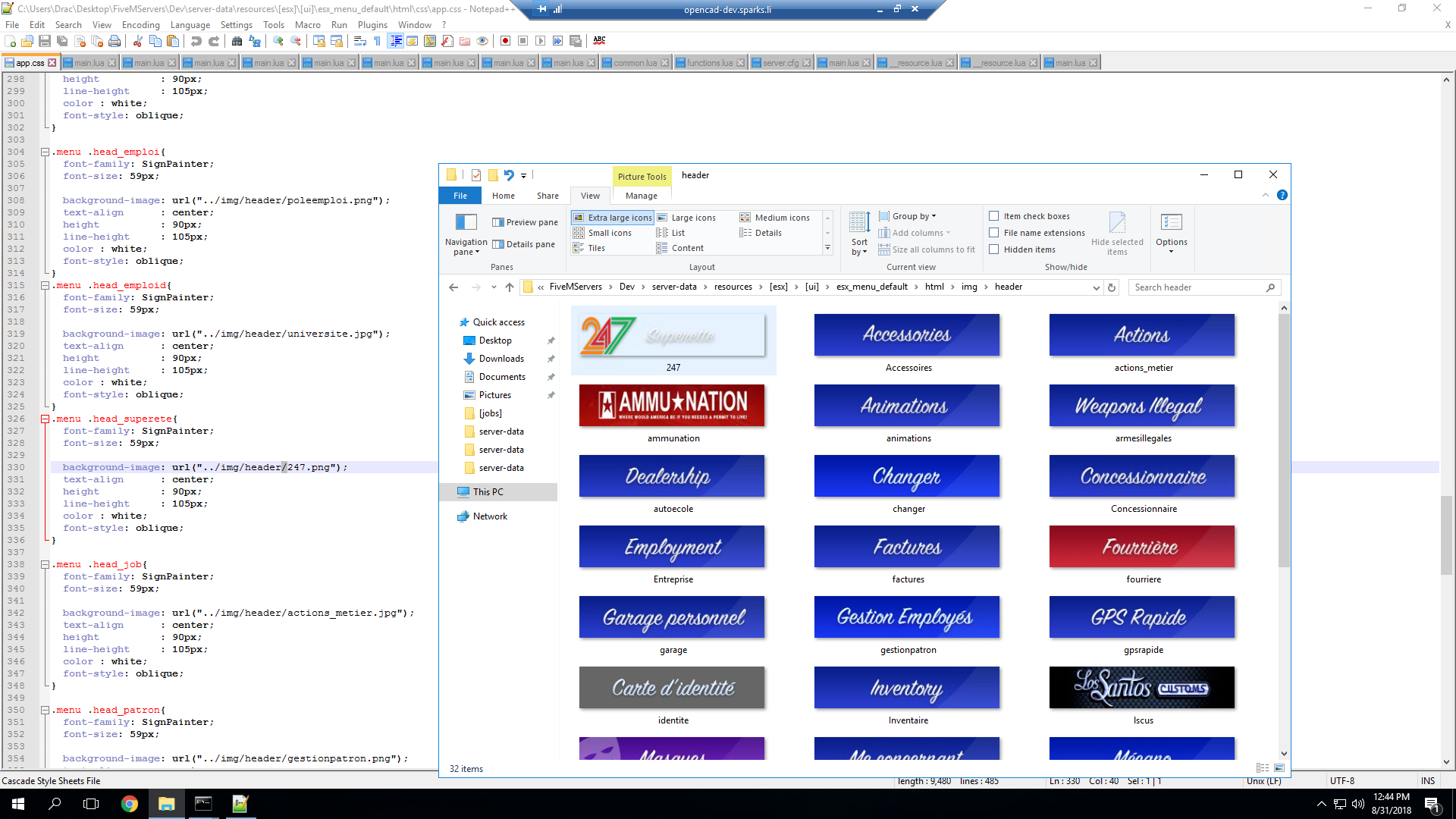
so then you would go to the client. lua of esx_shops for example and search for ESX.UI.Menu.Open you will see code like this
ESX.UI.Menu.Open(
		'default', GetCurrentResourceName(), 'shop',
		{
			title    = _U('shop'),
			align    = 'bottom-right',
			elements = elements
		},
		function(data, menu)
			TriggerServerEvent('esx_shop:buyItem', data.current.value, data.current.price)
		end,
		function(data, menu)
			menu.close()
			CurrentAction     = 'shop_menu'
			CurrentActionMsg  = _U('press_menu')
			CurrentActionData = {zone = zone}
		end
	)
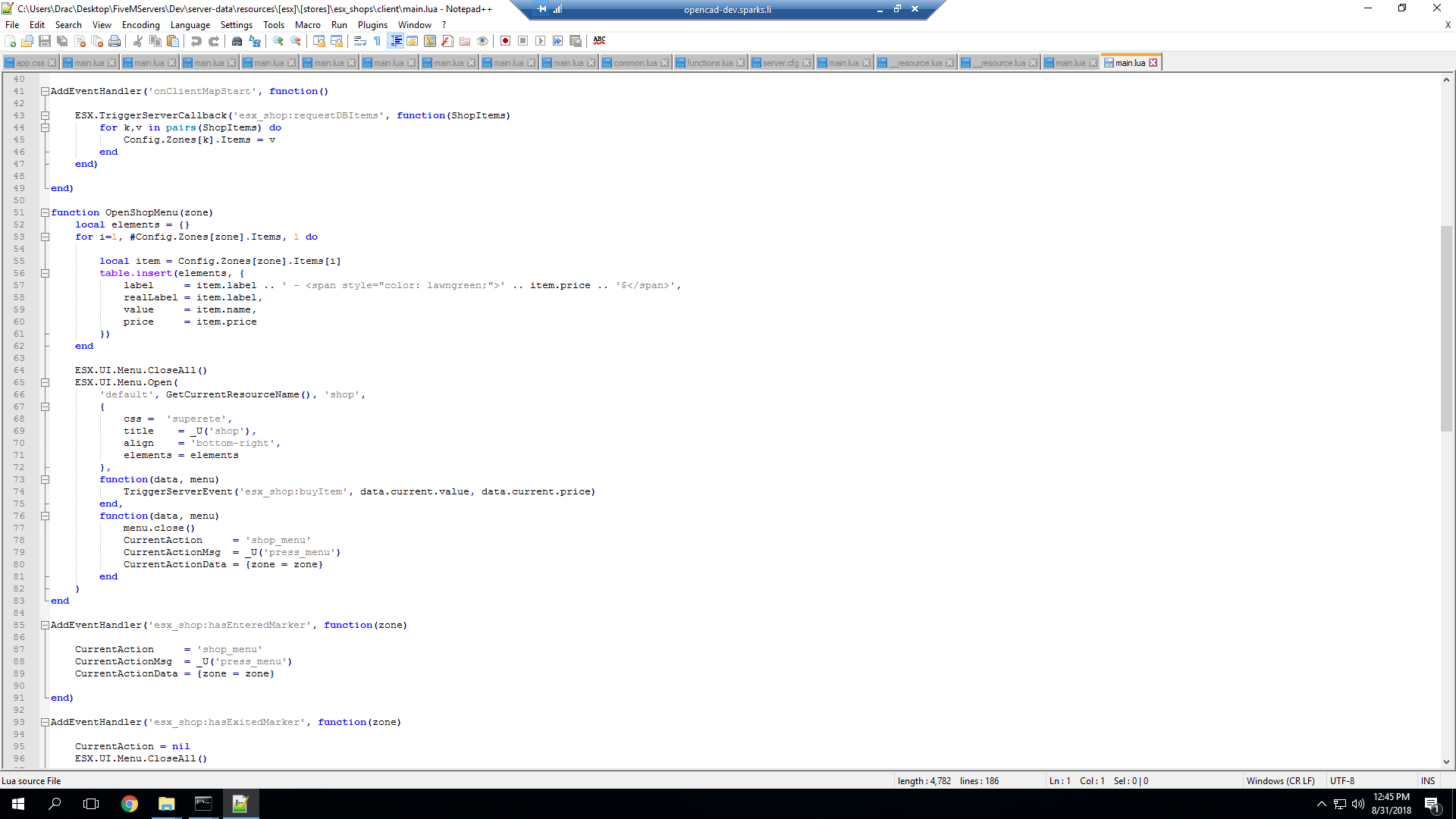
you will then add css = 'superete', right above title =_u('shop'), and thats it their may be other menus like that in the client main so search ESX.UI.Menu.Open so each menu that it may open has the same header. thats basically the same for all esx scripts that has menus.
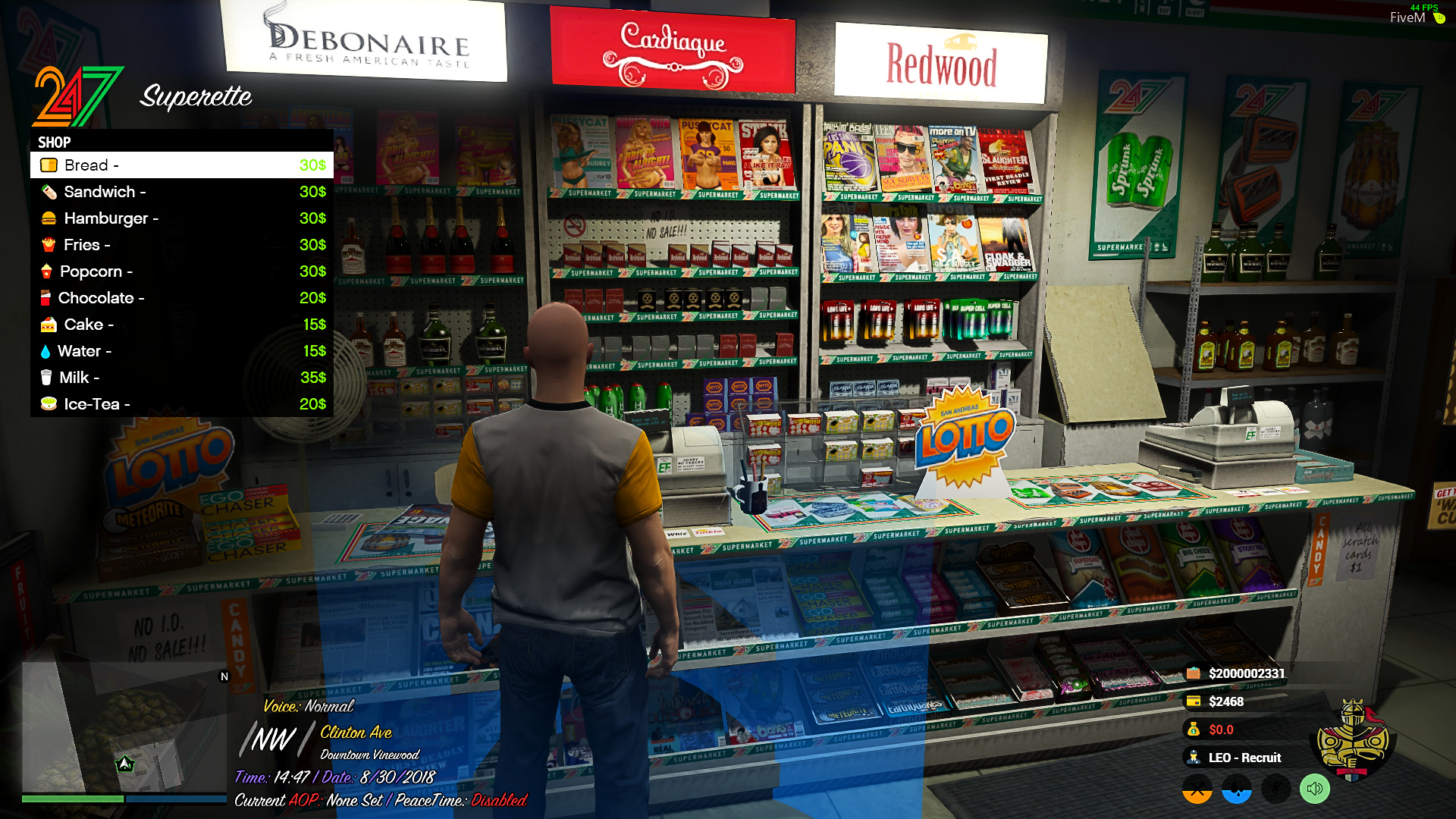
And you basically will end up with this
Also small note a lot of people don’t realize the inventory menu is under es_extended\client\functions.lua