i cant get it to work like everything is configured its not opening in ingame and cant join your discord either
2 Likes
having the same issue
1 Like
 919 ADMIN 1.13 has been released! (https://portal.cfx.re/)
NEW Font Selection in settings:
- Choose between 4 new fonts in settings or leave it as the default font
List page improvements:
- Switched paginated table search to the FancyTables default, searching now works much better
- Changed the default rows per page to 20 to fit in most screens
- Added rows per page selector to view larger or smaller pages
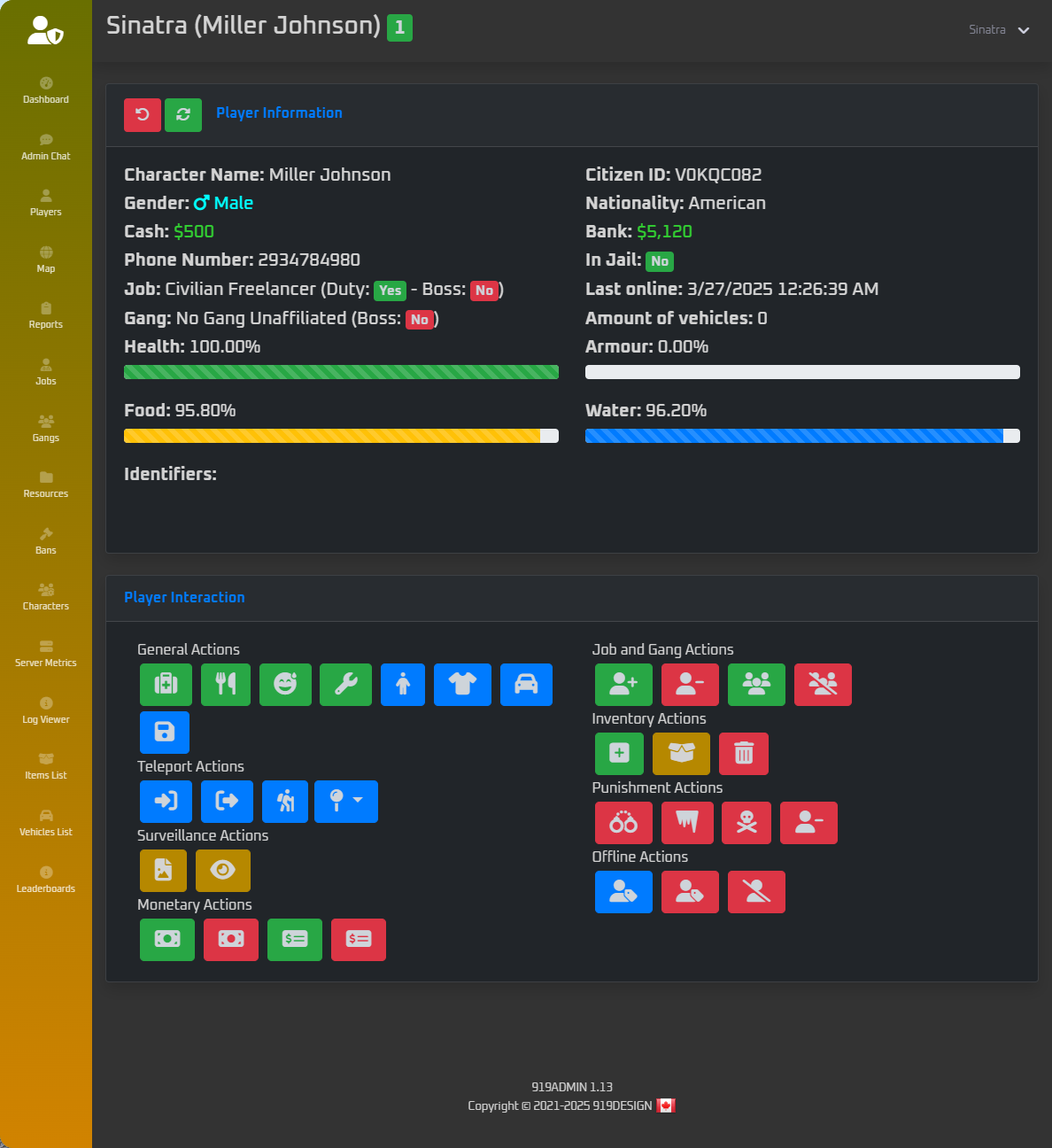
Updated the player info & actions layout:
- The player page’s actions box is now two columns instead of one to better utilize empty space
Characters & Server Metrics Pages:
- Numerous SQL performance improvements, these pages should now load much faster with lots of characters
QBCore Improvements:
- The “Open Inventory” button in the player menu now opens the inventory properly with new QB-Inventory
- Fixed an issue where role colors would not show when first opening the menu
ESX Improvements:
- Added an option to use ace perms instead of ESX “group” (Config.ESXUseAcePerms)
- Fixed an issue where role colors would not show when first opening the menu
- Fixed an issue where incorrect role colors would be shown with Config.ESXUseAcePerms enabled
- Fixed a script error with the warn function on ESX
- The characters list no longer shows the super long identifier twice in the table
- The ESX Bridge has been renamed to ‘esx.lua’ from ‘esx18.lua’ to prevent confusion. The ESX bridge supports the latest version of ESX Legacy and not just ESX Legacy 1.8. You may have to delete your old ‘esx18.lua’ if you’re drag-and-drop replacing to update.
Miscellaneous:
- Settings page style improvements
- Added a new tooltip in the card header on vehicles and items pages that lets users know about the double-click to spawn feature
- Improved the styling of the input modals when double-click spawning an item
- Double clicking a vehicle to spawn it now also closes 919admin
- Added refresh button to logs page
 919ADMIN UPDATE ANNOUNCEMENT
Version 1.14 LTS Released – Introducing 919ADMIN CLASSIC
After nearly four years of powering servers across QBCore, QBox, and ESX, it’s time to officially mark a new chapter.
919ADMIN is now entering Long-Term Support (LTS) and will be known going forward as 919ADMIN CLASSIC.
 What’s New in 1.14 LTS:
Client Performance
- No more background loops when features are off – idle resmon is now 0.0
- Lua code reorganized into efficient modules
Server Improvements
- Lua code restructured into clear modular components
NUI Rewrite
- Split up JS from a monolithic file into logical modules
- Selector caching for faster UI navigation
- Settings now saved to local storage instead of resource KVP
- Sidebar pages now hidden if you don’t have access
Permissions Revamp
- New
config_permissions.luareplaces ACE-based setup - Add users by license or Discord role directly
- Much simpler and more intuitive for teams
- Ace permissions can still be used but are now officially unsupported
UI/UX Upgrades
- Redesigned Settings menu, Dashboard Quick Actions, and Player Info card
- Identifiers are hidden by default and can be revealed
- Refreshes after firing from job/gang now work as expected
- Several new color themes
- Several more readable font choices
Integrations
- Auto-detect support for revive, fuel, clothing, keys, cuffs, etc. now lives in
config_integrations.lua
Framework Enhancements
- QBCore: Logging no longer requires
qb-smallresources/qb-logs - Fallback support added for broken or incomplete items/vehicles lists
 Fixes
Fixes
- Confirmation modals fixed for firing from jobs and gangs
- No more errors entering noclip
- Fixed entity view distance bug
- Inventory issues with ox_inventory resolved
- Fixed bugs with offline/online character transitions
- Offline bans no longer risk banning random online players
 Deprecations
- Removed extra noclip scripts – default freecam now used
 NOTE
NOTE
A full reinstall of the admin panel is required for this update. Permission groups are compatible, but all configuration has been revamped.
 What’s Next?
While 919ADMIN CLASSIC will continue to receive bug fixes and framework compatibility updates, no new features will be added.
But we’re not done yet…
 Something new is coming. Something fully reimagined.
We’re not saying what it is — yet — but it’s already in the works.
Thank you for supporting 919ADMIN since 2021.
We’re just getting started.
— The 919DESIGN Team
Ive been trying to get help but your dicord link has expired. Can you give me an updated link Ive been trying for a week now.
DM me and we will check into this.
919 ADMIN 1.14.1LTS has been released!
General Improvements
- The player blips feature now updates at a rate of 100ms for streamed in players (position is from client), and the default 5s for out of range players (position is from server)
- JSON saving and loading of logs, reports and admin chat has been made more reliable by introducing error handling and JSON validation
Performance Improvements
- Much better performance for the player names feature
- Greatly improved performance for the player blips feature
Fixes
- Spectating and moving between players now works properly
- Fixed a JS issue with the spectate action button icon affecting the identifiers show/hide
- Fixed error with screenshots (attempt to call a nil value (global ‘ExtractIdentifiers’))
- Fixed an issue with the set ped model function requiring the wrong permission name and saying insufficient permissions
- Fixed an issue where warning players who are non-admins would not show the proper text on the warning screen (“YOU HAVE BEEN WARNED”, “Reason:” etc.)
- Fixed an issue where restarting a resource and then restarting a different resource after would restart the first restarted resource
- Fixed an issue that prevented giving items to other players using the items list on QBox with ox_inventory
- Fixed an error with the report submission box (Uncaught TypeError: AdminPanel.ShowAlert is not a function)
- Fixed support for Renewed-Weathersync on qbox
- Admin panel action logs now show in the logs page in-game
919 ADMIN 1.14.2LTS has been released!
Additions
- Added an event
919-admin:client:ShowReportScreento trigger to show the report screen. This is for the customers who have requested the ability to add a ped or target to open the reports menu, and disable the command.
 A note about this: making your players go to a specific place to submit a report to your server staff is counter intuitive to the point of the report feature to begin with. Consider this - what if a player has an immediate need they need attended to, such as harassment in game, a hacker or cheater, or simply they are stuck? Then they cannot submit a report in time, or at all. Use this type of setup only if you have considered this possibility.
Fixes
- Fixed an issue with player names that displayed the incorrect character name on some players
- Fixed an incorrect translation value for setting time of day
- Fixed an issue preventing offline bans on ESX
 FROM NOW UNTIL July 1st our ENTIRE STORE is 50% OFF regular price!
Canada Day Sale
919 ADMIN Panel on Tebex
919 GARAGE MANAGER on Tebex
 FLASH SALE
 To celebrate the release of 919ADMIN PRO, from now until its release on August 29th, our massively trusted 919ADMIN CLASSIC can be yours forever for just $20
That’s right, 919ADMIN CLASSIC for just $20!
-# and GARAGE MANAGER for 5 bucks
 Grab it here: 919ADMIN CLASSIC
INTRODUCING 919ADMIN PRO - RELEASING FRIDAY AUGUST 29th, 2025
 PREVIEW WEBSITE
Rebuilt from scratch with a brand-new UI using Svelte and Bootstrap 5
Fully modular, faster, and easier to use than ever
A clean slate based on everything we’ve learned since launching the original in January 2022
It includes all the features from the original (919ADMIN CLASSIC), plus a bunch of new, much-requested upgrades:
Report Chats
Staff can now chat directly with players who submit reports, right from the panel
Create and manage permission groups directly in the panel — no more messy permission configs
A new favorites and tag system makes it quicker to run actions and organize your tools
Optionally link permissions to Discord roles for even easier staff management
First-time setup walks you through configuration, SQL install, and master account creation — no SQL client needed
Access deep analytics about your server, such as player graphs, list of richest players, new characters list, and much more
Keep track of your players with our upgraded map system featuring all-new heatmaps
 EXISTING CUSTOMERS
 Already purchased 919ADMIN CLASSIC? You’re eligible for 25% OFF 919ADMIN PRO after release.
 SUBSCRIPTION CUSTOMERS
You’ll get access to both 919ADMIN CLASSIC and 919ADMIN PRO for the same subscription price, no action required
Thanks again for helping shape the future of 919ADMIN. We can’t wait for you to try 919ADMIN PRO, which will be available for purchase on August 29th, 2025.
So im running a qbcore server am i the only one who cannot get the admin menu to actually work i cannot do any admin work other than remove job i set myself up as a god and get nothing to healing TPing no adding cars to garage no give or take money absolutely nothing and i cannot find anything that helps someone PLEASE HELP ME!!!