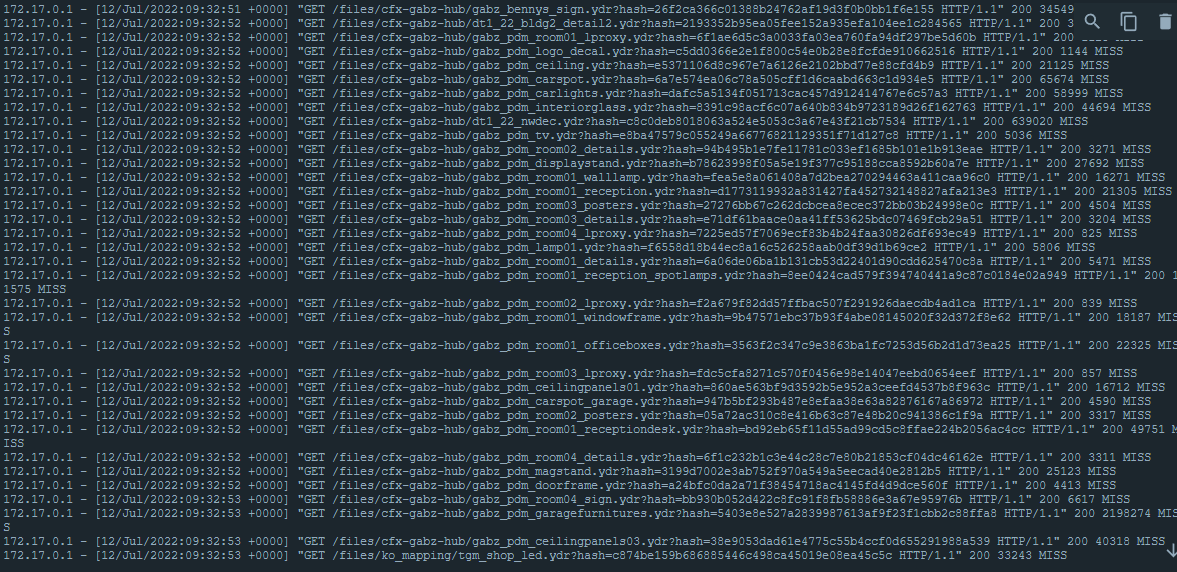
From what you posted as a log, there is nothing fundamentally wrong with that in general. First part of it is you are not seeing the same file requested technically, they are different and looks like the URL’s are both different. Looks like some IP and then the local nginx path.
You also have to realize this is going to be based on how the reverse proxy works:
Request is made from client to game server.
Game server sends to the file cache server.
File cache server asks if it has a copy of this artifact. If it does, it is a HIT and services from the cache.
If the file is missing you get a MISS, and it reaches for the upstream host (your game server) to get the file. Once it gets the file, it will service it back to the original requestor as well as cache it locally for others.
The fact that you have off loaded the requests doesn’t eliminate them. If you or the FXServer changes the content, this still can show as a MISS in your nginx log. This is fully expected and normal.
I would say in general for your setup a 10Mbps connection is rather low for 50 slots. You have to figure with the TCP overhead and other congestion factors that could come into play, that would be extremely painful.
Simple question, can I have multiple fileserver for different players? For example, for those players who connect to the proxy server, they will use the cache on the proxy server, but for those players who directly connected to the main server, they will still simply get resource files from the main server. Is this possible?
Heyo so just to be clear: if my main server (where the fivem Server is running) has 1gbit up- and download, i won’t get any benefits from creating a cache with a Reverse proxy running on an external system, right? Will I get any benefits from just running that on the main server? Is it maybe more efficient or does it reduce bandwidth/speed by compressing or anything?
This might be a dumb question but if it is possible can someone assist, please. After we restart our server downloading the manifest takes forever and I’m not sure what could be the cause of this.