ESCROW
 Introduction
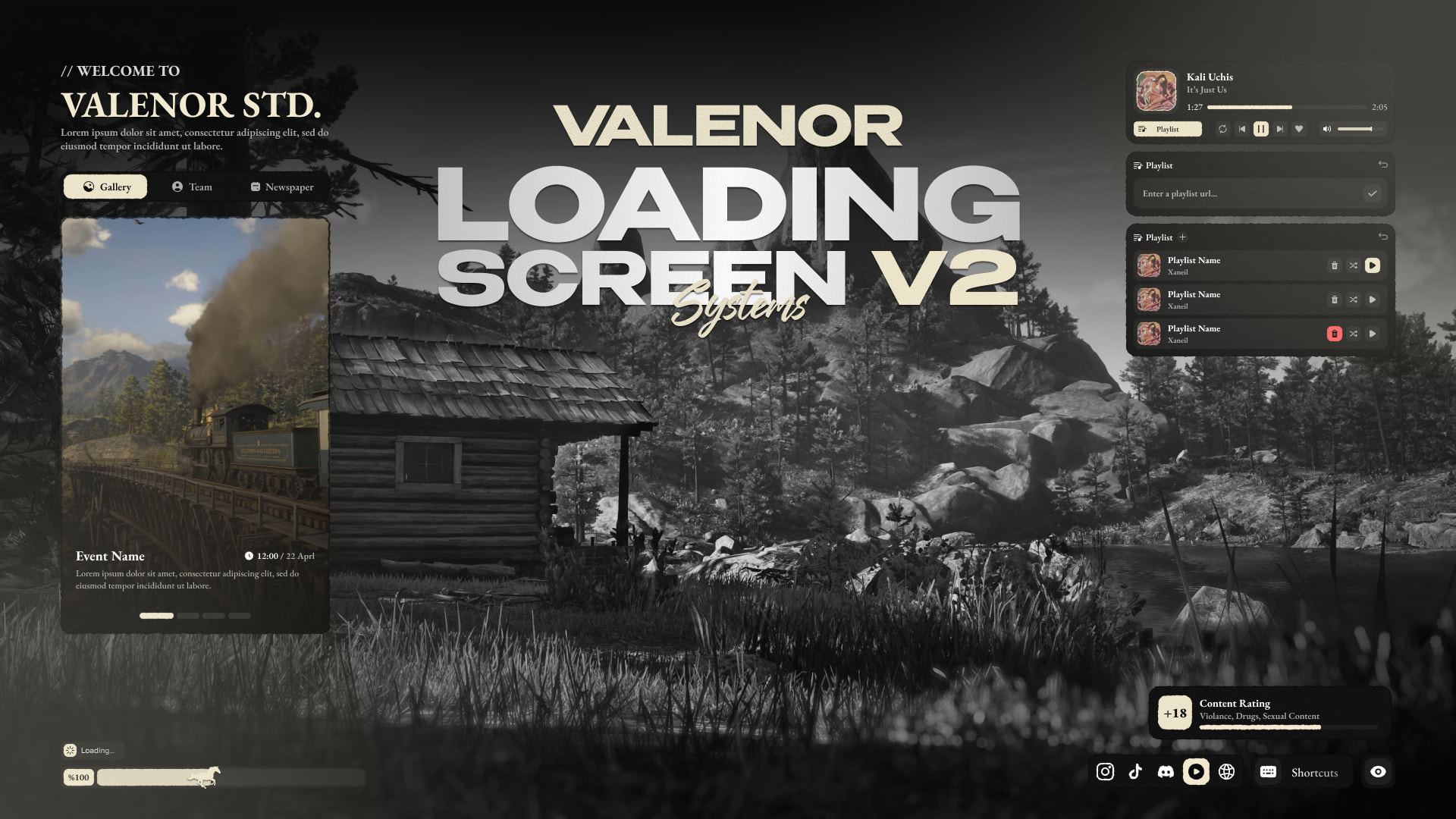
Valenor Loading Screen turns the wait before joining your RedM server into the first scene of your roleplay. The background plays a crossfading image slideshow or a looping mp4 / webm video, and if the video ever fails the images take over on their own. A built-in mp3 music player reads song titles, artists and cover art straight from your files, lets every song carry its own cover, and remembers each player’s volume and favorite songs. Gallery, team and newspaper tabs introduce your server, your staff and your upcoming events, while a real progress bar follows the game’s own load steps with a horse riding along it. A keyboard overlay teaches your keybinds, a content rating card and social buttons sit in the corner, and players can hide the whole interface to enjoy the view. Every panel is drawn in a textured, torn-paper style built for the Red Dead world, and the whole screen takes its accent color from a single hex value. Everything is set up in one commented Lua file with no frontend work needed. Standalone, so it runs next to VORP, RSG or any other framework.
What It Offers
 Image or Video Background
Pick a crossfading image slideshow with its own interval and shuffle option, or a muted mp4 / webm video that loops forever. If the video cannot play, or a non-looping video ends, your images take over automatically so the screen is never empty.
 Built-in Music Player
Play your own mp3 and ogg files with play / pause, next, previous, seek, repeat and shuffle. Each player’s volume and mute choice is remembered for their next visit.
 Automatic Song Info and Cover Art
Song titles, artists and cover art are read from the mp3 file itself. Drop the file in and the player shows the right name and artwork, or write your own title, artist and cover for any song in the config.
 Custom and Default Covers
Give every song its own cover image, use the artwork inside the mp3, or fall back to one default cover you choose. The same song can be listed more than once with different names or covers.
 Song List Panel
Players open the song list, pick any track, shuffle the whole list and mark their favorite songs with a heart that stays saved between visits.
 Gallery Tab
Show off your best server screenshots in a gallery that turns its own pages, with a fullscreen viewer and arrow key navigation.
 Team Tab
Introduce your staff with avatars, roles, a short description and each member’s own social links.
 Newspaper Tab
Post events and announcements as newspaper pages with an image, a date and a time, turning automatically at the interval you set.
 Real Loading Progress
The progress bar follows the actual game load steps instead of a fake timer, with a horse riding along the bar until the game is ready.
 Keybind Keyboard
A full keyboard overlay lights up the keys you list in the config and shows what each one does when a player hovers over it.
 Content Rating Card
Show an age rating card with your own label, title and text. Keep it on screen or let it count down and slide away.
 Socials and Hide Interface
Link your Discord, website, YouTube, Instagram and TikTok from the corner buttons, and let players hide the whole interface with one click to watch the background.
 Your Server Colors
Change one hex value and every tab, button, slider and progress bar follows your server’s accent color.
 Extra Reading Time and Smooth Close
Keep the screen open for extra seconds after the game is ready so players can finish the news and the song. When it closes, the screen and the music fade out together, either when your character menu opens, when the player spawns, or after a safety timeout.
 Easy Setup and Languages
One commented Lua file holds every setting. Images, videos and music go in one folder and are used by file name or by a direct link. English and Turkish language files are included and more can be added as JSON.
| Code is accessible | Partially (config, shared files and language files are open) |
| Subscription-based | No |
| Lines (approximately) | 5,000+ |
| Requirements | None (Standalone) |
| Support | Yes |