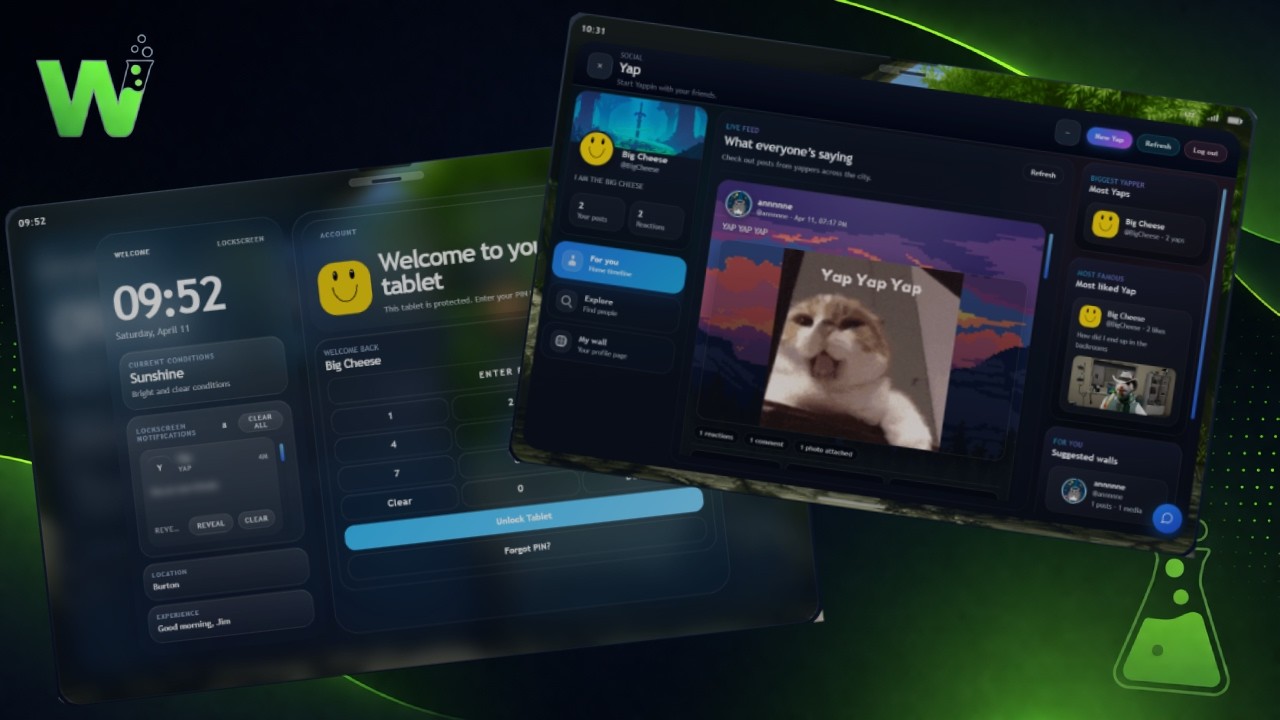
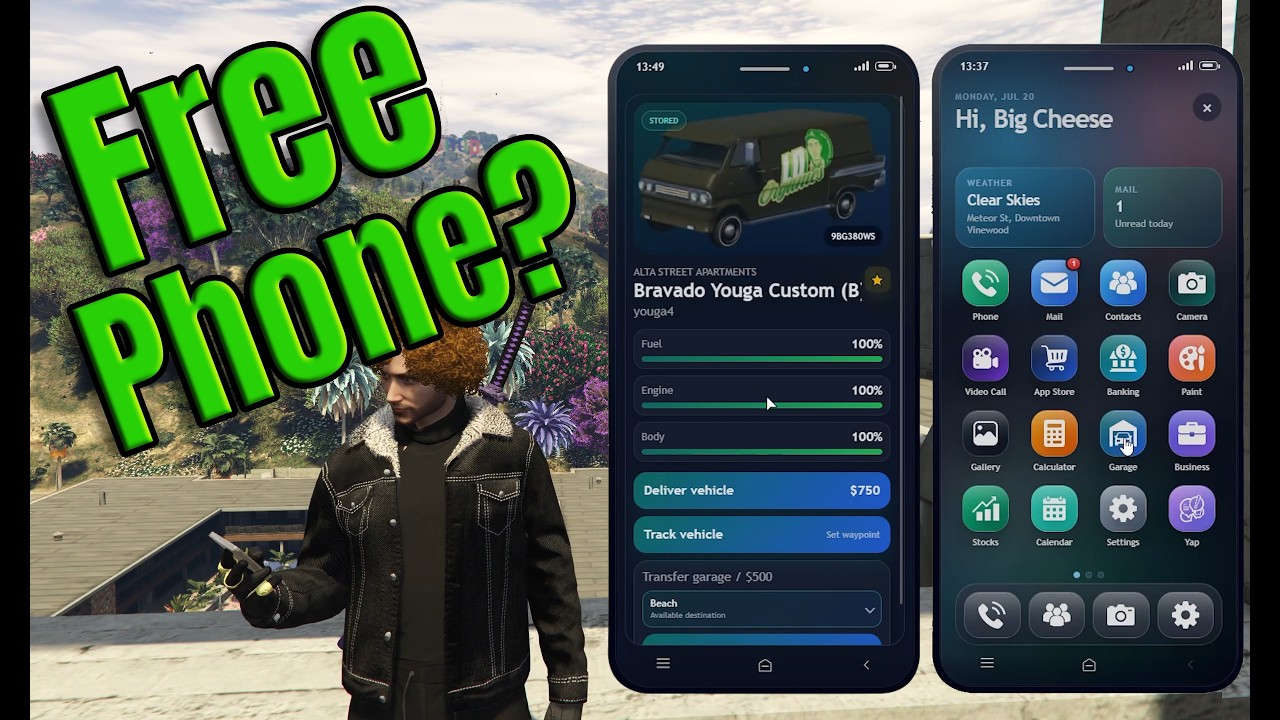
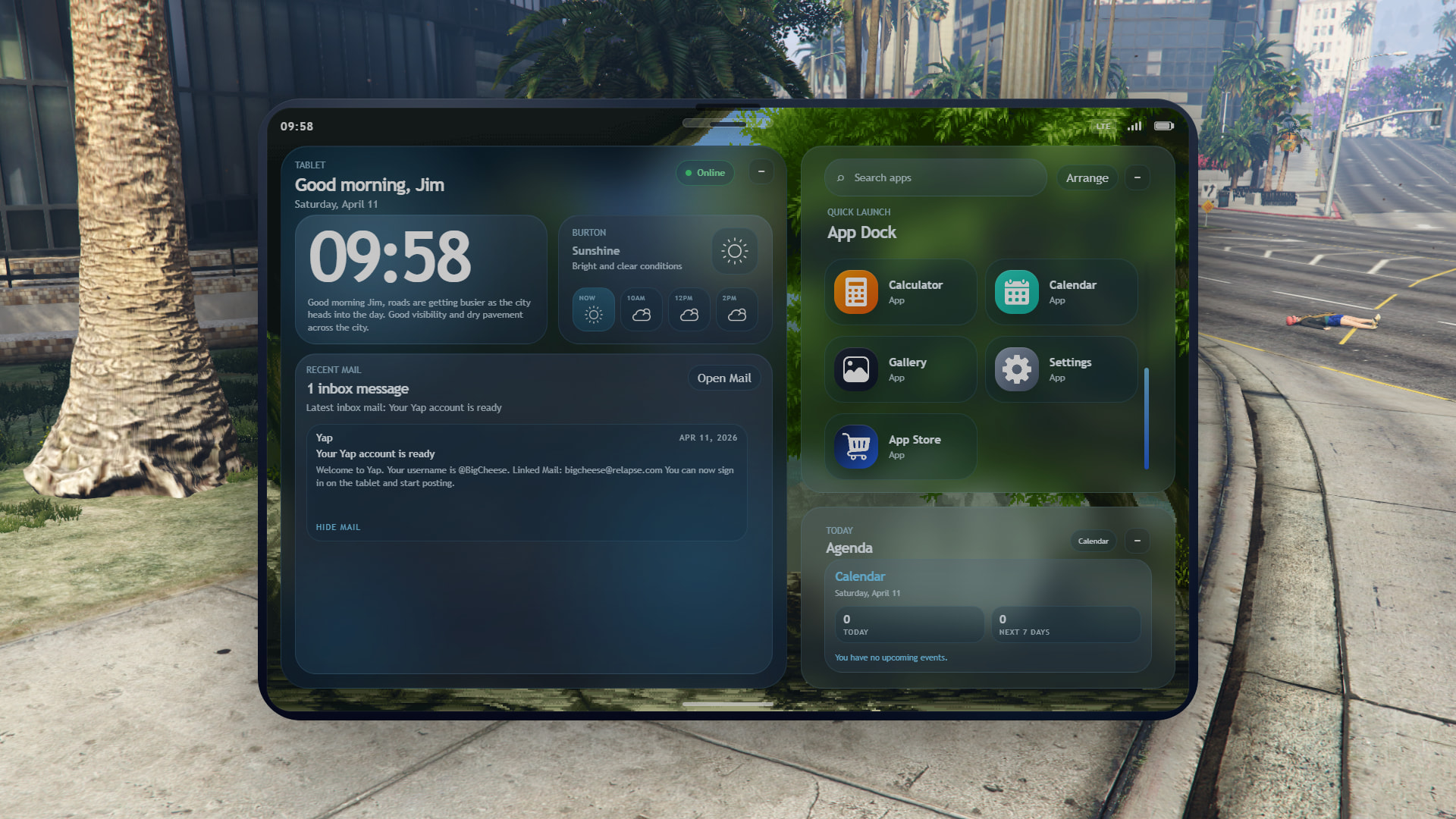
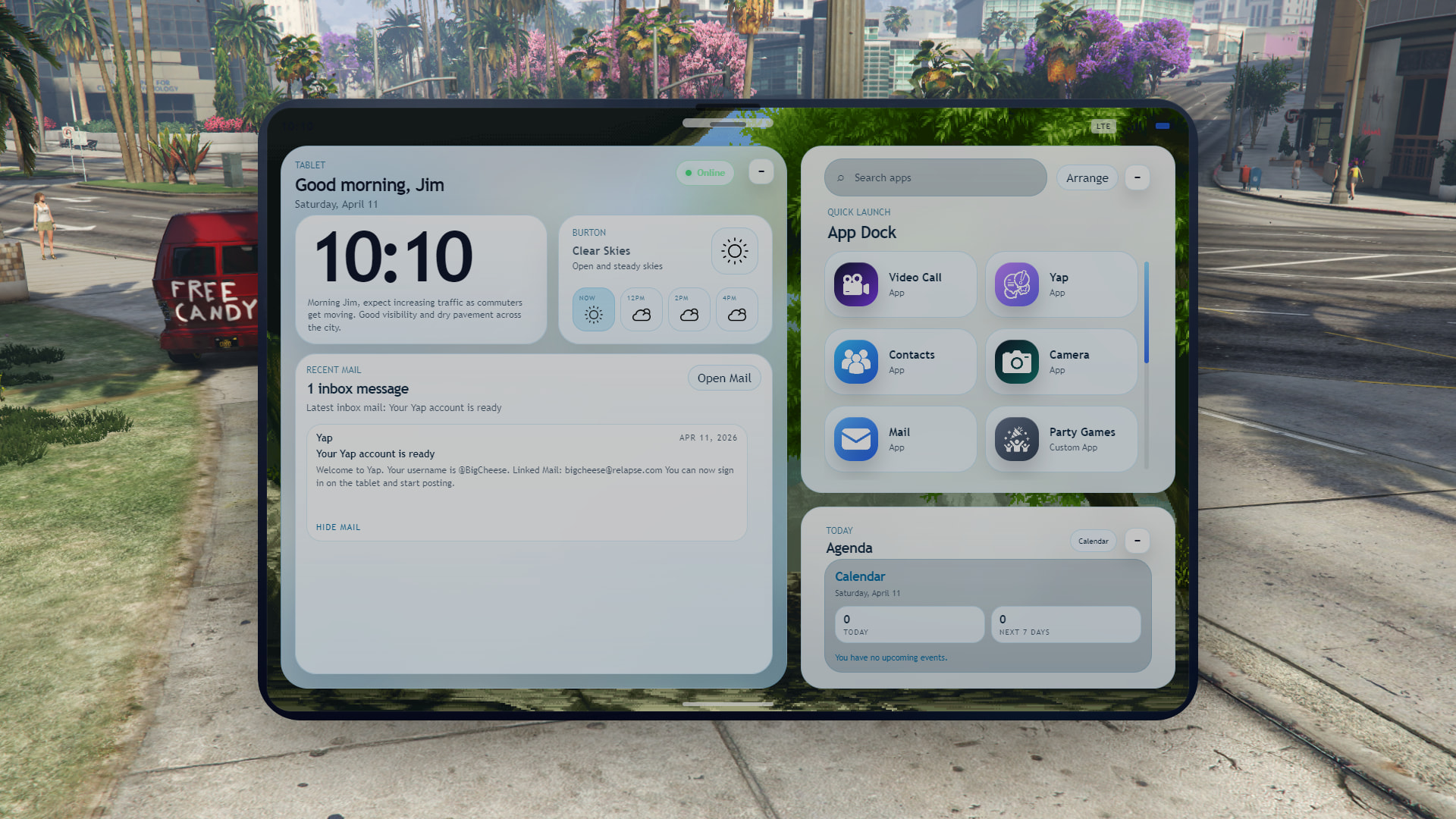
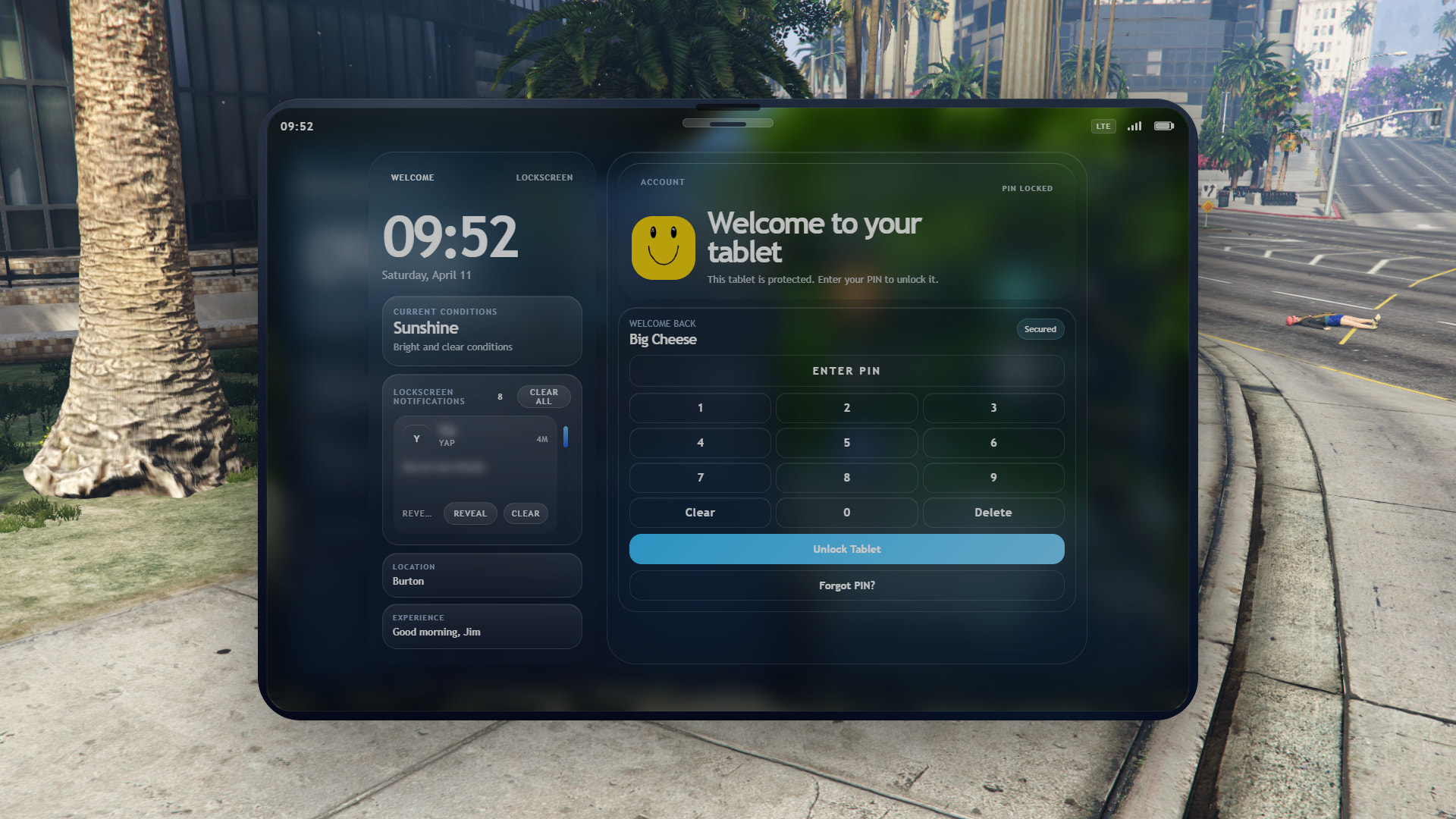
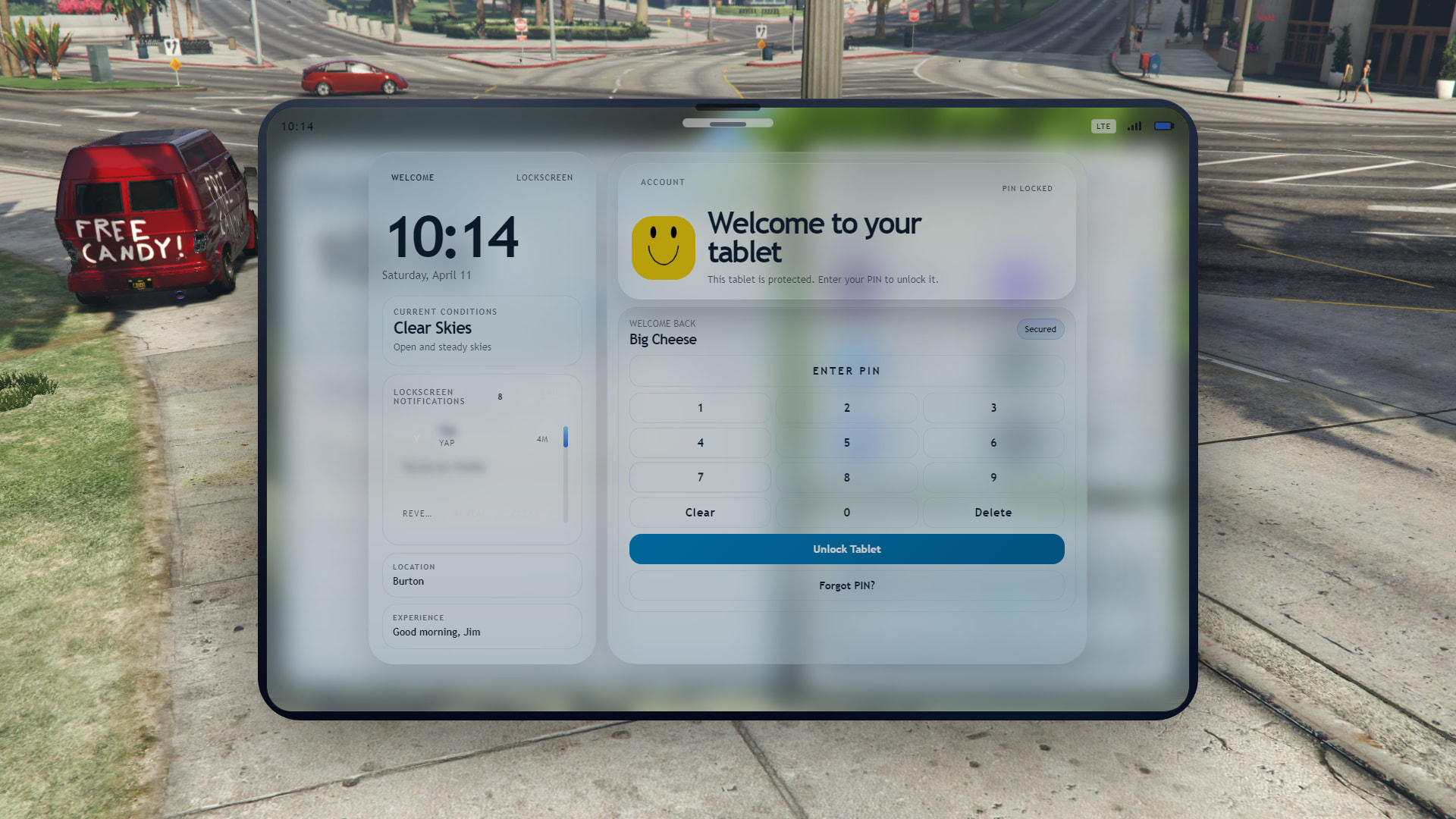
📱 [FREE] W-Labs Tablet & Phone | wPhone + myPhone | ESX / Qbox / QB-Core

:clapper_board: Showcase

Tablet:

Phone:

:video_game: Try the tablet, wPhone, and myPhone in your browser

:inbox_tray: Download free


:brain: Overview

A tablet and phone system for FiveM with calls, messages, photos, video calls,

social media, and much more — and it’s FREE!

Choose between the tablet and two phone layouts: wPhone and myPhone.

Try all three on the website before installing them on your server.

:white_check_mark: Supports ESX, Qbox, and QB-Core

The framework bridge is automatic across the supported frameworks.


:camera_with_flash: Core Features

The devices include dark/light mode, themes, wallpapers, and home-screen customization.

:mobile_phone: Phone Calls & Messages

  • Make voice calls, manage contacts, and view recent calls.

  • Send messages, images, and location pins.

  • Choose wPhone or myPhone and rearrange your home-screen apps.

  • Optional physical devices, SIM cards, battery use, and charging.

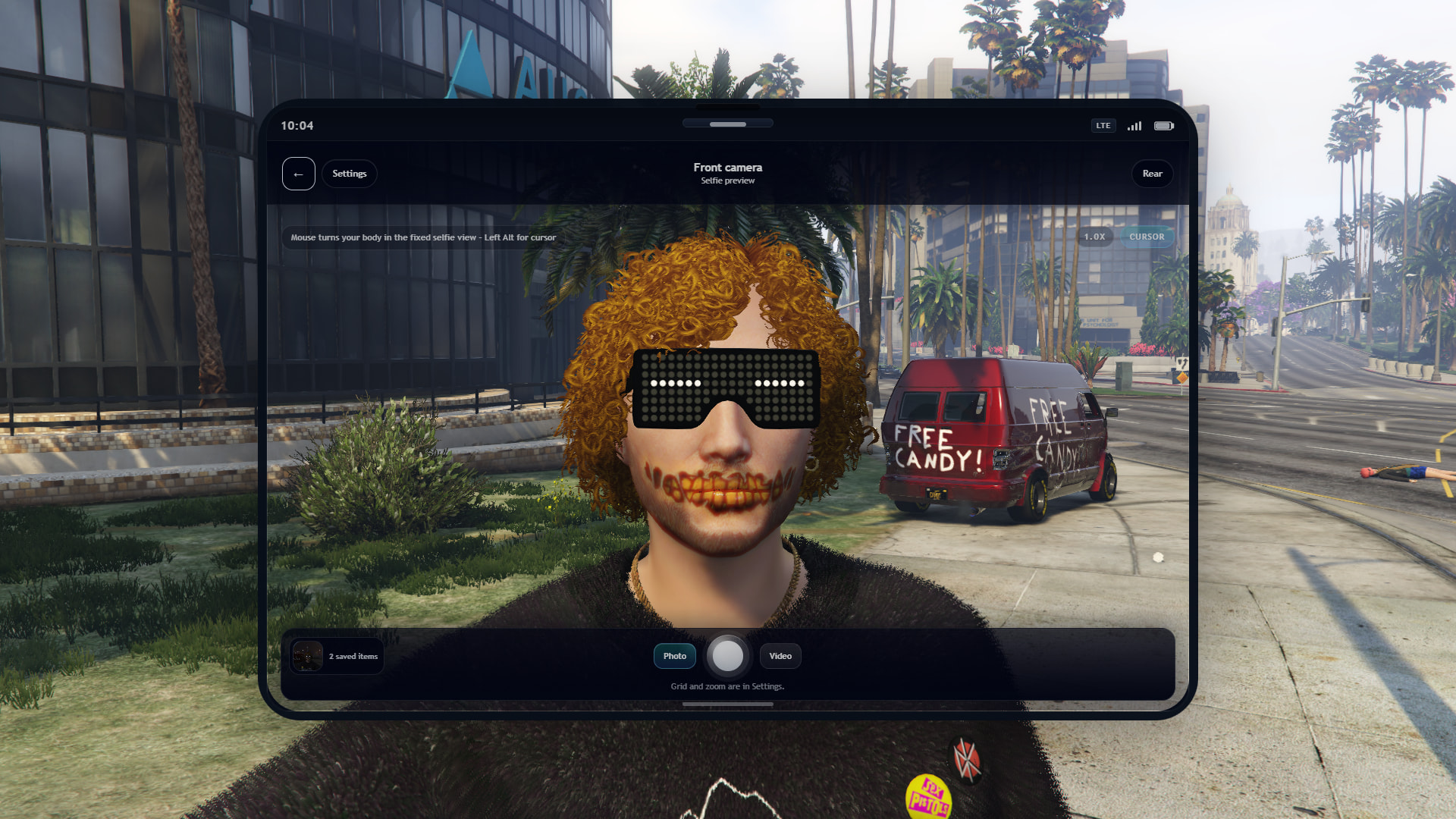
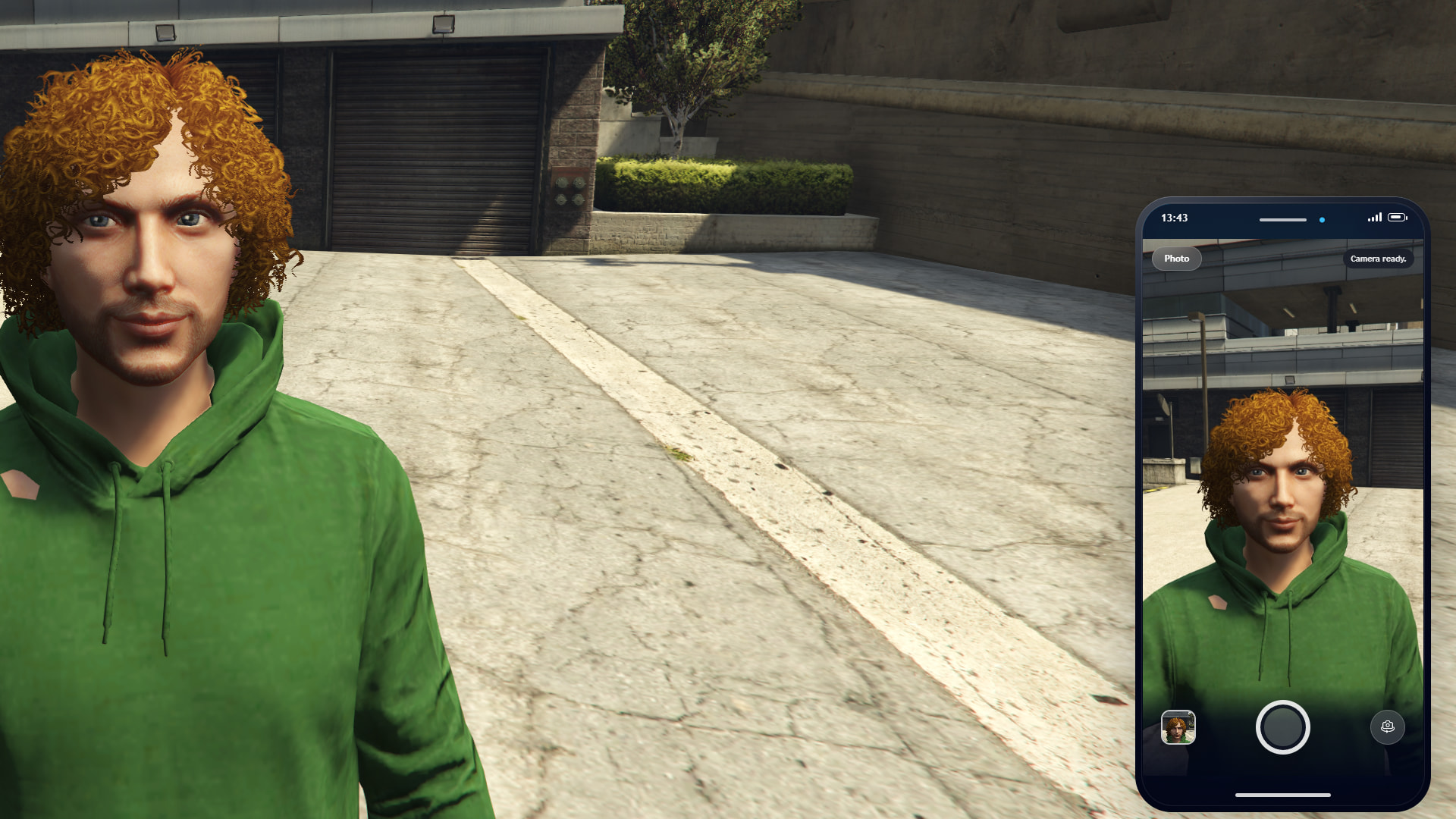
:camera: Camera System

  • Front/rear camera.

  • Take photos and record clips.

  • Edit images inside the device.

  • Save to the gallery and share across apps.

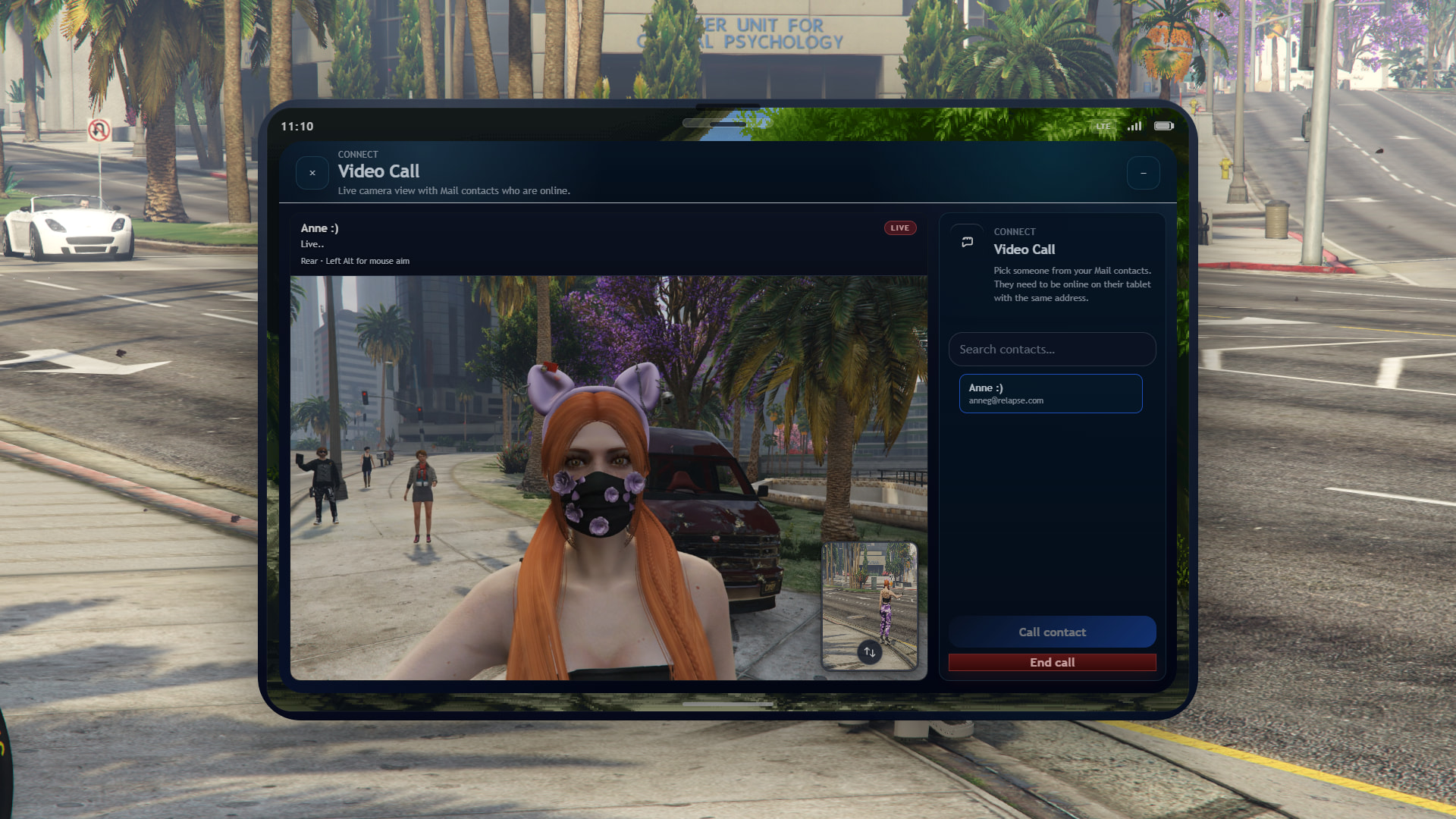
:telephone_receiver: Video Calls

  • Call contacts through the Contacts app.

  • Uses pma-voice for audio.

  • Incoming-call notifications when the device is closed.

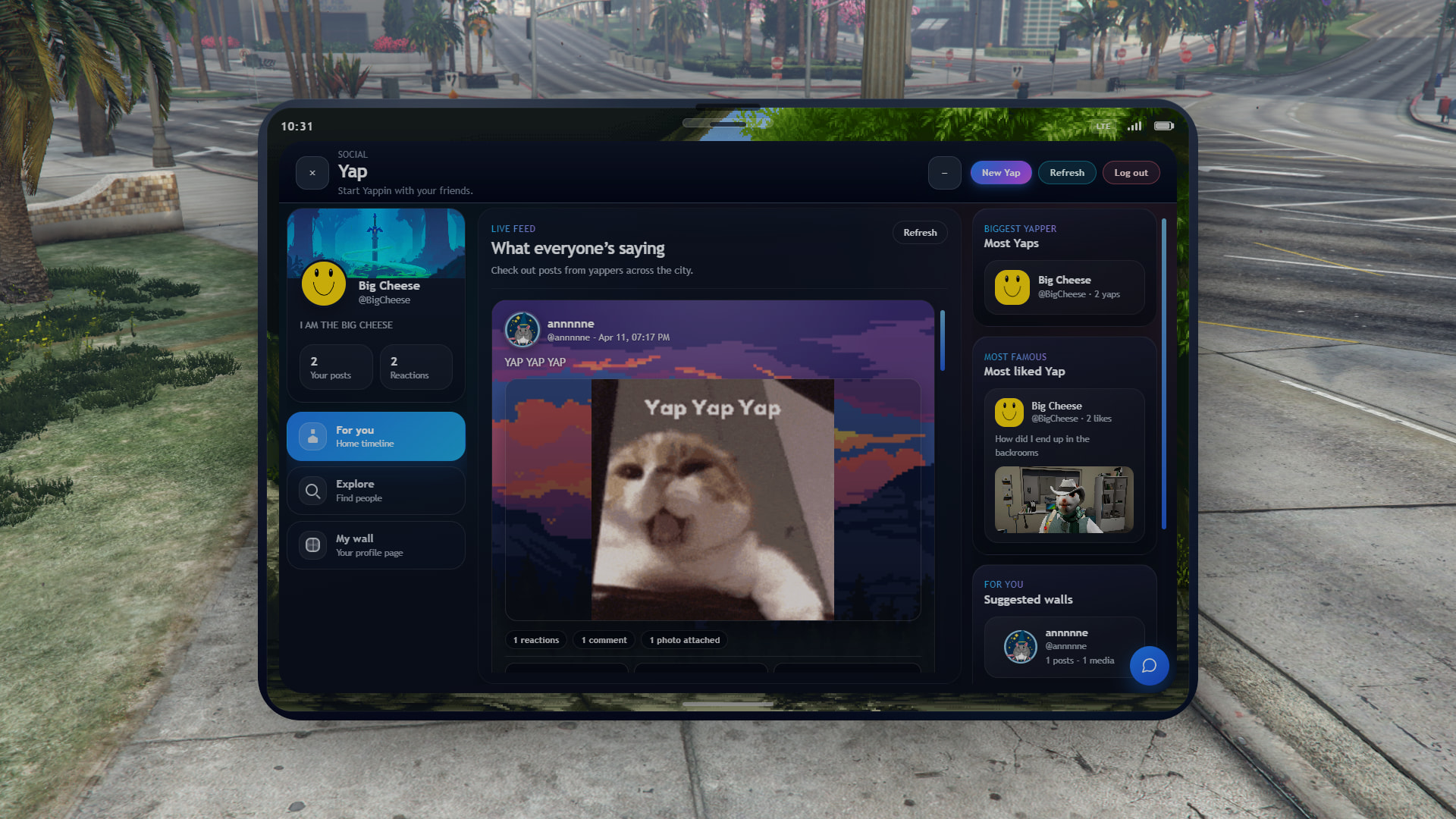
:globe_with_meridians: Social App (Yap)

  • Add friends and post on the Yap feed.

  • Like/dislike and comment on posts.

  • Send direct messages, images, and GIFs.

  • Post on other players’ walls.

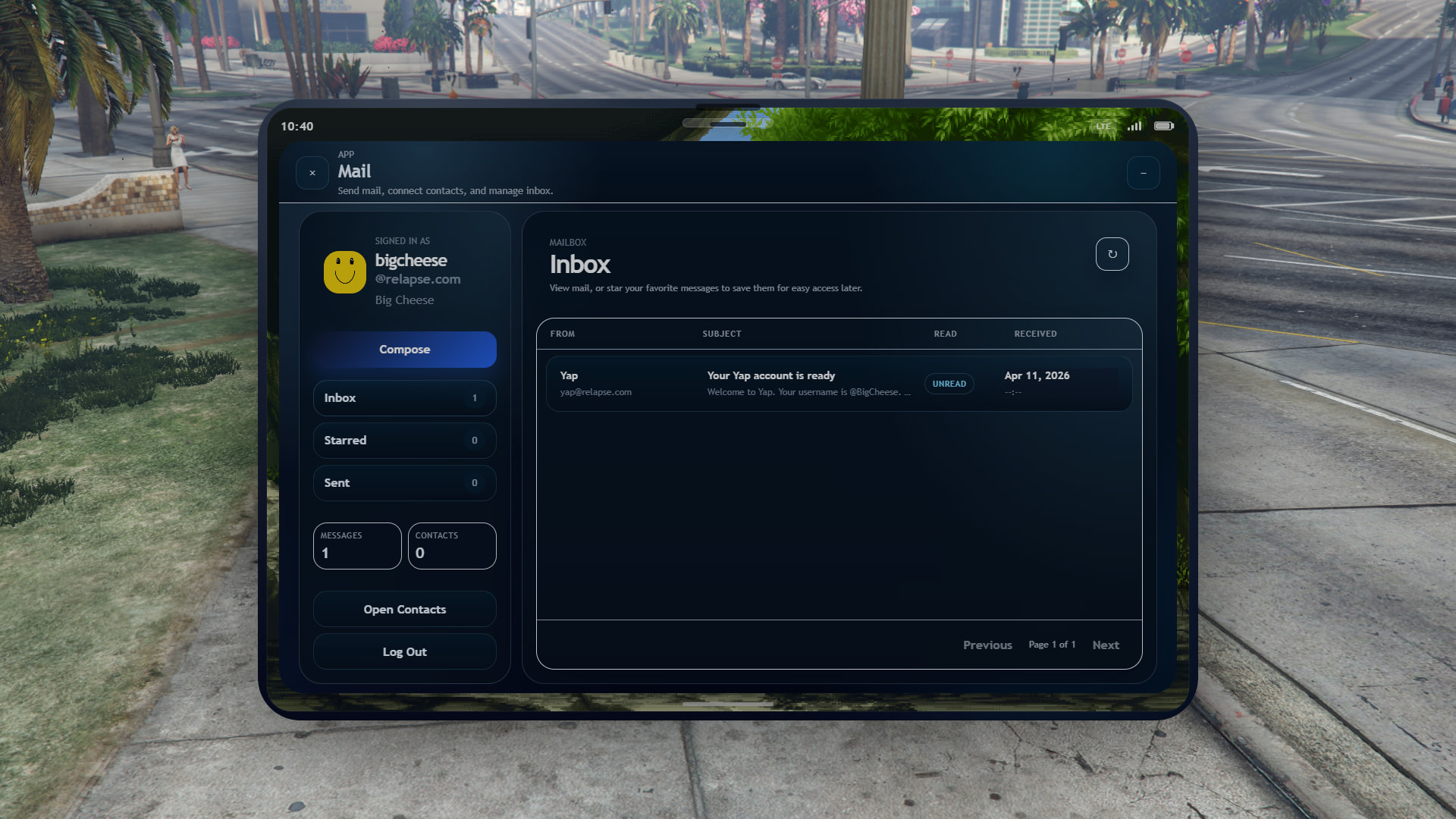
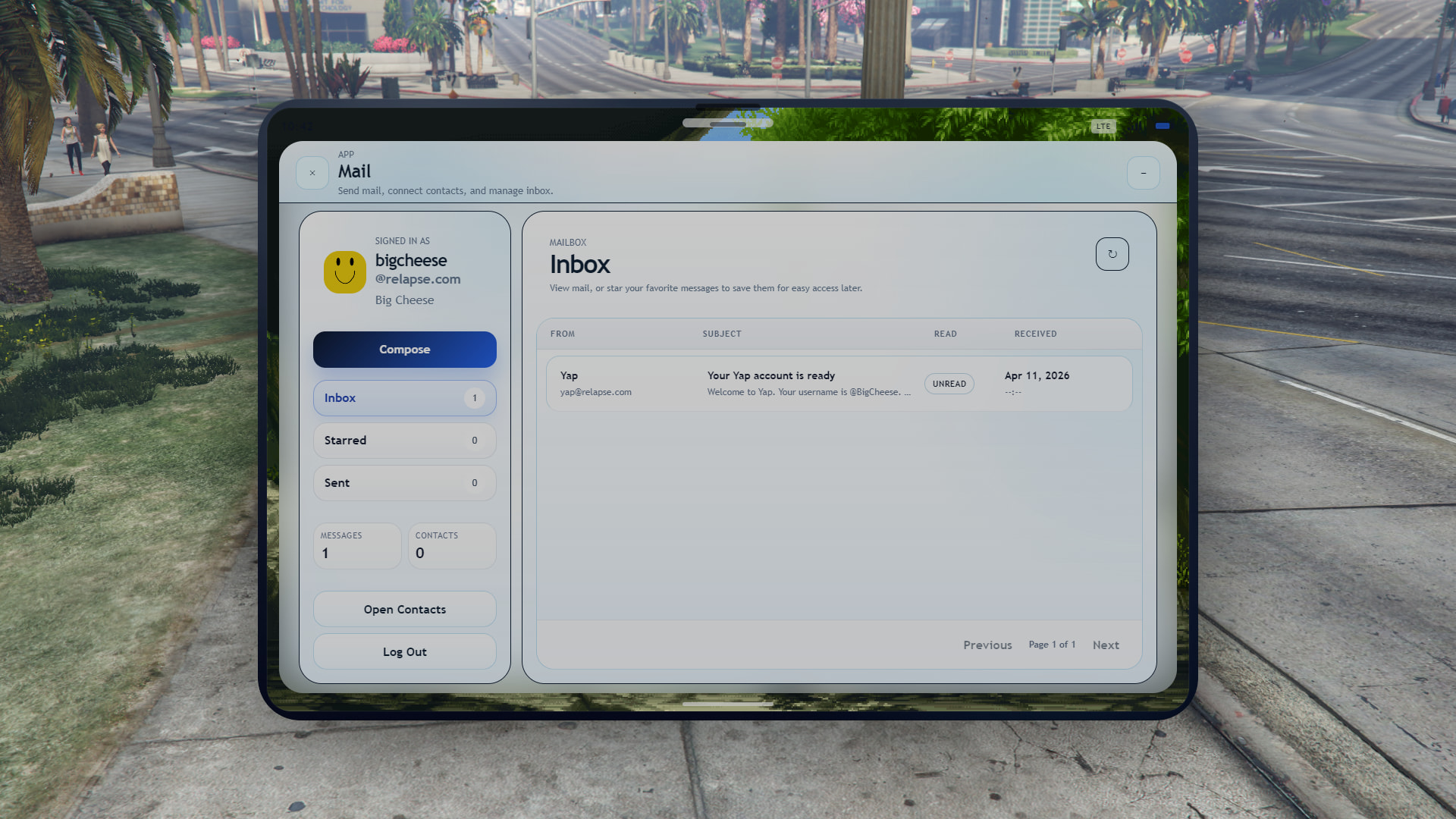
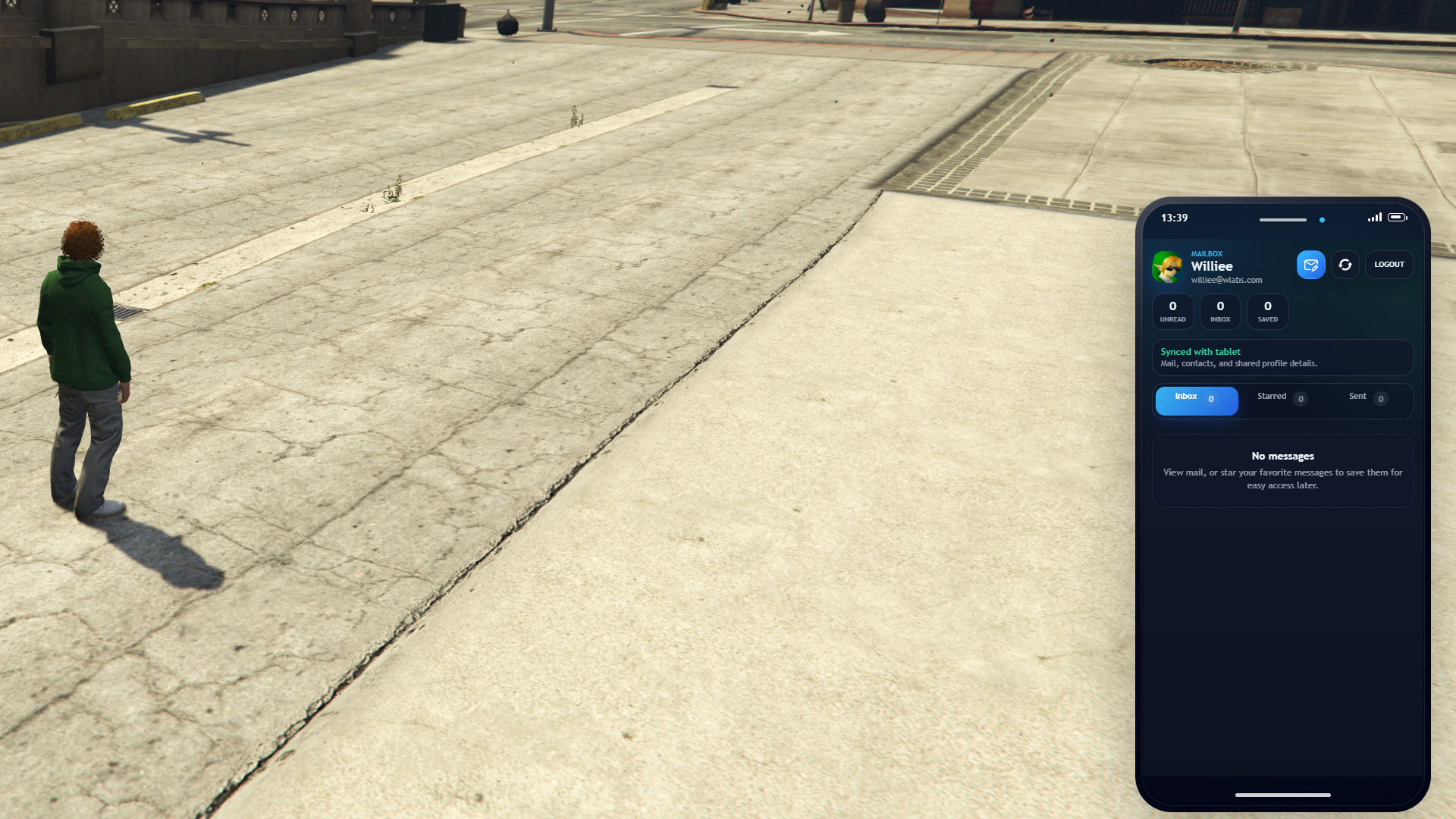
:open_mailbox_with_raised_flag: Mail

  • Send and receive emails.

  • Attach photos and drawings.

  • Keep favorite emails in a separate starred inbox.


:mobile_phone: Other Apps

  • Contacts

  • Gallery

  • Maps

  • Banking

  • Garage

  • Stocks

  • Businesses

  • Paint

  • Calendar

  • Calculator

  • Settings

  • App Store

You can also build your own apps. Separate paid W-Labs scripts add towing,

underground trading, and vehicle boosting; they are optional and are not required

to use the free devices.


:gear: Setup

Supported Frameworks

  • :white_check_mark: ESX

  • :white_check_mark: Qbox

  • :white_check_mark: QB-Core

Framework bridge is handled automatically.

Requirements

  • ox_lib

  • oxmysql

  • pma-voice or a compatible integration for voice calls.

  • Inventory optional for the core devices.

See the docs for camera storage, optional integrations, and physical-device setup.

Open via

  • Tablet keybind (F3 by default).

  • /wtablet or /wphone.

  • Inventory item when configured.


:inbox_tray: Download

Download W-Labs Tablet & Phone — free

:open_book: Docs: https://w-labs.gitbook.io/w-labs-docs

:speech_balloon: Discord: https://discord.gg/YHvctYzENV

If you give it a try, let me know which device your players prefer! For help,

open a Discord ticket with your framework and whether this is a fresh install

or an update.

Code is accessible No
Subscription-based No
Lines (approximately) 147K
Requirements ox_lib + oxmysql
Support Yes

Images

7 Likes

Wow, that’s awsome <3

1 Like

Please bring it out in ESX to !

1 Like

It’s been updated to support ESX :slight_smile:

No way ! Many thanks !!!

s***y-c**t would be nice :wink:

LOL, I apologize but what would be nice? :rofl:

salty

Oh! I can look in to this :slight_smile:

1 Like

would love to see this tablet ui as a phone too, amazing work!

1 Like

Really good work, but the question is why obfuscate a free resource? I needed to modify it to implement it in my own server core, but I can’t because it’s completely obfuscated. But it looks nice.

Because it took me months to create, and I have been providing support for a free script :slight_smile: you can always make a suggestion I dont mind implementing standalone folders but I will not be making it open source to have my hard work be resold.

1 Like

Massive

Update — June 7th, 2026

I want to give a massive thank you to everyone who’s downloaded this tablet, it’s gotten way more attention than I ever anticipated. I also want to give a huge thanks to everyone who’s given me feedback, I’ve had a ton of good feedback, and great suggestions, especially to those who requested the phone. This build is a major step up from the previous forum release and I hope you enjoy it!

What’s new

Phone (new device)

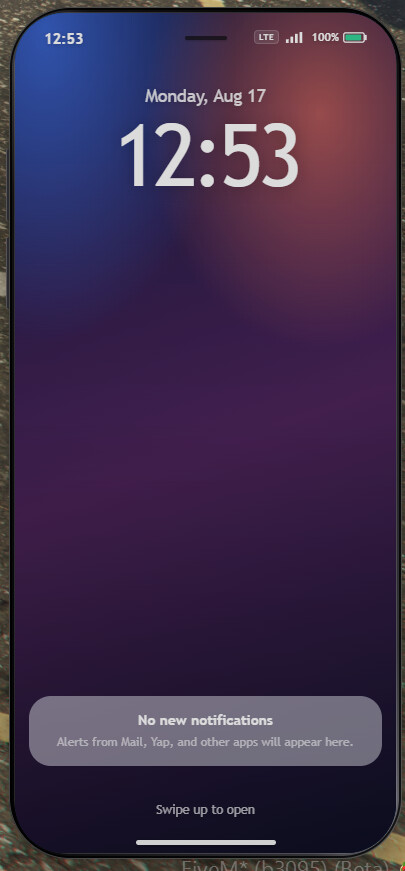
  • Full phone UI: lock screen, home screen, apps, quick settings
  • Voice calls — dial any number, recents, optional emergency/job lines (911-style in Config.Phone.JobLines)
  • Hide caller ID with *67 before the number (configurable)
  • Light / dark theme, wallpapers, ringtones, notification sounds
  • Walk while using the phone (toggle in-game — see docs)
  • Opens with /wphone by default (command, keybind, and item are all optional)

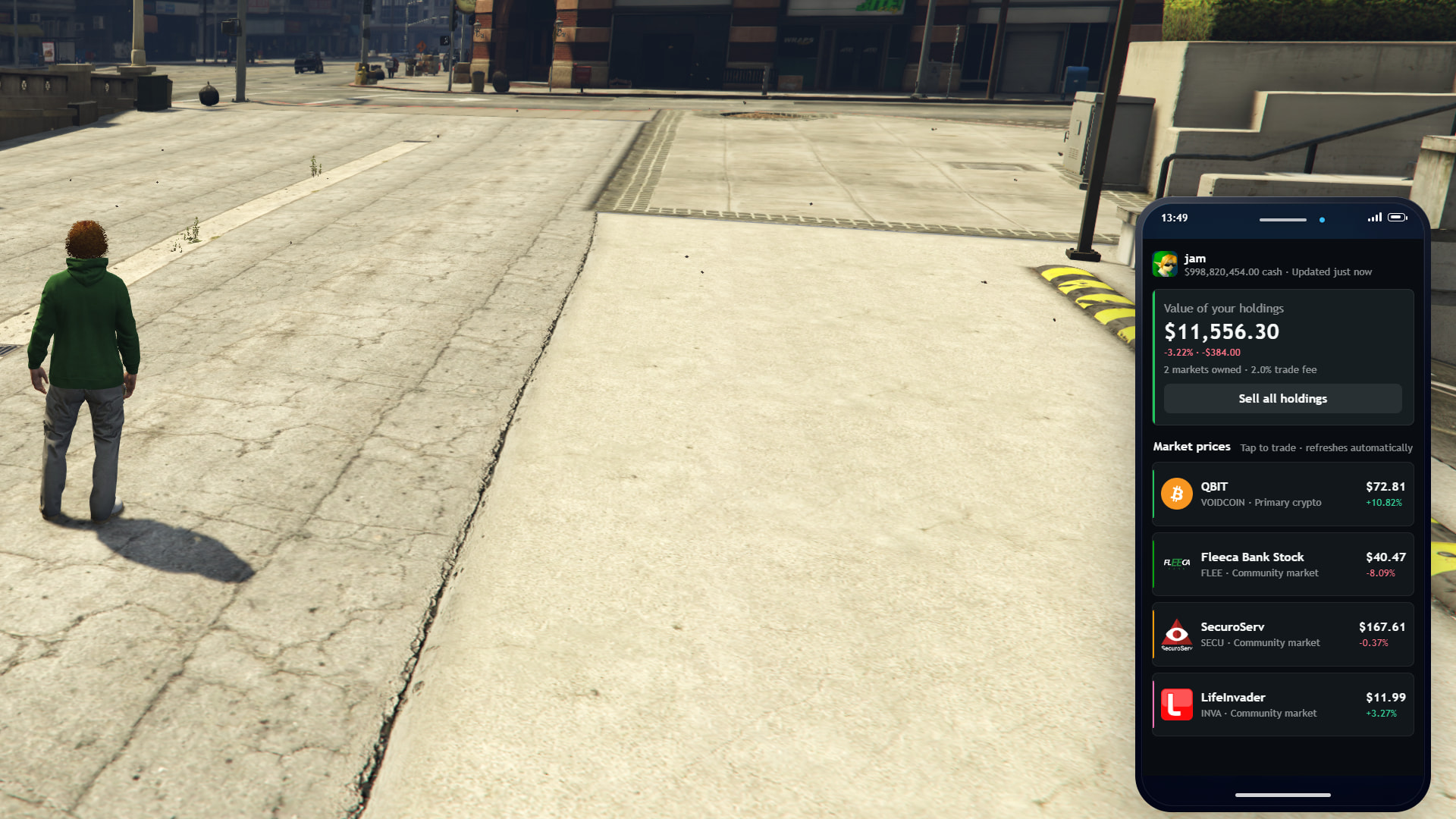
Stocks / crypto (new app)

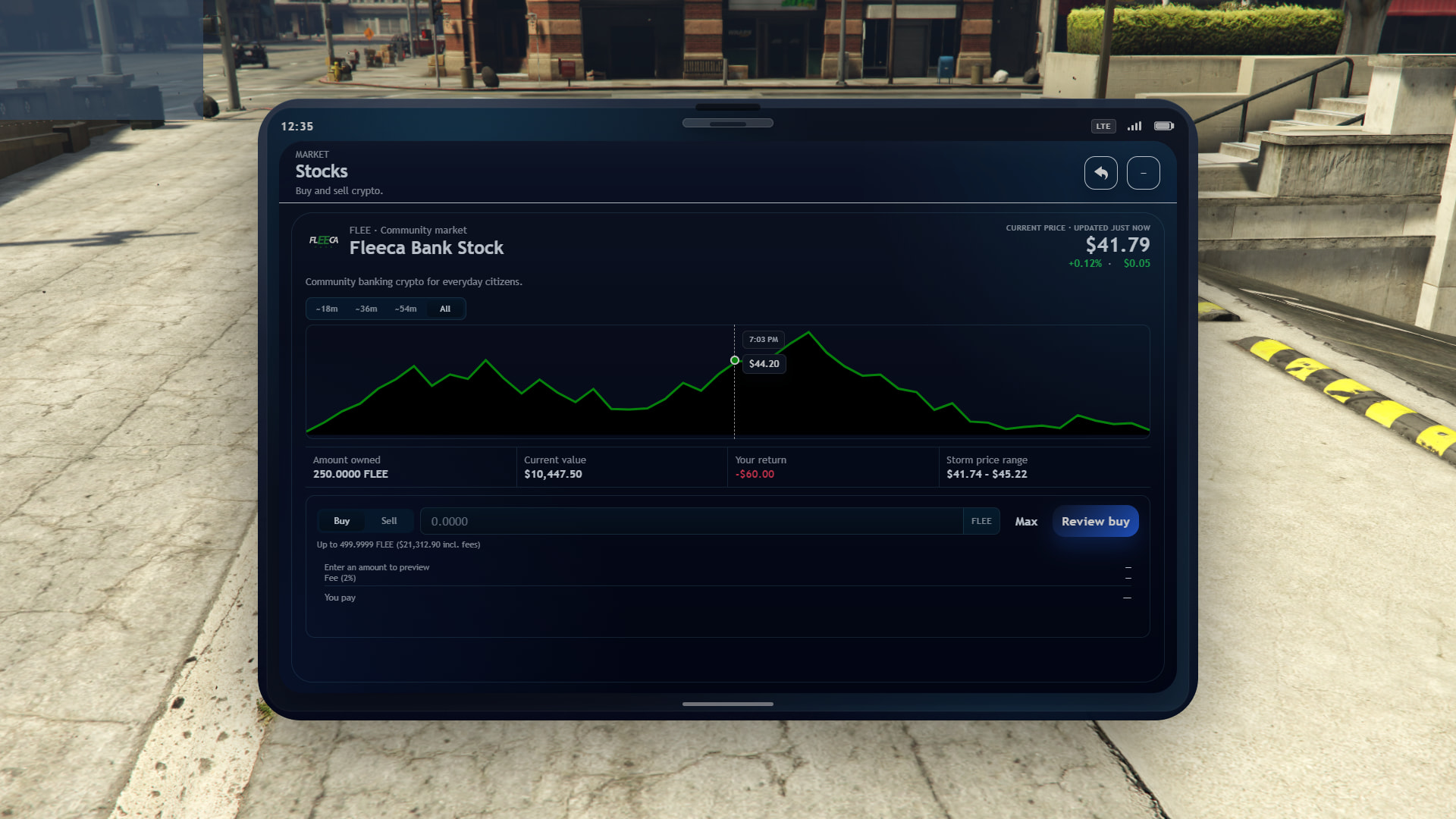
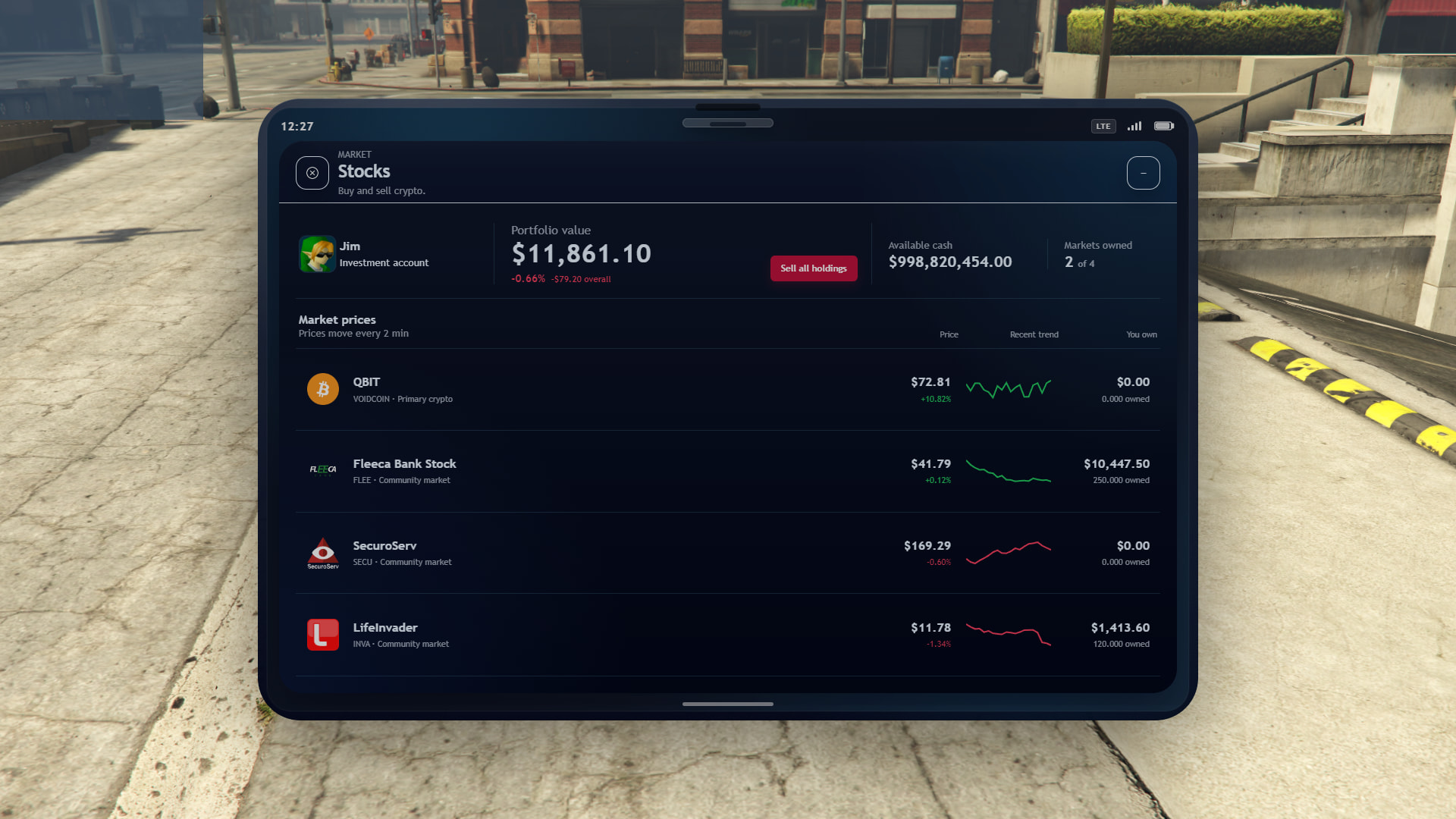
  • Buy and sell framework crypto on tablet and phone
  • Price randomizes on each resource restart (storm history chart)
  • Optional custom coins in config (example markets shipped: Fleeca, SecuroServ, LifeInvader)
  • Portfolio view, buy/sell confirm, sell-all, transaction fees
  • Optional Discord staff logging for trades — webhook goes in server.cfg, not config.lua
  • On ESX, primary crypto balance is stored by this resource when no framework wallet exists

Languages

  • Built-in: English, Spanish, French, German, Dutch
  • Set Config.Locale in config.lua
  • I tried my best with these, community edits are more than welcome!

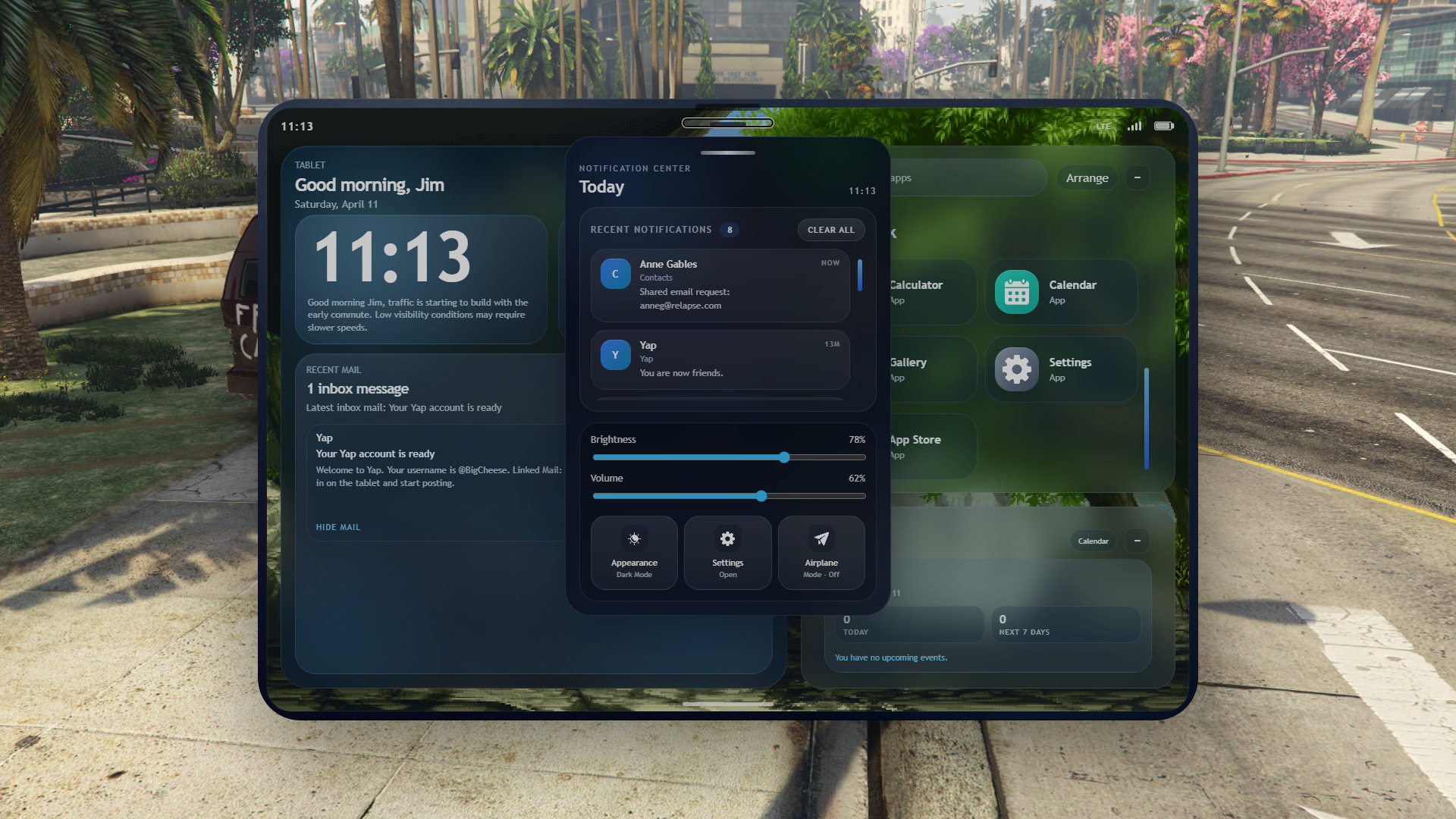
Notifications

  • Unified system across tablet and phone: mail, Yap, contacts, calendar reminders, voice & video calls, missed calls
  • Per-app toggles in Settings, airplane mode, notification sounds
  • Notification center on the tablet lock screen
  • Optional ox_lib / QBX notifications (Config.Notifications.UseGameNotifications)

Tablet & UI polish

  • Theme-aware light/dark icons across apps
  • Video calls — improved ringing and missed-call flow
  • Contacts can store phone numbers for the Phone and video-call apps
  • Custom apps can target tablet only, phone only, or both

For server owners

  • Same frameworks: ESX, Qbox, QB-Core (Config.Framework = 'auto' still works)
  • Same requirements: ox_lib + oxmysql
  • Optional: pma-voice for voice in phone and video calls
  • New Config.Stocks block — set your crypto wallet name, price range, custom coins, and Discord log toggles
  • Disable either device with Config.UseTablet or Config.UsePhone

Updating an existing server (important)

  1. Stop the resource.
  2. Back up wlabs-tablet/data/ — player gallery, settings, phone profile, stocks data. Do not delete it when updating.
  3. Back up your current config.lua.
  4. Install the new files over the old resource folder.
  5. Restore your data folder and merge your old settings into the new config.lua (add Config.Locale, Config.UsePhone, Config.Phone, Config.Notifications, Config.Stocks, etc.).
  6. Do not drop your wlabs_tablet_* database tables unless you want players to lose mail/contacts.
  7. Start the resource — on first boot it automatically adds missing database columns (e.g. contact_phone). Manual SQL re-import is optional for existing servers; new servers should still import sql/wlabs_tablet.sql once.
  8. Optional: set wlabs_tablet_stocks_discord_webhook "…" in server.cfg if you enable Stocks Discord logging.
  9. Test tablet (F3 / wtablet) + phone (/wphone) + Stocks.

You do not need to wipe data/ or SQL to update.

If profiles stop saving after a crash, see README “Common problems” — rare corrupt JSON in data/ (backup first; that fix only resets file storage, not your database).


Download & support

This resource stays free. Support is through Discord.

If something breaks after updating, open a Discord ticket with your framework (ESX / Qbox / QB) and whether it’s a fresh install or an update from the previous forum build.

Some pics :slight_smile:


1 Like

I have to admit this script is incredible for as a free item, it’s smooth fast and also beautiful, Support i got from williee was quick a responsive. Need a starter kit this is the one

1 Like

Thanks so much for your feedback! It means the world to me :slight_smile:

You should make it so if a player loss the phone and someone finds it it be the same phone with all the contacts and texts save to a db ect .

And be good if we didnt have to use a password and it was a option

2 Likes

Great ideas!!! If you haven’t already please join our discord, we have suggestion threads that I work on all the time :slight_smile:

:mobile_phone: W-Labs Tablet & Phone — What’s New Since June

It’s been a while since my last proper update here, but I’ve been busy! The latest release is 1.3.2, and there’s quite a bit to catch up on.

Everything below is included in the free resource.


:mobile_phone: Meet myPhone

There’s now a second phone layout: myPhone, my take on an iPhone-style layout, alongside the Android-inspired wPhone.

You can try both phones and the tablet directly in your browser before installing anything:

:video_game: Try the tablet, wPhone, and myPhone

:credit_card: Physical Devices & Removable SIM Cards

Server owners can choose how devices fit into their server:

  • Player mode: devices save to the character without requiring inventory items.
  • Item mode: players must carry a device, while their data stays with the character.
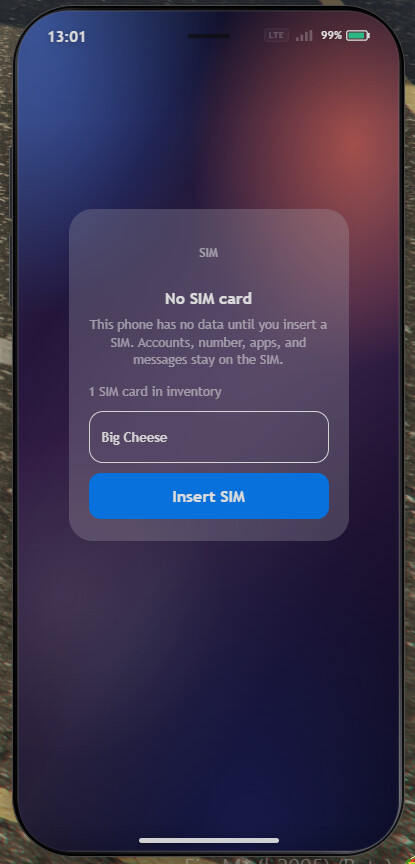
  • SIM mode: a removable SIM carries the phone number, account, messages, contacts, Gallery, and other personal data. Physical tablets store their data on the tablet item.

SIM cards work much like they do in real life: take your SIM out of one phone and put it into another to keep using your number and saved app data. In W-Labs, your messages, contacts, photos, and account data follow the SIM, so you can switch phones without starting over.

Admins can also assign custom phone numbers or give players SIM cards with a chosen number.

:battery: Battery & Charging

SIM mode adds optional battery use for physical phones and tablets.

  • Configurable drain while using the device or carrying it in your pocket.
  • Low-battery indicators and a charging screen when the battery runs out.
  • Use a charger with vehicle power or at configured charging locations.
  • Configure charging speed and drain rates for your server.
  • Battery drain pauses while the player is offline.

You can disable the battery system if it doesn’t suit your server.

:bank: Banking

Check balances, view recent activity, and send transfers from your devices. Authorized staff can also access supported society accounts.

Integrations include TGG Banking, Renewed Banking, and qb-banking, plus a framework banking fallback. Available account and transaction details depend on the provider.

:automobile: Garage

Browse your owned vehicles, save favorites, locate vehicles, transfer stored vehicles between garages, and request valet delivery where enabled.

Garage integrations include zyke_garages, JG Advanced Garages, mGarage, qb-garages, qbx_garages, and ESX garage support, with automatic detection and a generic fallback.

Version 1.3.2 improves loading for larger vehicle collections and lets server owners disable transfers and valet independently.

If your garage resource isn’t supported, create a ticket in the W-Labs Discord and let me know what you use and I’ll add integration if possible!.

:convenience_store: Businesses

Find businesses, check their open/closed status, set a GPS route, and call them directly.

Server owners can configure the businesses, descriptions, numbers, icons, and locations to match their city.

:speech_balloon: Phone Messages

The phones have their own text messaging app, using players’ phone numbers:

  • Send texts and media in private conversations or create group chats.
  • Share locations that recipients can set as their GPS destination.
  • Mute conversations and swipe to delete chats.

:round_pushpin: Interactive Maps

Explore the GTA map directly from your phone or tablet, with draggable navigation, zoom controls, and your current position.

  • Drop pins and set your in-game GPS destination.
  • Save personal locations with custom names and a choice of icons.
  • Edit, delete, or set GPS to your saved locations.
  • See configured businesses on the map, check their open/closed status, get directions, and call them where available.

Keep your favourite spots, meeting points, and useful businesses within reach of your device.

:telephone: Public Payphones

Players can use street payphones to call other players or businesses with cash.

Includes a keypad, handset animations, public caller ID, and prepaid call time. Unanswered calls return change to the coin dispenser.

Payphones are optional and disabled by default. Enable them through Config.Payphones. They require ox_target or qb-target, plus pma-voice.

:camera_with_flash: Photo Editing & Contact Sharing

  • Crop phone photos and apply filters and adjustments.
  • Open Gallery images directly in Paint.
  • Choose profile pictures from your Gallery.
  • Share your phone number, email address, or both with nearby players.
  • Swipe to star or delete Phone Mail.
  • Select saved mailboxes when signing into Phone Mail.

:globe_with_meridians: A Few More Additions

  • Yap-to-Discord: optionally mirror new feed and wall posts into a Discord channel.
  • Expanded custom-app integration tools for device-specific messages, notifications, and Mail-to-SMS fallback.

:wrench: Recent Fixes

Alongside the additions, recent releases address:

  • Notifications reaching the wrong device or returning after dismissal.
  • Custom-app notifications failing in item mode.
  • Closed apps unexpectedly reopening.
  • Yap scrolling jumping during reactions and replies.
  • Phone/SIM swaps retaining the wrong account data.
  • Large Paint saves causing disconnects.

:inbox_tray: Download & Updating

Get W-Labs Tablet & Phone — free

:open_book: Documentation and configuration

:speech_balloon: Discord support

Updating from an older release? Back up your configuration and merge your settings into the current config, particularly Config.DeviceMode and the new payphone settings. Keep your wlabs-tablet/data/ folder and existing database tables, deleting these files/wiping database gets rid of players device data.

I appreciate everyone who’s tried out this script and reported issues, my goal is to create the best tablet and phone for FiveM and your reports help make that happen!

First of all, I wanna say thanks for this amazing tablet/phone script! I’ve been wanting to upgrade my phone for such a long time! And its hard to fine one that’s free, functional and amazing like yours does! So really, thank you so much!:+1:

Question: I noticed that when taking a picture of myself (with the tablet), the image comes out inverted! Is there any way to change that? Thanks in advanced for your kind responds.:wink:

1 Like

Thanks so much! I’m glad you like it!! If you open the picture in the gallery you can edit the photo and from the photo editor you can flip it horizontally/vertically :smiley: feel free to join my discord to get all the latest updates, i work on the phone/tablet script all the time :slight_smile: