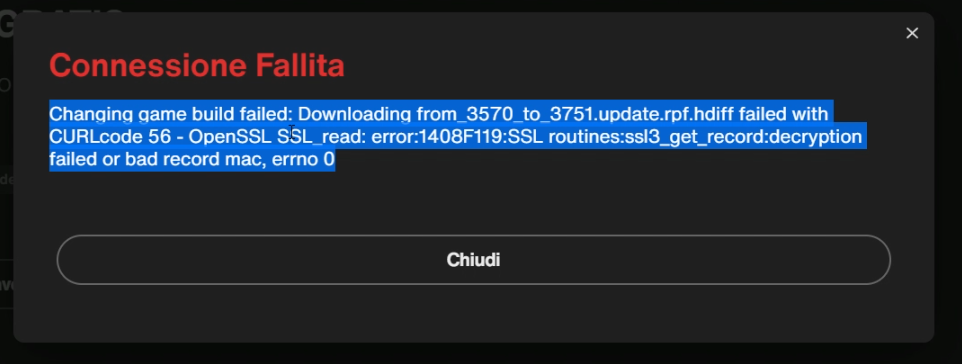
Hey everyone, a friend of mine is stuck updating FiveM from build 3570 to 3751. The update always fails during the update.rpf .hdiff patching process with this exact error:CURLCode 56 - OpenSSL SSL_read
We have already tried all standard troubleshooting steps, but nothing works:
Verified GTA V game file integrity via Steam/Epic Games.
Temporarily disabled Windows Defender and real-time antivirus.
Changed DNS (Cloudflare/Google) and flushed the DNS cache.
Fully uninstalled and clean-reinstalled FiveM.
Checked system time and ran as Administrator.
Despite all this, the updater keeps crashing at the exact same spot during the binary patch. Is there a known workaround or a way to manually bypass/fix this update issue? Thanks in advance!
What have you tried already to fix the issue?
Verified GTA V game file integrity via Steam/Epic Games.
Temporarily disabled Windows Defender and real-time antivirus.
Changed DNS (Cloudflare/Google) and flushed the DNS cache.
Hello, this is a friendly reminder because this is your first time creating a topic (or it has been a while since your last topic) in this category.
Please note that most of the support is provided by the Cfx.re community on a voluntary basis. We ask you to be patient; there is no guarantee we have a solution to your problem(s). To avoid unnecessary/duplicate topics, please browse the forums before creating a topic.
To improve your chances of your issue(s) being solved, please provide as much information as possible about the issue(s) you are having. Also —whenever possible— please use the template given to you when creating a topic.
Does your friend own GTA V through Steam or Epic Games? And is the issue with Legacy or Advanced?
And something I’d like you to try, please:
Step 1. Clear your FiveM Cache
-Make sure FiveM is completely closed (Open up task manager and make sure there are no FiveM background processes running)
- Go into your FiveM Application Data folder… you can access it through user > AppData > Local > FiveM > FiveM Application Data or by pressing the windows key + R, paste the following and press enter: %localappdata%\FiveM\FiveM.app\data
- From the FiveM Application Data folder go into the “data” folder and delete the following folders: “cache”, “server-cache”, and “server-cache-priv”. They will regenerate when your friend reopens FiveM
Step 2. Force FiveM to open in build 3751
Make a copy of your FiveM desktop icon
Rename the copy to: FiveM 3751 (once this is set up it will force build 3751 every time it opens, whereas a regular FiveM desktop icon should open up to the last build you were playing on)
Right click the Copy and go to “properties”
Under the Shortcut Tab (which it should be on), Under “Target” you’re going to add " -b3751". Apply and Save and then open up FiveM with that copy and let us know if it worked or if there is another error.
Example of what your Target should look like: (don’t copy and paste without changing your username just add a space at the end of .exe followed by “-b3751” C:\Users\YOURUSERNAME\AppData\Local\FiveM\FiveM.exe -b3751