Chess
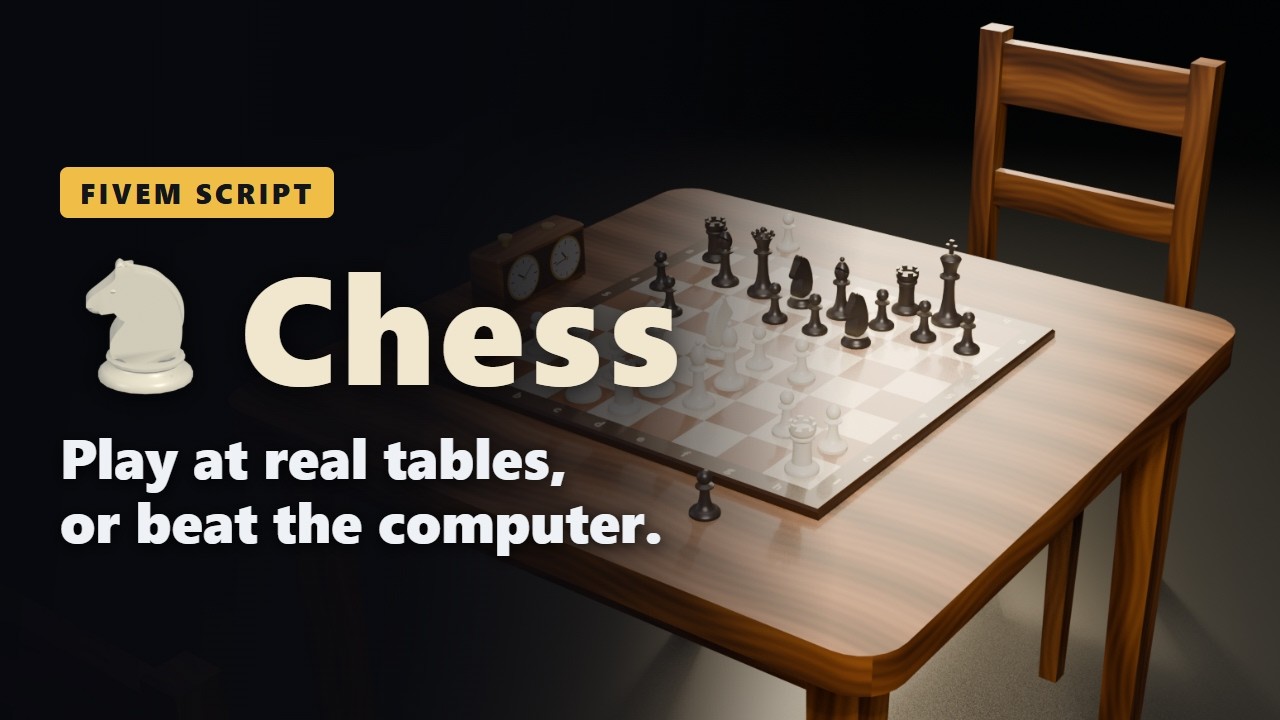
The royal game for two, at real tables in your world. Sit down and play on a board that feels like the big chess sites: premoves, arrows, the opening named as you play, and a review of every game afterwards. Everyone standing nearby sees the pieces move on the table. Nobody around? Put the computer on the other chair, anywhere from beginner to master, or solve puzzles on your own.
Buy on Tebex – €9.99 · Preview video · Documentation · Discord
What you get
A board that plays like the ones you know
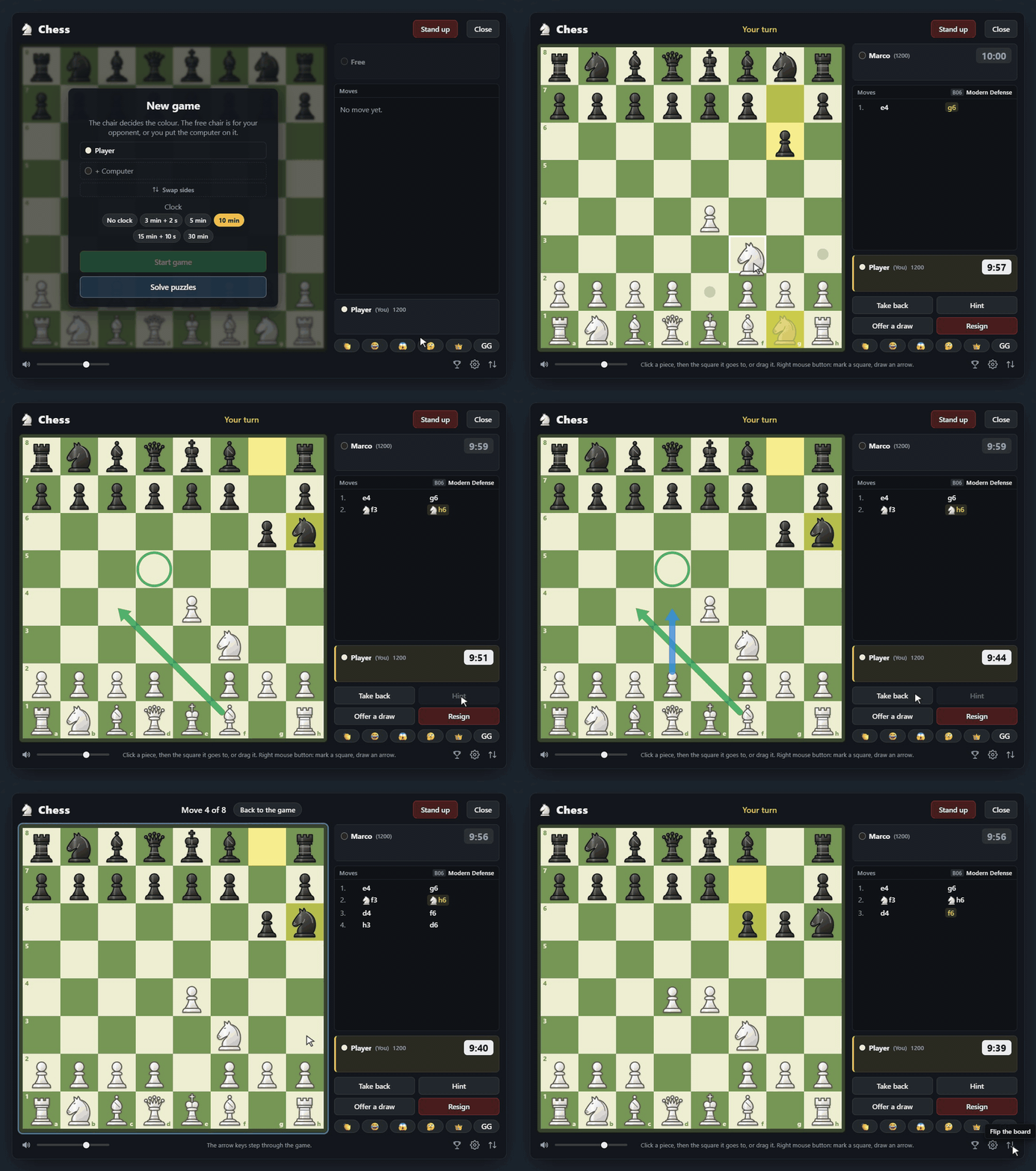
- Click or drag. Pick a piece and the squares it may go to are marked; pieces it can take get a ring.
- Premoves. Queue up to ten moves while the other side is still thinking; they are played one after the other as soon as they can be.
- The opening, named. “C54 Italian Game: Giuoco Pianissimo” above the move list, from 3,300 openings.
- Look back through the game. Click any move in the list or use the arrow keys to see the board as it stood.
- Arrows and marks with the right mouse button.
- Feedback you can feel. The last move highlighted, captured pieces fading away, a king in check giving a shake.
- The end of a game brings up a card: the result, both ratings counting to where they now stand, confetti for the winner, Rematch (or a rematch with colours swapped) and the review.
- Promotion picker, draw offers, resigning with confirmation, flip the board, copy the game as PGN.
Game review
- After a game the computer judges every move: best, excellent, good, book, inaccuracy, mistake, blunder.
- Accuracy for both players, and how many moves of each kind each played.
- Step through the game: the mark on the board, the better move as an arrow, and a bar showing who stood better.
- A move that looks like a mistake is checked again, deeper, so a sacrifice for a mate is not taken for a blunder.
- One review at a time, a little each server tick: the server stays smooth.

Puzzles
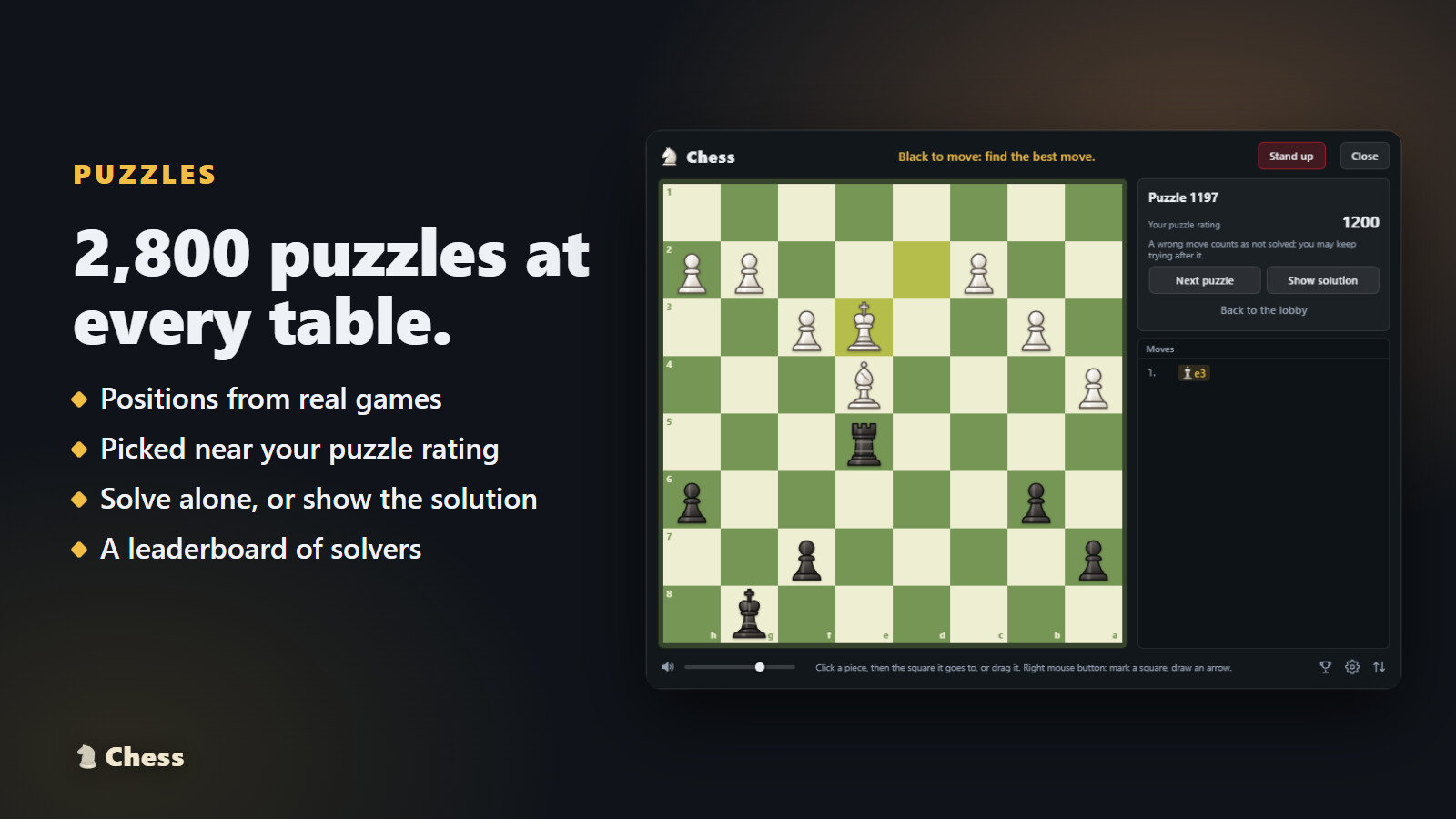
- 2,800 puzzles from real games, rated 500 to 2800, from Lichess’s open database and checked against the resource’s own rules.
- A player alone at a table solves them there; the opponent’s answers are played for them. Any mate counts.
- A puzzle rating for every player; the next puzzle is picked near it. Show solution when stuck.
Computer opponent
- The first player at a table puts the computer on the other chair, so a game can be played alone, as White or as Black.
- Any strength from 400 to 2000 on a slider, and five opponents with a name and a manner: Pip, Rosa, Marco, Ingrid and Viktor (rename them in the config).
- The weaker ones stray from the best move and now and then blunder; the stronger ones know the openings; the strongest plays the best move it finds.
- Hint and take back in games against the computer (both can be switched off).
- Its search is spread over server ticks, so the server stays smooth while it thinks. A ped sits on its chair.
Make it your own
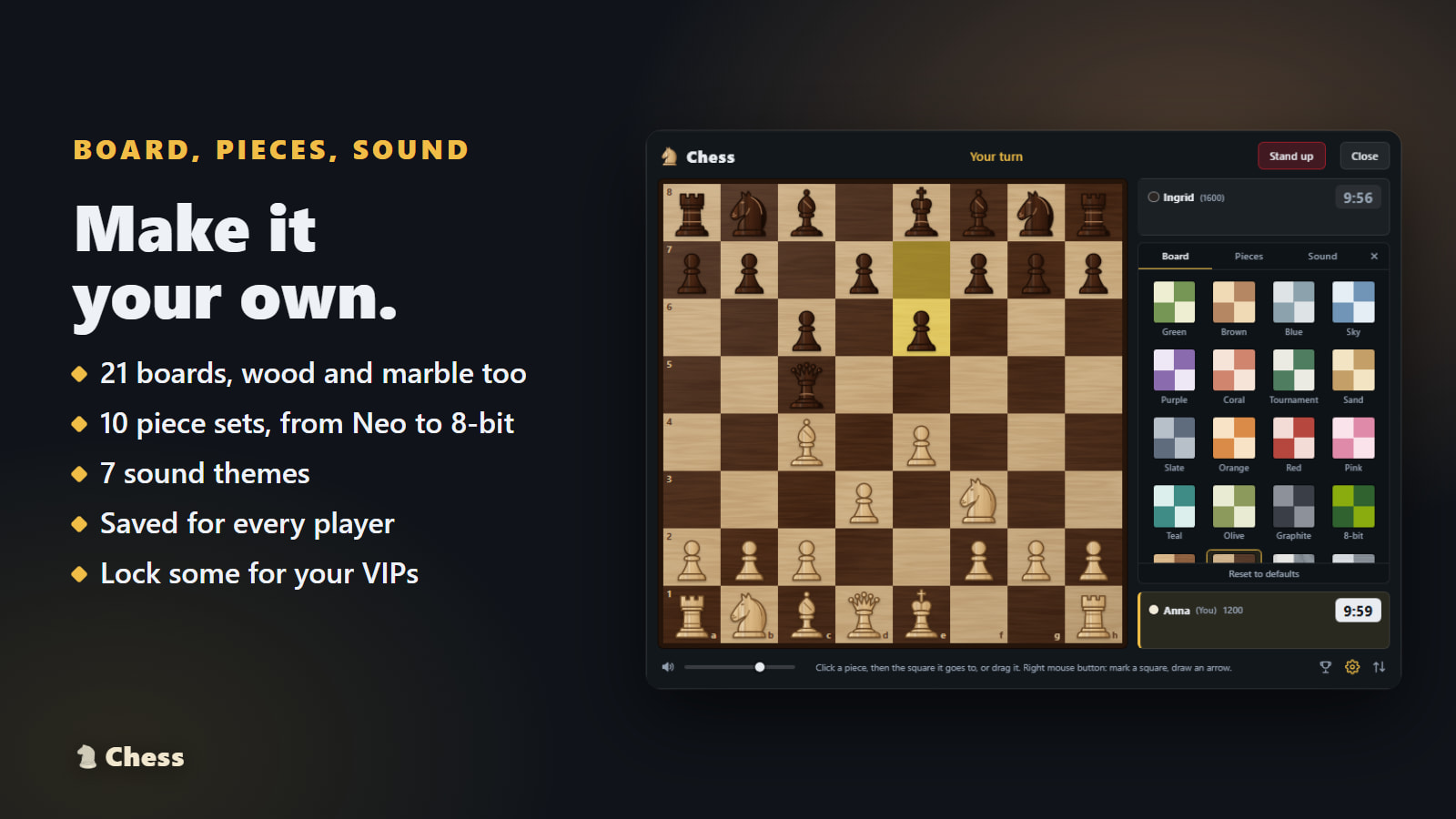
- 21 boards: 16 colours and five with a real grain: wood, walnut, marble, brushed metal and newspaper.
- 10 piece sets: Neo, Classic, Wood, Metal, Glass, Marble, Neon, Minimal, 8-bit, and the table’s own pieces in 3D.
- 7 sound themes the interface makes itself: wood, tournament, marble, soft, glass, metal and retro. Move, capture, castling, check and promotion all sound different, with a tick-tock when your clock runs low.
- Highlight colour, board size, coordinates, move dots, animation speed, piece figures in the move list, always promote to a queen.
- Every player chooses their own under the gear, kept in their game. The server sets what everyone starts with.
- Keep looks for some players: VIPs (an ACE), a job, the owners of an item, or a check of your own. The others see a lock and your hint.
In the world
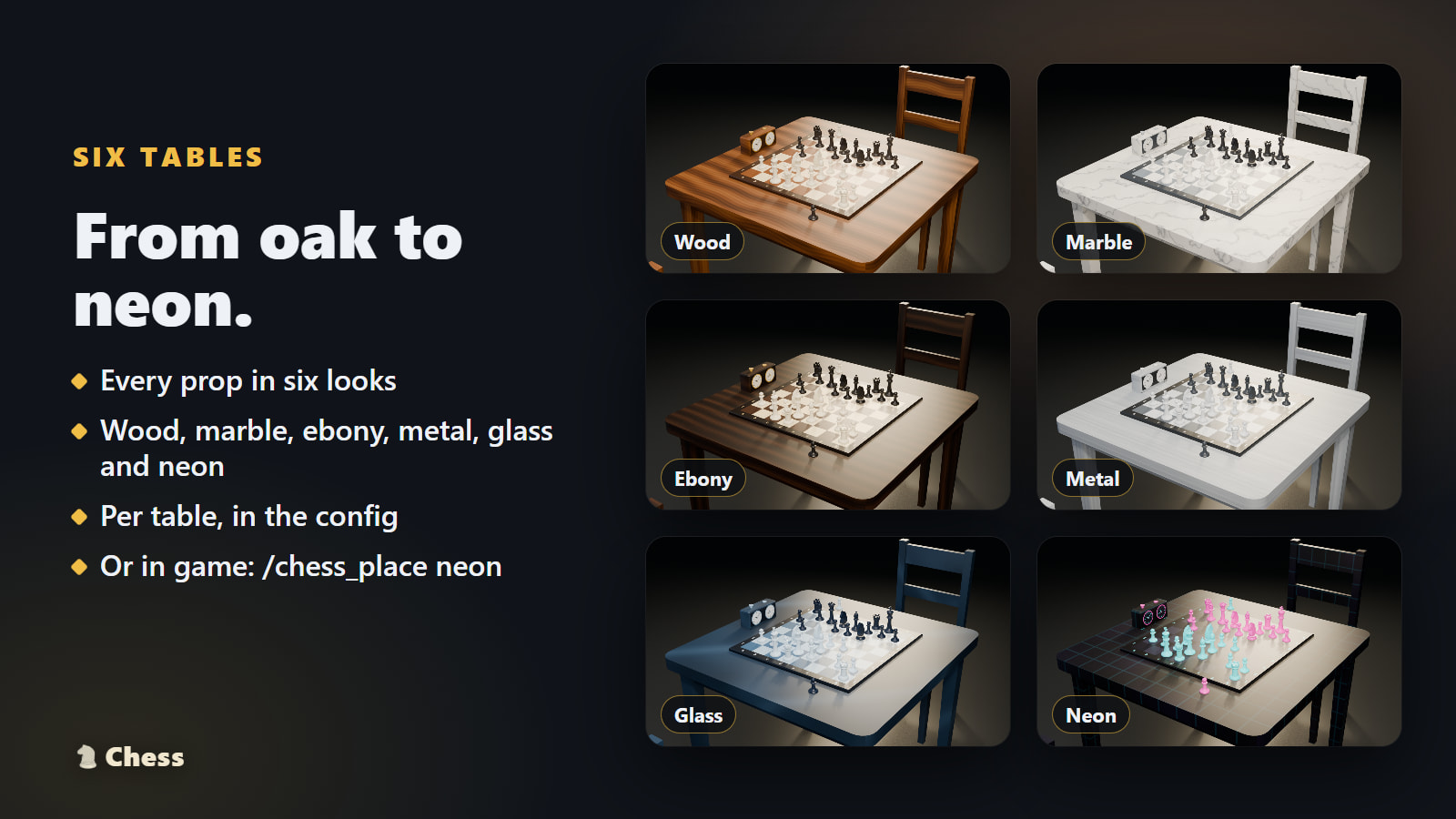
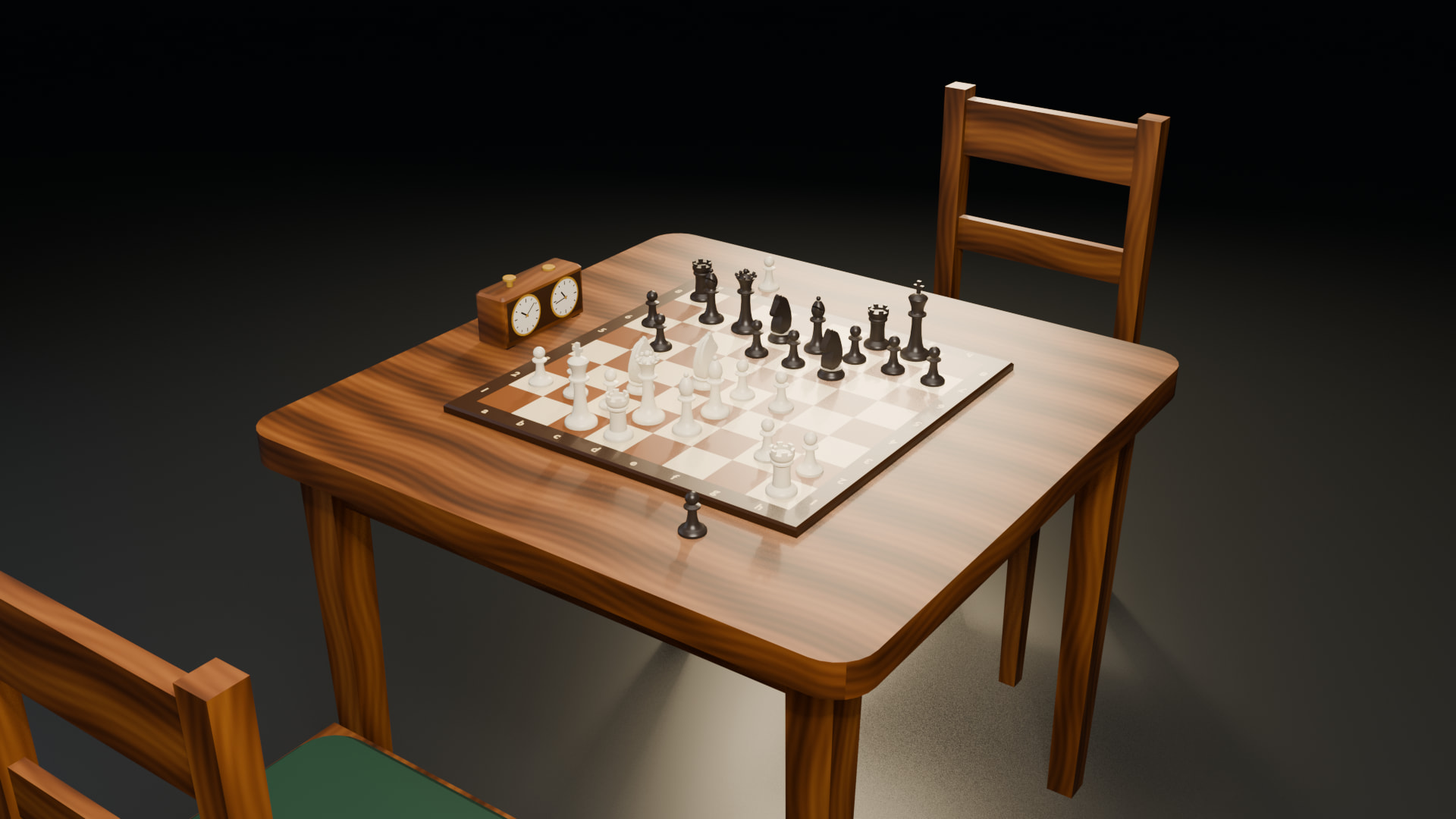
- 17 custom props: table with board, chairs, a chess clock and all twelve pieces, textures and collision included.
- Six looks for all of them: wood, white marble, ebony with gold, brushed metal, smoked blue glass, and neon with cyan and magenta pieces. Per table in the config, or
/chess_place neonin game. - The position on the table is visible to everyone nearby: the piece that moved is carried to its square, a captured piece is set down in front of whoever took it.
- The clock’s button shows whose time is running. Bystanders hear the pieces and can watch a game without taking a seat.
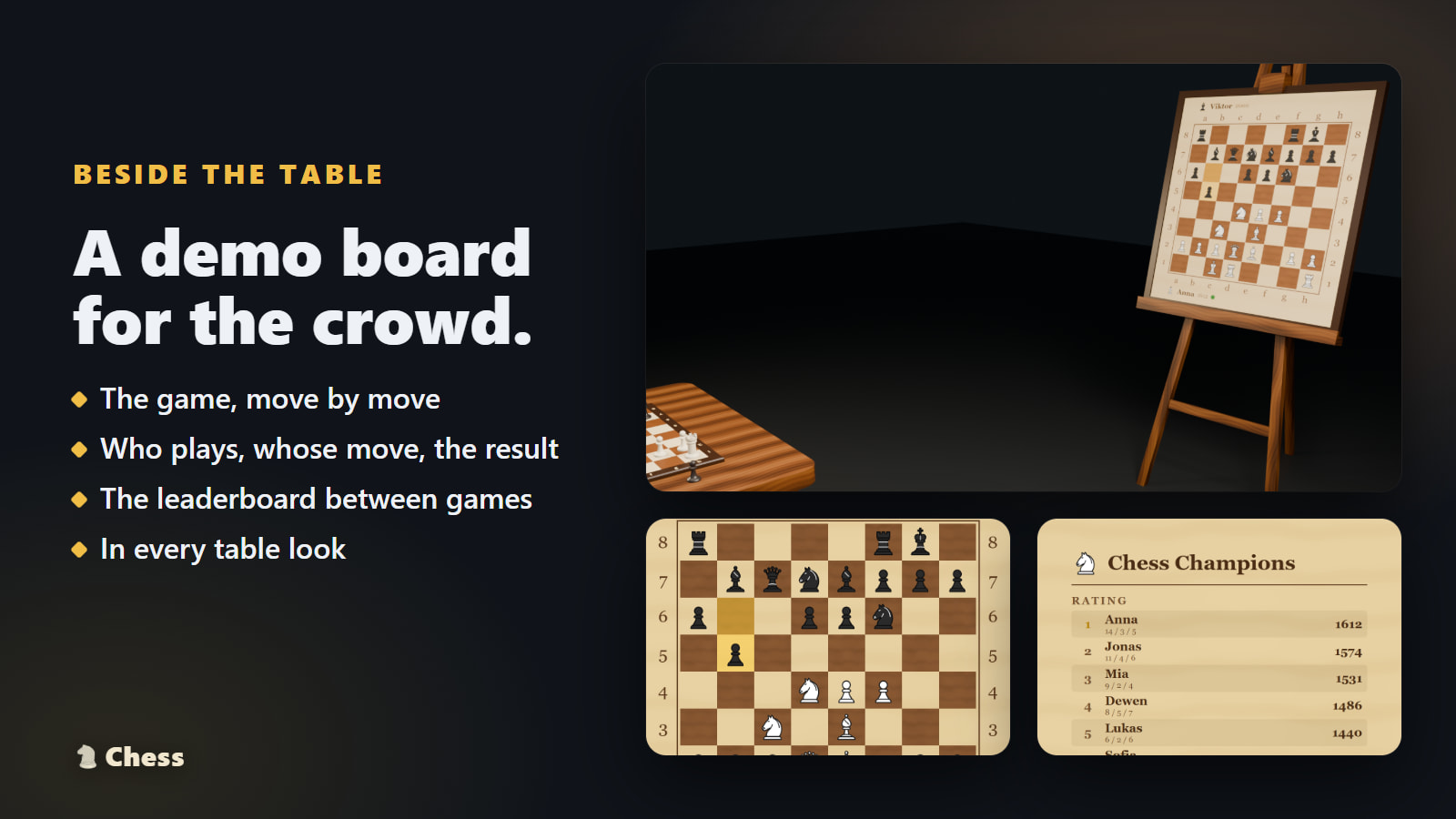
- A demo board on an easel stands beside the table, in the table’s look, and shows the game to everyone around: the pieces move by move, both players, whose move it is and the result. Between games it shows the leaderboard. (Prefer the plain leaderboard panel? One line in the config.)
Clocks, ratings, stakes
- Chess clocks chosen by the first player in the lobby: no clock, 3+2, 5, 10, 15+10 or 30 minutes (your own list in the config).
- Ratings (Elo) for games between players, shown next to the names, with
/chess_statsfor a player’s own record. - Leaderboard by rating and by puzzle rating, under the trophy on the board and with
/chess_top. - Optional stake per game through ESX, QBCore or Qbox; the winner takes the pot, a draw returns the stakes. Money a player wins while disconnected is paid when they are back.
- Reconnect protection: lose your connection mid-game and your seat is kept for two minutes.
- Finished games are kept as PGN on the server (the last 100 by default).
A table in your pocket
- One item,
chess_table, for ESX, QBCore, Qbox and ox_inventory: an SQL file and ready lines for the item lists are included. - Used from the inventory, a see-through table follows where the player looks, green where it fits and red where it does not.
- Mouse wheel or arrow keys turn it, E puts it up, and it stays over restarts like any other table.
- With ox_target, “Pick up the table” takes it down and gives the item back. A command does the same without ox_target.
Fair play
- Every move is checked on the server. The interface only asks; the server decides.
- The complete rules: castling, en passant, promotion, checkmate, stalemate, threefold repetition, the fifty-move rule, insufficient material, and the right result when a flag falls against a side that can no longer mate.
Setup
- Drop the
chessfolder into yourresources. - Add
ensure chessto yourserver.cfg. - For the table item: run
install/esx_items.sql(ESX), or add the lines from the README to your item list (QBCore, ox_inventory).
A table stands on Legion Square out of the box, with a demo board beside it. Admins place more tables in game with /chess_place (or /chess_place marble) and remove them with /chess_remove; they are saved automatically. Players put up their own with the table item.
Configuration
62 options in a single commented config.lua, among them:
- table locations and their looks, render distance, sit animation
- what every player’s board looks like at first, whether they may change it, and looks kept for VIPs, jobs or items
- the clocks on offer and the one a table starts with
- the computer: default strength, the five opponents, thinking time, search budget, peds, hints, take-backs
- the review, the puzzles and the leaderboard, with demo boards or panels in the world
- ratings (start value, K factor), stake and account
- keys, ox_target on/off, where notifications go, names of the commands
- the table item
Languages: English and German included, easy to extend in locales.lua.
Requirements
None. The resource runs standalone.
Optional:
- es_extended, qb-core or qbx_core – character names on the board, the stake, and looks kept for a job.
- ox_target – sit down and watch through the target eye, and pick up tables.
- ESX, QBCore, Qbox or ox_inventory – the table item, and looks kept for the owners of an item.
Documentation and support
- Documentation – installation, every config option with its default, the review, puzzles and leaderboard, commands and permissions, and the rules.
- Discord – questions, support and updates.
The puzzles and the opening names come from Lichess’s open databases (CC0). Thank you, Lichess.
Board Render
Bonus
Chess comes with its own Promo Van which is included as a seperate resource which you receive for free after purchasing Chess.
| Code is accessible | No (escrow); config.lua and locales.lua are open |
| Subscription-based | No |
| Lines (approximately) | ~8,500 |
| Requirements | None (optional: ESX, QBCore or Qbox; ox_target) |
| Support | Yes, on Discord |