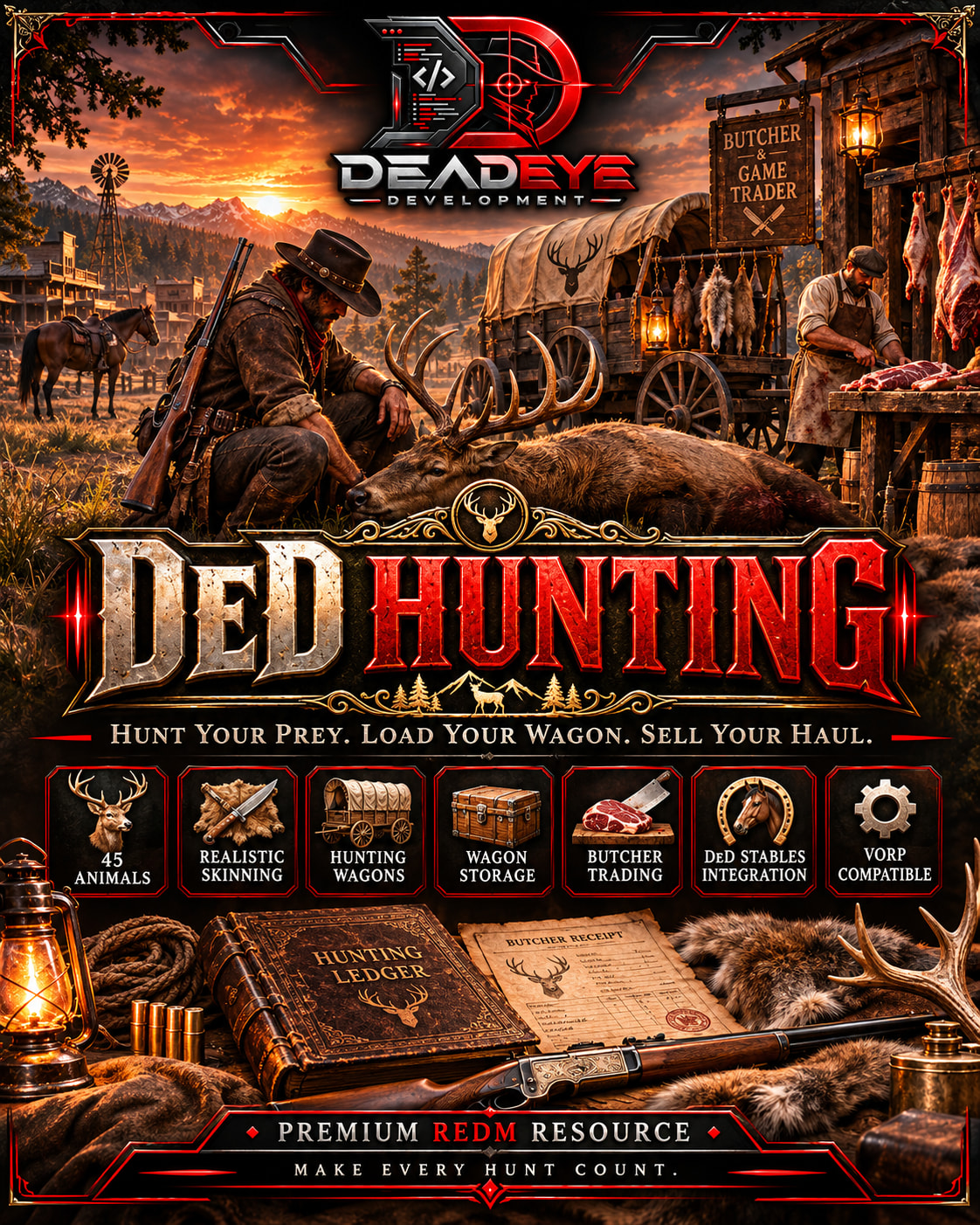
 DeD HUNTING | Advanced Hunting, Skinning & Butcher System for RedM
 • REALISTIC SKINNING • HUNTING WAGONS • BUTCHER TRADING
MAKE EVERY HUNT COUNT.
Introducing DeD Hunting by Deadeye Development — an immersive hunting and butcher system designed for RedM VORP servers!
Give players more freedom over their hunting experience with animal-specific harvesting, native skinning animations, persistent hunting wagon cargo and interactive butcher trading.
From hunting wildlife to transporting an entire wagon full of carcasses, DeD Hunting turns every successful hunt into an opportunity.
 HUNT. HARVEST. TRANSPORT. SELL.
 OFFICIAL GAMEPLAY SHOWCASE
 Watch DeD Hunting in action:
 PURCHASE & SUPPORT
 Deadeye Development Store:
Purchase DeD Hunting:
 Discord Support:
SUPPORTED ANIMALS
DeD Hunting includes configured animal types, each with its own harvesting rewards and butcher values.
 Deer, bucks, elk and moose.
Bears, wolves, cougars and panthers.
Bison, boars, sheep and goats.
Rabbits, foxes, raccoons and smaller wildlife.
Birds, reptiles and additional supported species.
Different drops based on the animal being harvested.
Configurable material quantities.
Individual carcass sale values.
No hunting levels or XP requirements.
Each animal provides relevant materials based on its species.
IMMERSIVE SKINNING SYSTEM
After killing an animal, players decide how to handle their catch.
Approach a supported animal and press G — Skin Animal.
Uses native Red Dead Redemption 2 skinning and plucking animations.
Harvest species-specific meat and animal materials.
Rewards are added directly to the player’s inventory.
Inventory capacity and item availability checks.
Different material quantities depending on the species.
Animal remains replaced with temporary bone props after successful harvesting.
Configurable bone despawn time.
 ANIMAL-SPECIFIC REWARDS
Examples include:
Buck: Venison and antlers.
 Bear: Big game meat, teeth and claws.
 Sheep: Mutton and wool.
 Wolf: Meat and wolf teeth.
 Duck: Bird meat and feathers.
 Snake: Reptile meat and venom.
The default configuration contains 36 unique hunting material types, with their item definitions included in the SQL installer.
 SKIN OR SELL WHOLE — YOUR CHOICE!
Not every animal needs to be skinned!
Players can choose between harvesting materials or keeping the carcass intact for a more valuable sale.
Skin animals for useful crafting and trading materials.
Carry intact animals directly to the butcher.
Sell complete carcasses for money.
Individual values based on species.
Configurable whole-carcass price multiplier.
 Default carcass premium: at least 25% above the maximum combined harvesting value.
Important: Players cannot skin an animal and then sell that same animal as a whole carcass.
 PERSISTENT HUNTING WAGON SYSTEM
BRING BACK MORE THAN ONE ANIMAL!
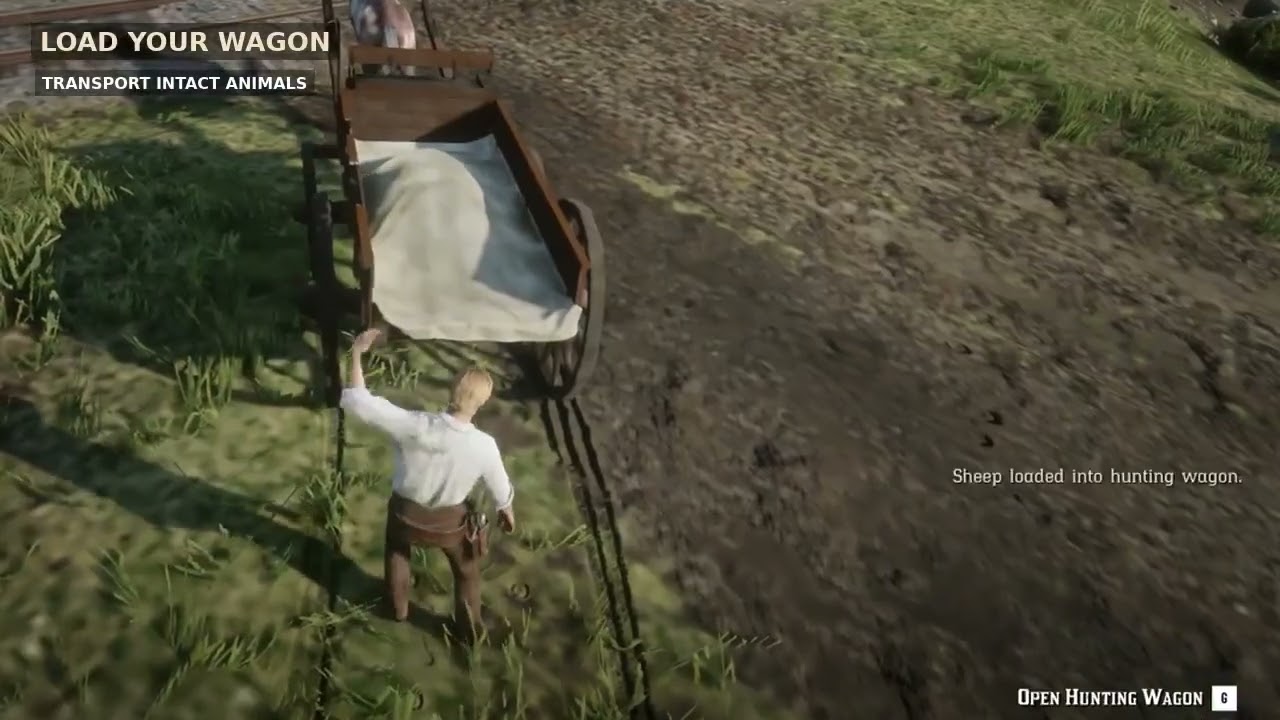
DeD Hunting includes a persistent cargo system for compatible hunting wagons.
Carry intact animals to your wagon.
Press R — Load Carcass to store an animal.
Store multiple carcasses inside the wagon.
Open the hunting wagon ledger to inspect cargo.
Persistent wagon contents stored in SQL.
Cargo restored when a supported owned wagon is resummoned.
Representative animal models displayed on the wagon bed.
Native hunting wagon tarp adjusts as cargo increases.
 WAGON CAPACITY
Maximum carcasses: 30
 Maximum cargo weight: 60 load units
Visible animal cargo: Up to 6 representative models
Animal sizes affect the capacity used.
Smaller animals occupy less space, while large animals require more cargo capacity.
All limits and cargo visuals are configurable.
 OPTIONAL DeD STABLES INTEGRATION
DeD Hunting integrates with compatible versions of DeD Stables.
Purchase hunting wagons through the stable system.
Summon your owned hunting wagon.
Load intact animals into the wagon.
Save cargo against the appropriate wagon owner.
Restore stored cargo after resummoning.
Sell loaded animals at supported butcher locations.
DeD Stables is a separate resource and is not included with DeD Hunting.
Core animal harvesting and butcher trading work without DeD Stables.
New hunting wagon purchasing and stable-based wagon management require the compatible Stables resource.
COMPLETE BUTCHER TRADING
Turn your hunting trips into profit!
SELL HARVESTED MATERIALS
Sell supported meat and animal materials.
Individual material prices.
Configurable butcher economy.
Supported items detected from player inventory.
SELL WHOLE CARCASSES
Carry an intact animal to the butcher.
Open the butcher ledger.
Select Sell Carried Carcass.
Receive payment based on the animal’s configured value.
SELL AN ENTIRE WAGON LOAD
Park your hunting wagon near a butcher.
Open the butcher ledger.
Sell stored carcasses together.
Receive payment for the completed sale.
Sold cargo is removed from persistent wagon storage.
One hunting trip can mean a wagon full of profit!
 WESTERN-STYLE LEDGER INTERFACE
DeD Hunting includes a custom parchment-inspired two-page interface.
Wagon cargo manifest.
Stored animal information.
Butcher selling interface.
Item quantities and prices.
Scrollable ledger pages.
Western-inspired notebook artwork.
Simple interaction controls.
Designed to fit naturally into the Red Dead Redemption 2 world.
 SERVER OWNER CONFIGURATION
Server owners can customise DeD Hunting through the accessible config.lua.
Supported animal models and materials.
Individual drops and quantities.
Material prices and whole-carcass values.
 Carcass premium multiplier.
 Bone remains and despawn timing.
Wagon cargo capacity and weight limits.
Visual wagon cargo settings.
 Butcher locations and blips.
 Interaction controls and distances.
 Administrative ACE permissions.
 BUTCHER ADMINISTRATION
Administrators can manage butcher locations in-game.
Commands:
/placebutcher — Create a butcher at your location.
/placebutcher [Name] — Create a named butcher.
/removebutcher [ID] — Remove a configured butcher.
Custom butcher locations are saved persistently in the database.
ACE Permission:
add_ace group.admin ded.hunting.admin allow
PACKAGE CONTENTS
Resource: DeD_Hunting
Version: 0.1.8 Beta
Included:
Complete DeD Hunting resource.
36 default hunting material types.
Native animal harvesting system.
Whole-carcass trading.
Persistent hunting wagon cargo.
Visual wagon loading features.
Custom butcher trading interface.
Butcher administration commands.
Configurable Western-style NUI.
Editable config.lua.
All-in-one SQL installation file.
Installation and configuration documentation.
REQUIREMENTS & DEPENDENCIES
| Requirement | Details |
|---|---|
| Platform | RedM |
| Framework | VORP Core (vorp_core) |
| Inventory | LRRP_Inventory or compatible vorp_inventory |
| Database | MySQL / MariaDB |
| Database connector | oxmysql |
| Optional integration | Compatible DeD_Stables |
| RSG / FiveM | Not supported |
 INSTALLATION
-
Install
DeD_Huntinginto your server resources directory. -
Import
INSTALL_DeD_Hunting_ALL_IN_ONE.sql. -
Confirm all 36 material definitions exist in your active inventory catalogue.
-
Configure animals, butcher prices and wagon settings.
-
Start VORP Core, oxmysql and your compatible inventory system.
-
Start DeD Stables first if using the optional integration.
-
Add
ensure DeD_Huntingto your server configuration. -
Configure administrative permissions if required.
Example server.cfg:
ensure oxmysql
ensure vorp_core
ensure LRRP_Inventory
# Use vorp_inventory instead if applicable

# Optional integration
ensure DeD_Stables

ensure DeD_Hunting

add_ace group.admin ded.hunting.admin allow
The resource folder must retain the exact name DeD_Hunting.
The supplied SQL also contains inventory item verification queries. Server owners should confirm the configured hunting materials are registered and recognised by their active inventory system before use.
CODE ACCESS & ASSET ESCROW
DeD Hunting is structured for protection through the official Cfx.re Asset Escrow service.
 Customer-accessible files:
config.lua
NUI HTML, CSS and JavaScript assets.
Interface image assets.
 Core files intended for Asset Escrow protection:
-
client.lua -
server.lua
Configuration remains accessible for server owners.
Actual encryption and entitlement delivery depend on the resource being processed through Cfx Portal and distributed through the approved Cfx/Tebex system.
 PERFORMANCE & RESOURCE INFORMATION
Resource type: Lua client/server scripts with a custom NUI.
Approximate compressed package size: 2.6 MB.
Interface graphics: One PNG parchment background, approximately 2.7 MB uncompressed.
Measured resource monitor usage:
-
Idle: [INSERT ACTUAL MS]
-
Butcher ledger open: [INSERT ACTUAL MS]
-
Hunting and skinning: [INSERT ACTUAL MS]
-
Loaded hunting wagon: [INSERT ACTUAL MS]
Performance may vary depending on active animal entities, inventory configuration, wagon cargo visuals and server activity.
 WHY CHOOSE DeD HUNTING?
DeD Hunting gives players more meaningful choices after a successful hunt.
Hunt animals across the frontier.
Harvest materials through native animations.
Keep carcasses intact for higher-value sales.
Load multiple animals into hunting wagons.
Sell materials, individual carcasses or complete wagon loads.
Manage cargo and trading through Western-style ledgers.
From lone hunters earning a living in the wilderness to larger hunting operations supplying the frontier, DeD Hunting adds depth to your server’s economy.
SUPPORT & DOCUMENTATION
Installation instructions, SQL setup guidance and configuration documentation are included with the resource.
Discord Support:
Official Store:
DeD HUNTING — DEADEYE DEVELOPMENT
MAKE EVERY HUNT COUNT.
Showcase: https://youtu.be/kr_LnAOwweA
Purchase: Default package page | Dead Eye Development
Developed by Deadeye Development.
 REQUIRED CFX.RE RELEASE INFORMATION
| Information | Details |
|---|---|
| Code is accessible | Yes, partially — configuration and NUI files accessible; core Lua intended for Asset Escrow |
| Subscription-based | No — one-time purchase |
| Lines (approximately) | 1,323 lines across Lua, manifest and NUI source files |
| Requirements & dependencies | RedM, vorp_core, oxmysql, compatible VORP inventory, MySQL/MariaDB; optional DeD_Stables |
| Support | Yes — Deadeye Development Discord |
