Nice script!
1 Like
SOLD OUT
There is a -40% discount for the admin menu script!
Promotion applies to first 3 customers only!
€34.99 €20.99
Package needs to be purchased from this category!
https://libertycode.tebex.io/category/deals
Big update coming soon!
Hello  There are some sneak peeks from an upcoming update that will be released at 7/13/2024
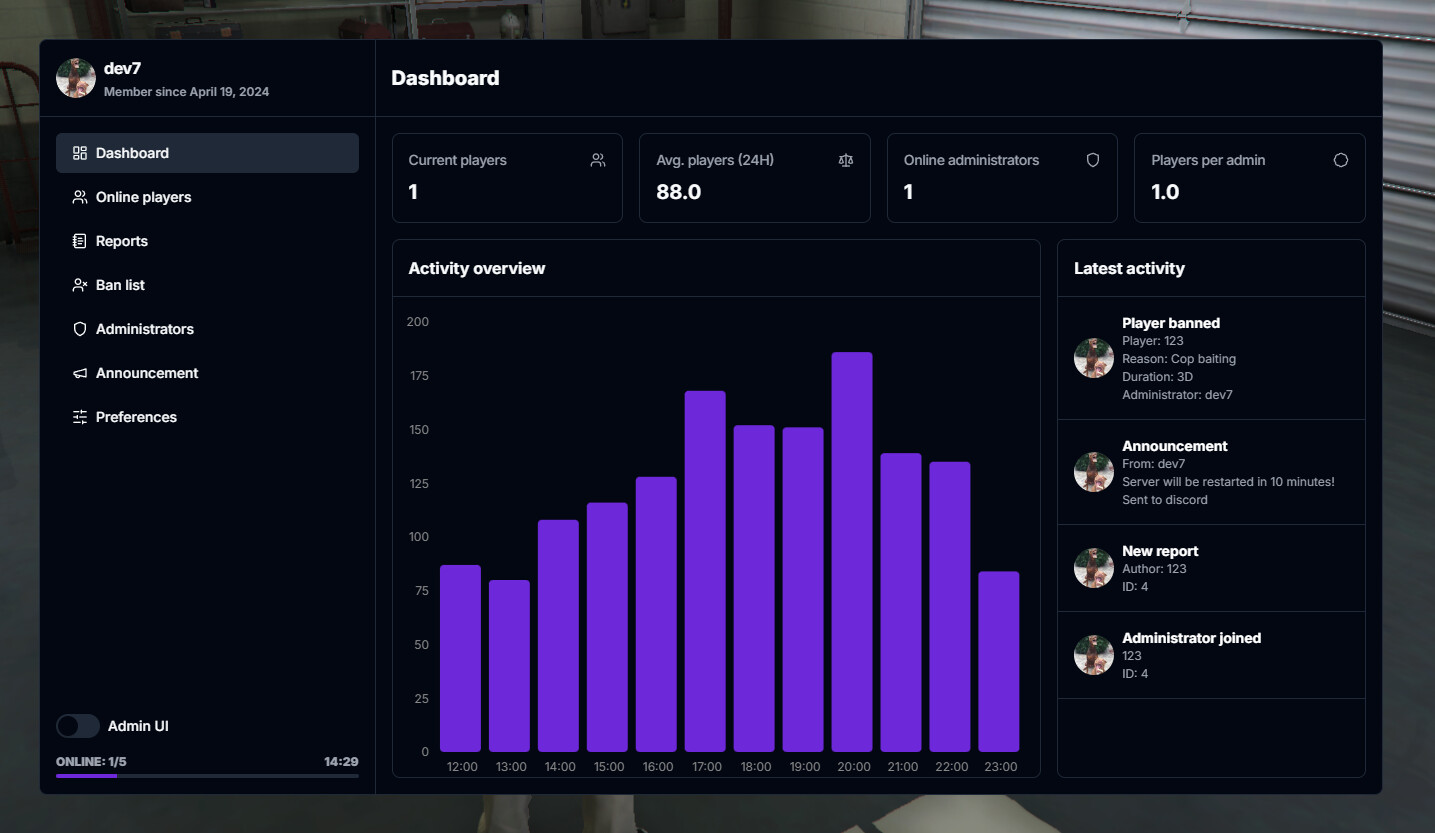
 New page - Dashboard - You can track activity on the server using clean and simple UI!
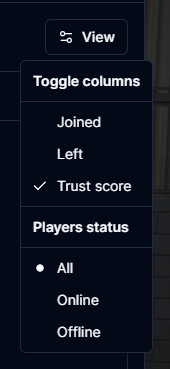
- Completely redesigned player list - From now on you can also see the full history of players - even those who are offline.
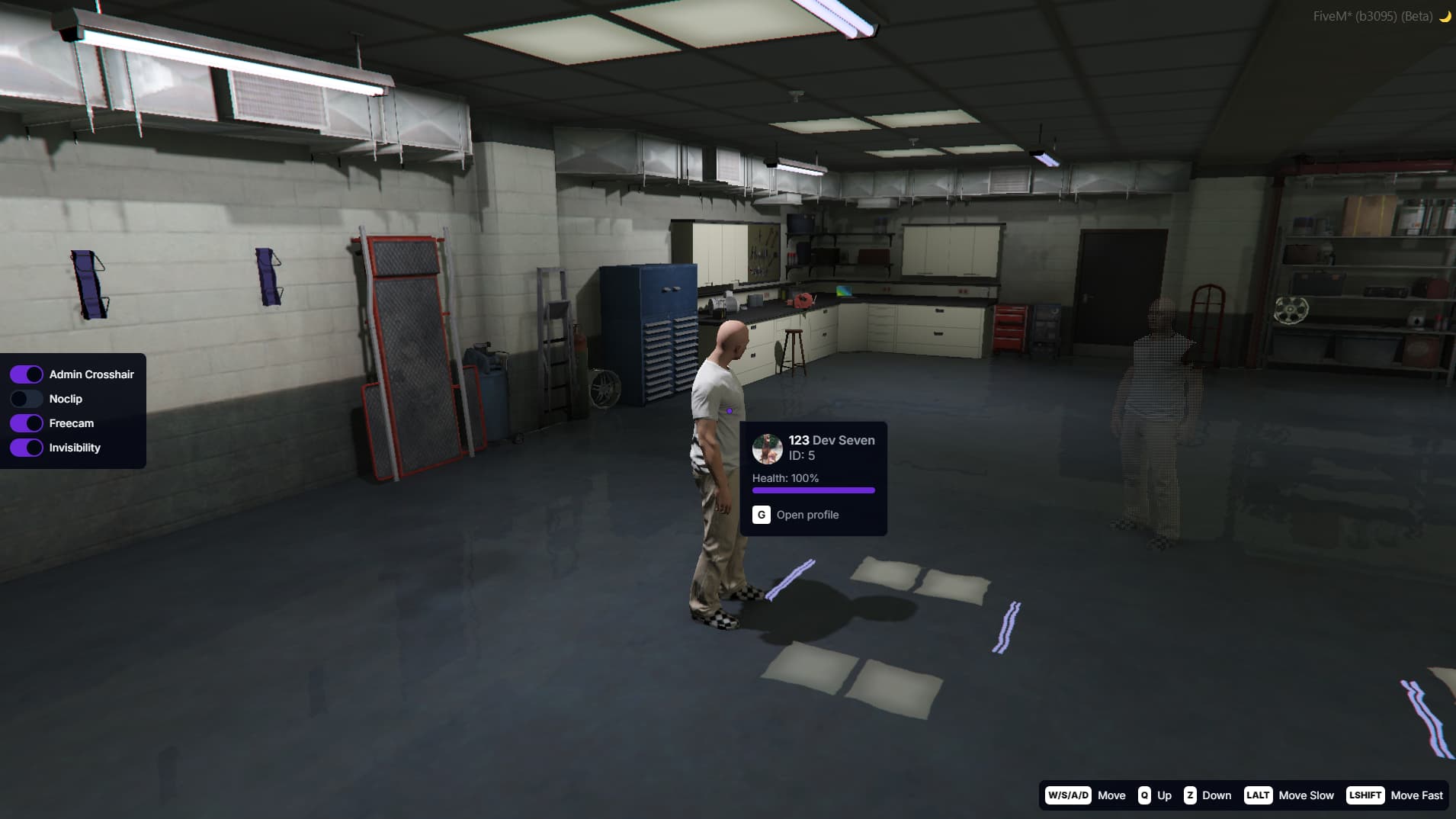
- Admin Freecam - It allows you to conveniently view user’s details and quickly open their profile in the admin menu.
- A lot of back-end improvements!

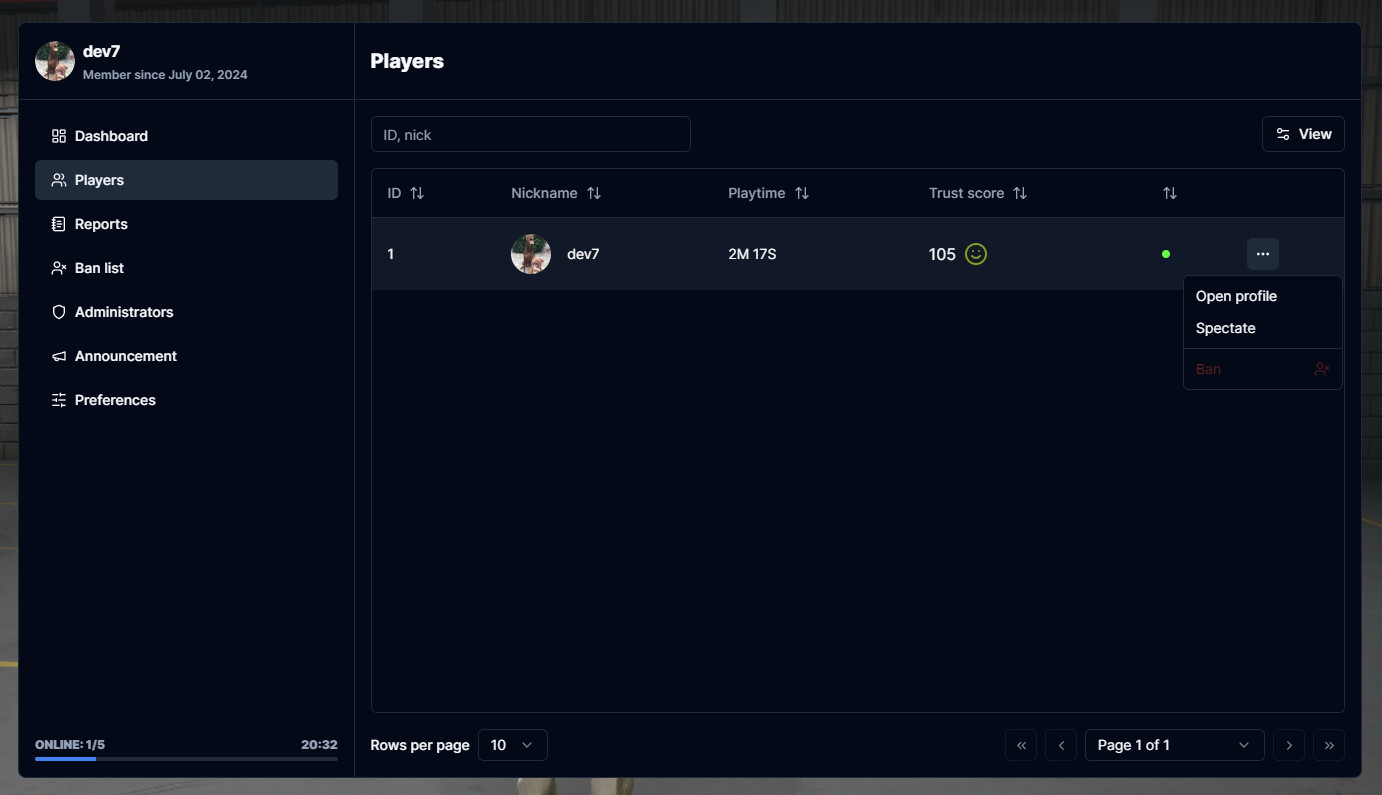

Great! I have two questions about the script.
Will the upgrade be received by those who already have the script or will it be necessary to purchase it again?
The other question, and more important, in my particular case I need some particular options that I would add myself. Could the script be modified to add those options, or it is totally encrypted and it will not be possible to add them?
1 Like
Hello! The update will of course be available to all current and future customers. And yes, it is possible to add custom functions by yourself, everything is described in our documentation 
Thanks for your interest <3
1 Like
Awesome, you have a new client when you release the next update 
1 Like
I finally bought the panel like I told you and I love it, it’s quite easy to add functionality! I sincerely recommend it to anyone looking for a good admin panel.
1 Like
Hi,
just got your admin script.
but somehow it is not starting, or more like i can’t see it. is it because qb-admin is still on?
1 Like
Just want to say this script looks really really nice, love to see some shadcn in FiveM keep up the awesome work!
2 Likes
wow, this looks amazing
1 Like
Thank you for all the kind words, I get huge motivation boost when I see messages like this 
@Coldfaith please make sure that you have latest ox_lib version, if you’re still experiencing this problem hit me up and I’ll help you
1 Like
-40% DISCOUNT!
For those who don’t have it yet, I just added some slots to the -40% promotion! SOLD OUT
Update v1.3.0
Hola! The long-awaited, our biggest update yet is finally here! It includes many new features listed below.
- New page! - Dashboard, you can see server activity statistics there. There is also a section called “Latest activity”, where you will see real-time notifications when someone:
- Joins/leaves the server - Clicking on the notification will open the player’s profile
- Creates new report - Clicking on the notification will open the report
- Closes/reopens the report
- Gets banned/unbanned/kicked
- Receives new vehicle
- Gets his character/account updated
- Creates new player note
- Sends announcement
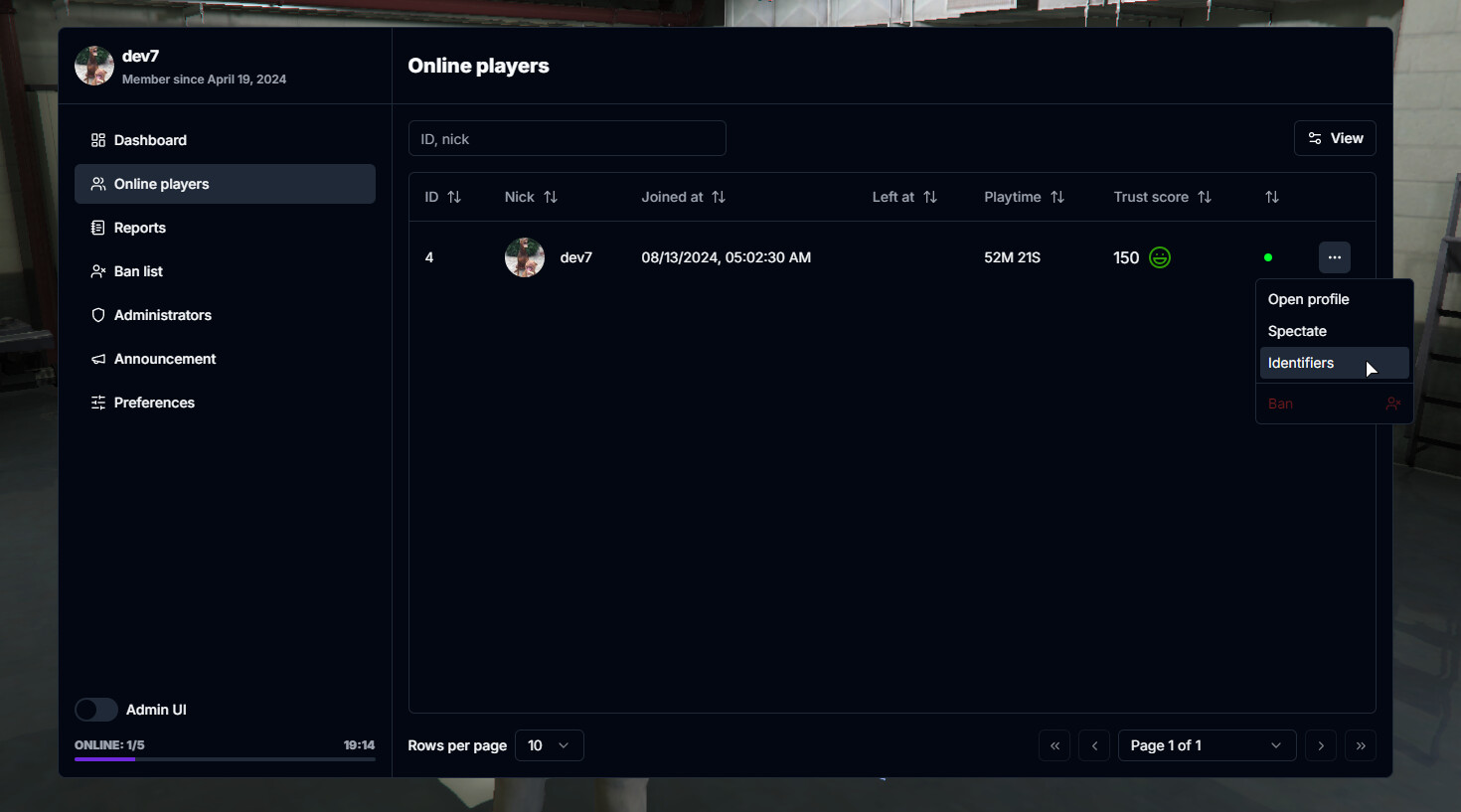
- New player list! - Now you can also see players who have left the server. Their identifiers are saved and you can ban them with just a few clicks. You can also sort players by their IDs, nicknames (alphabetically), playtime, trust score and date they left the server.
- Admin UI - Noclip, freecam, admin crosshair - All in a small, handy menu. You can decide who has access to these options by editing administrator permissions.
- Ability to edit the duration and reason of an existing ban
- Ability to quickly open player’s profile by using command
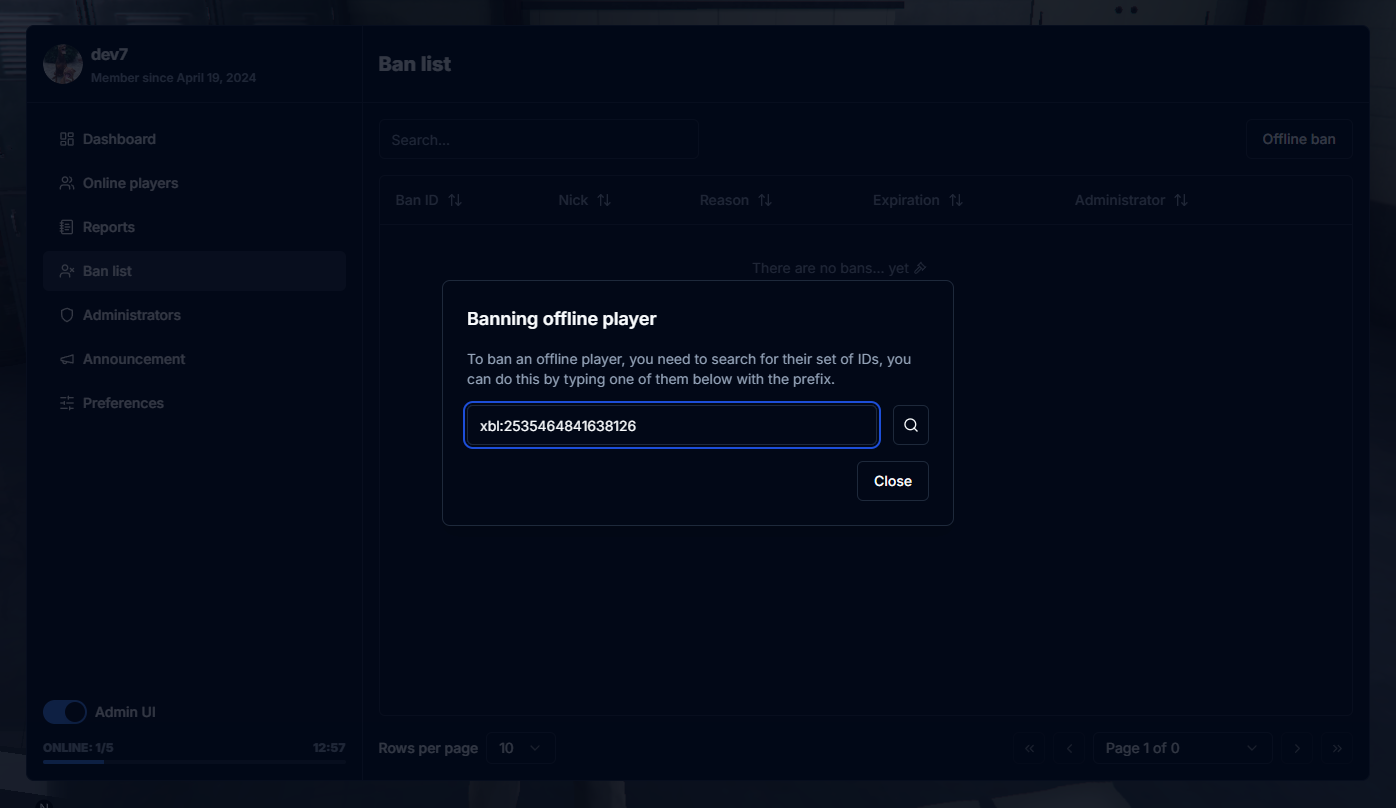
/admin [id] - Ability to find all user identifiers by having only one of them
- UX improvements - Some dialogs can be submitted by clicking ENTER
- Real time permissions refreshing
- New hook - ReportOpened
- New config fields -
high_balance_warningandplate_pattern - Some minor fixes
It’s ready to download on keymaster
Update v1.4.0
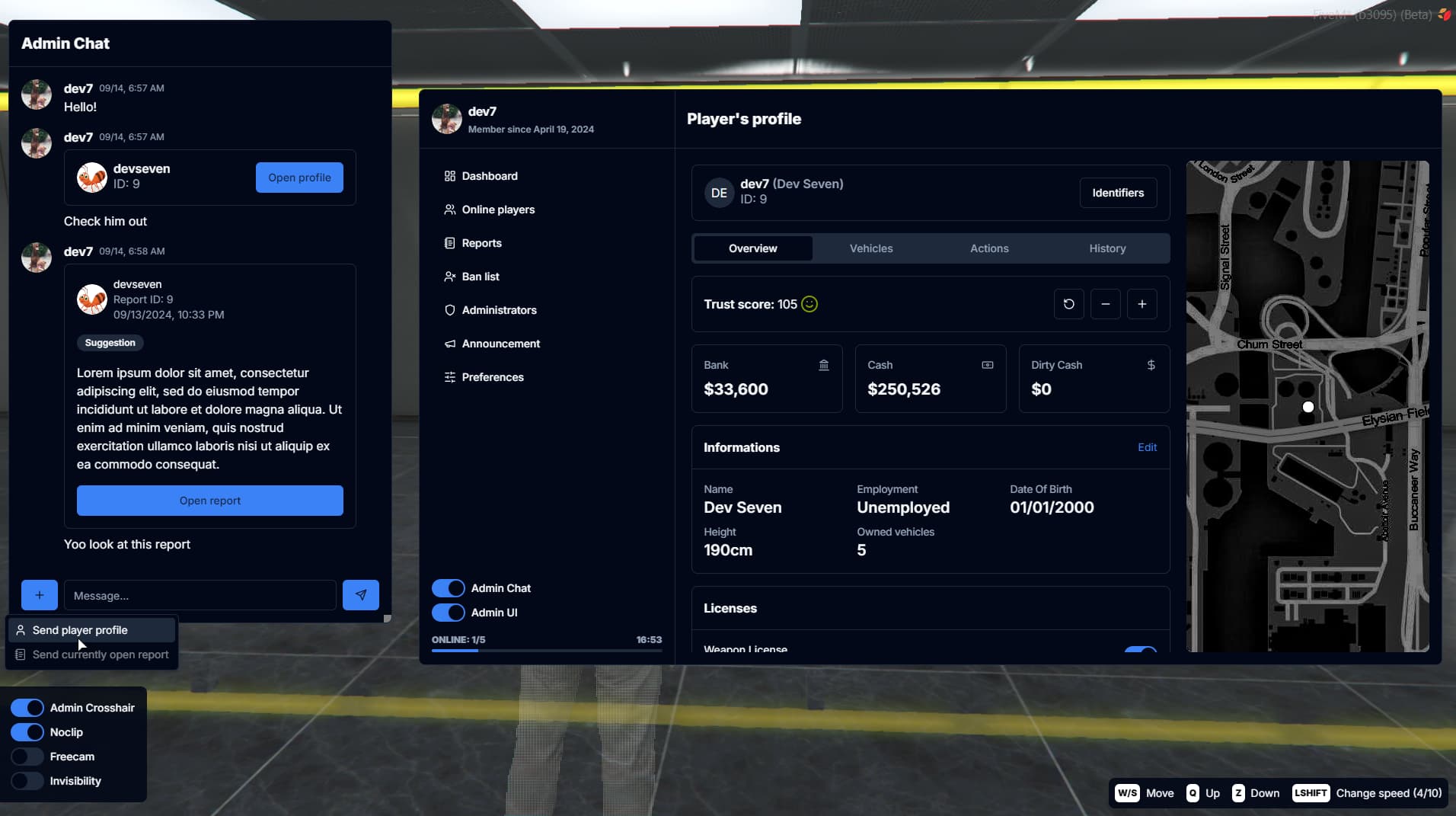
Hello! This time I implemented the admin chat feature that some of you guys suggested Thanks for all the suggestions, I’ll work on implementing more of them in the near future 
- Admin Chat - Huge improvement in communication between the entire admin team. You can quickly send a link to a player profile or ticket you currently have open.
- Added option to adjust admin chat opacity when admin panel is not visible. It can also be completely hidden.
- Removed
Bridge.GetPlayerListfunction - Admin UI can now be moved
- Window positions and sizes are now saved in local storage
- Added light theme
- Added bridge module for qbx_core
- Some bug fixes
It’s ready to download on keymaster
Amazing work
1 Like
Thanks for the feedback!
Update v1.5.0
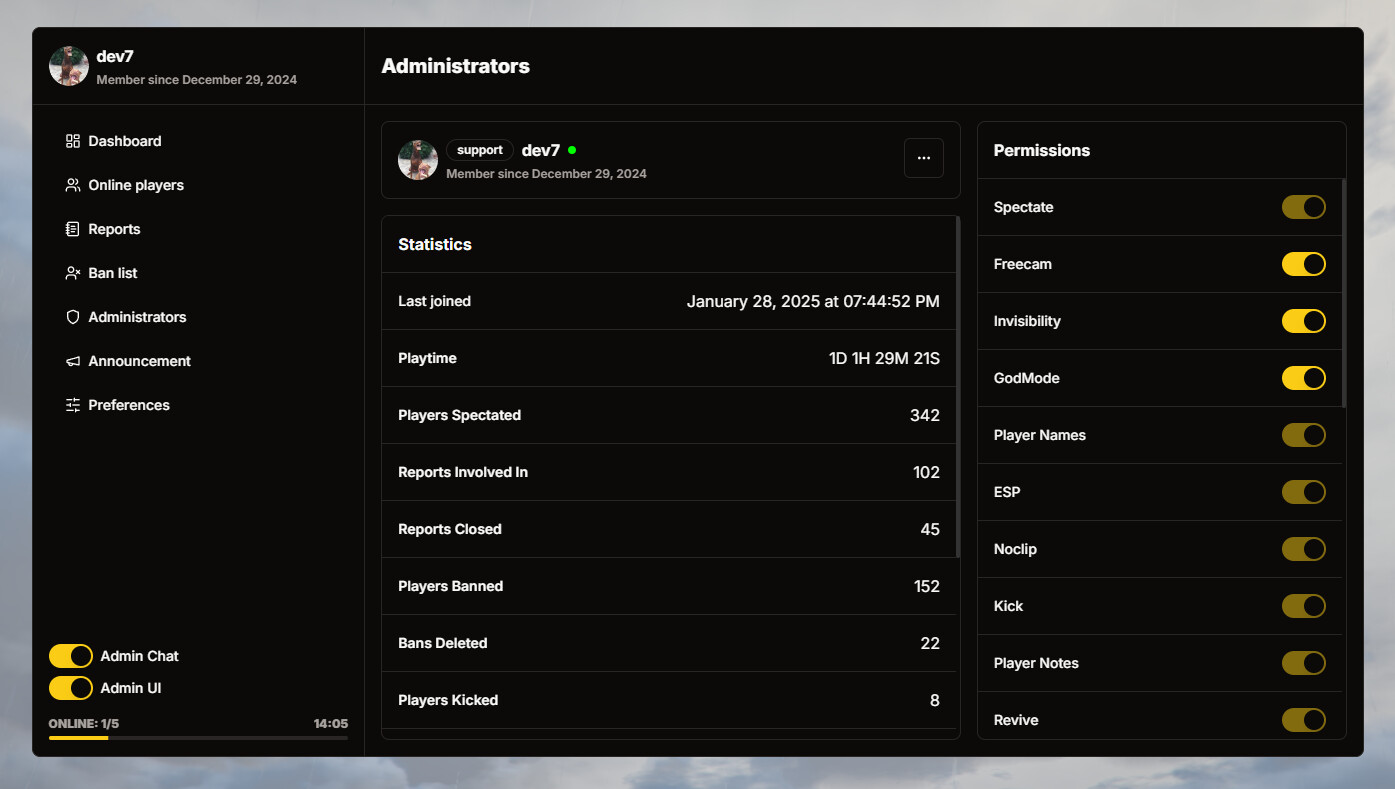
- New “Administrators” page - Now you can track each administrator’s statistics, including:
- Last time they joined the server
- Their playtime
- How many times they spectated someone
- Engagement in reports
- Closed reports
- Total players banned / unbanned / kicked etc.
- Permission Groups - New configurable file where you can set permissions presets for each group on your server.
- You can still grant individual administrators additional permissions apart from permissions from their group.
- Player Actions - Added ability to take data from administrator by adding input dialog to player actions.
- Added “Give Item” option
- New featues:
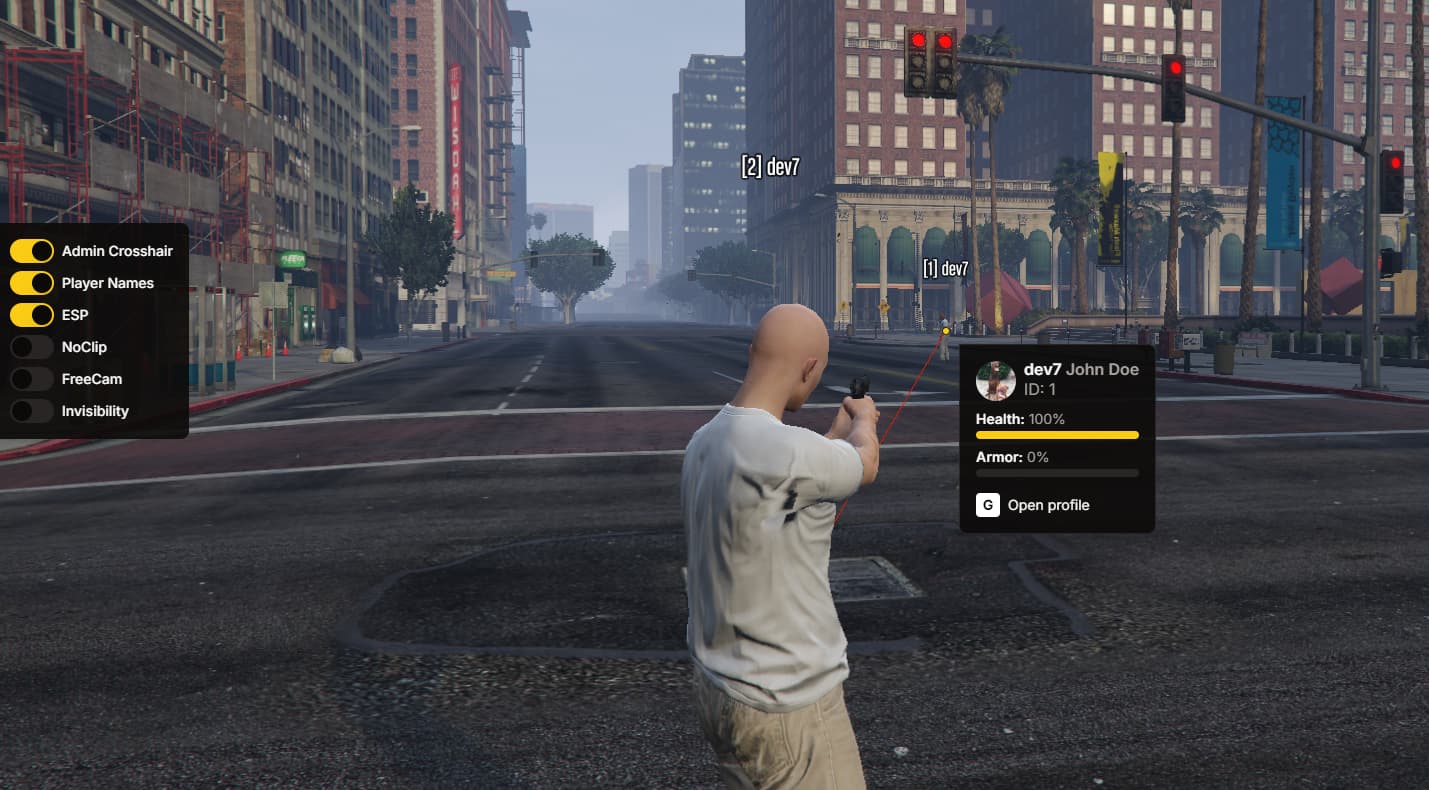
- Player Names
- ESP
- New preference - Safe NoClip
- If this option is enabled, the player will be placed on the ground after noclip is disabled.
- Changes in config / hooks:
- Added option to have multiple commands for the same functions, for example: /nc, /noclip, /fc, /freecam, /report, /ticket
- New field -
announcement_position - New field -
DisableBanCheck - New hook -
BanEdited
- Added french translation
- Optimized map in player’s profile
We also updated our documentation and added some exports.
It’s ready to download on keymaster
2 Likes
nice update!! instant buy
1 Like
Hello  I’ve been constantly developing this resource, recently I added a lot of new features, here are some recent changelogs:)
Update v1.5.2
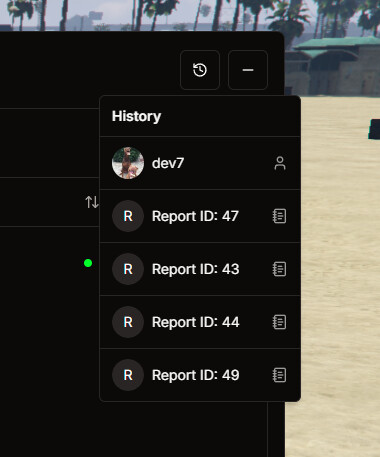
- Added “History” button to help you navigate through the admin menu even faster. It works like browsing history. Just a little addition I thought might be helpful:)
Update v1.5.3
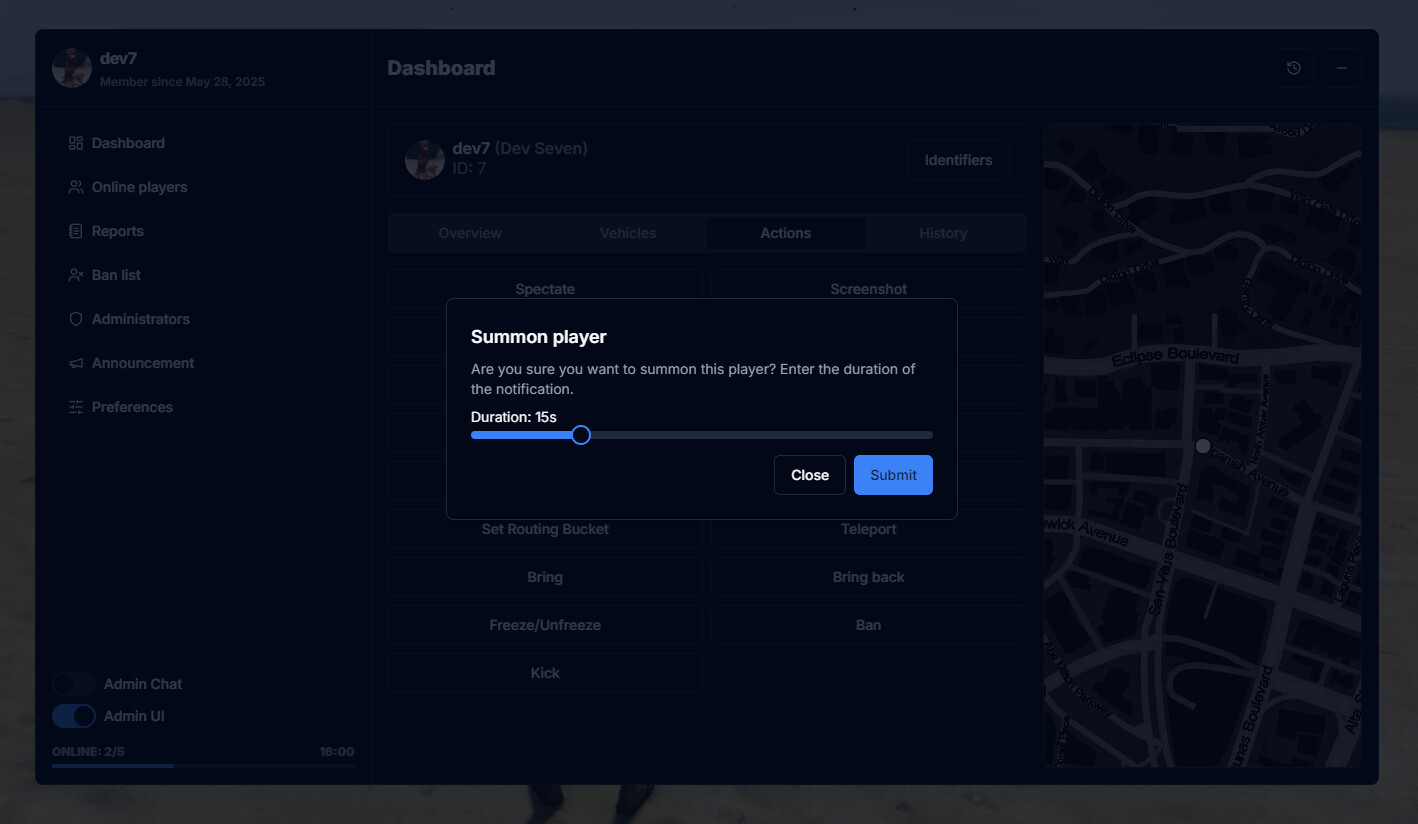
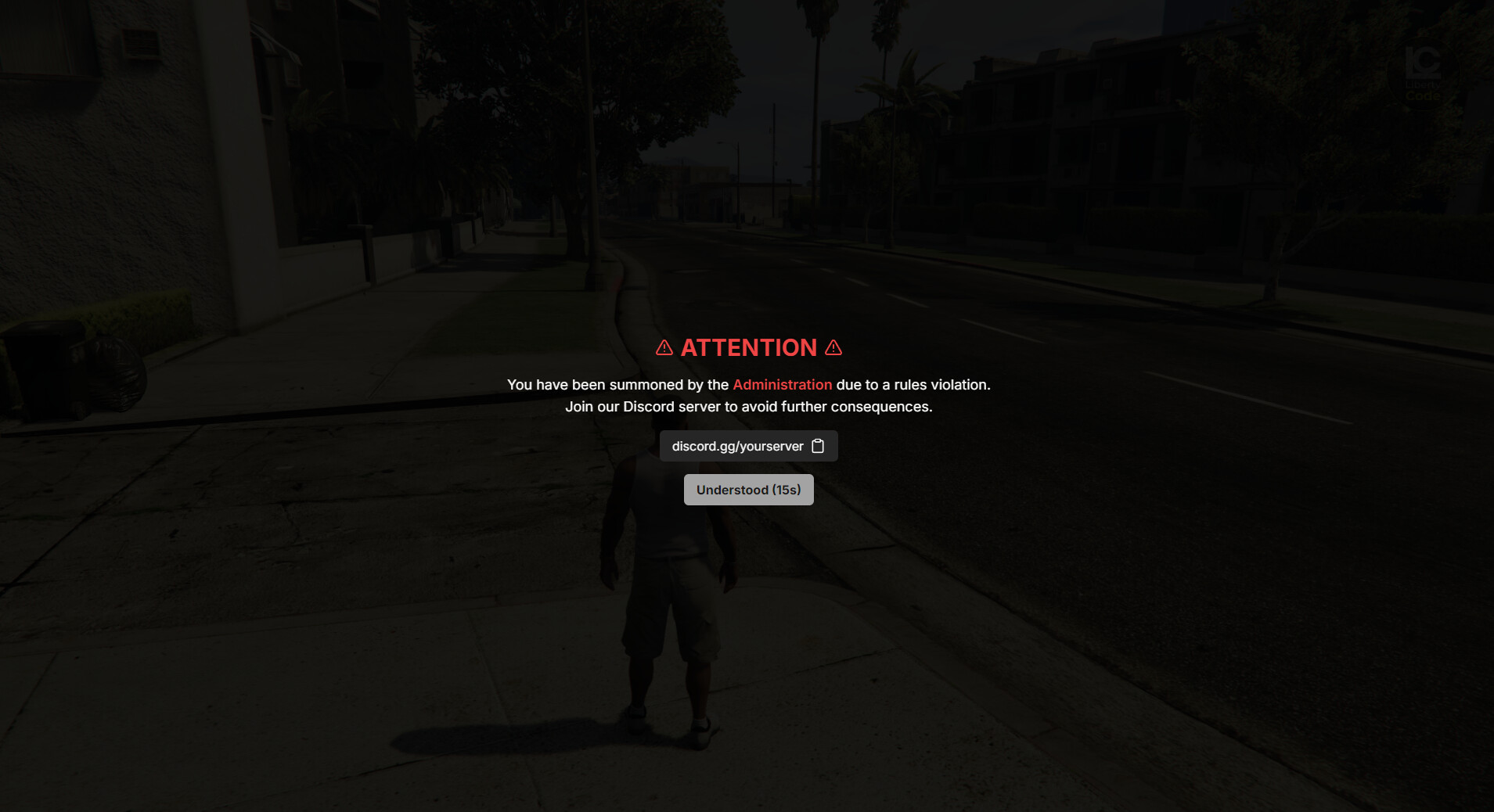
- New feature – Summon Player
- Allows you to display a fullscreen message asking a player to join your Discord support channel
- Discord Role Sync
- You can now link your in-game permission groups directly with Discord roles
- More info - Documentation
- Some minor fixes
Update v1.5.4
- Spectate UI
- Interface for spectating, with navigation between players using your keyboard’s arrow keys
- You can configure what player data is shown in spectate UI (in bridge module)
- Screenshots
- Press “H” while spectating to take a screenshot of players screen
- You can also take screenshots directly from the admin panel (“Actions” tab)
- More info - Documentation
- New player action - Set Routing Bucket
- You can now choose to hide the Discord link in the summon player message
- If you want to hide it then just set
locale.summon_player.discord_linktonull
- If you want to hide it then just set
- And a lot of small fixes and UI improvements